WhatsApp link generator
A WhatsApp link is https://wa.me/ plus your full number in international format, digits only, with an optional ?text= message, like https://wa.me/12015550123?text=Hi!%20I%20have%20a%20question%20about%20my%20order. Type your number and message to build yours and copy a ready-made button. It all runs in your browser.
By Ray, founder of Asks · Updated · Free, no sign-up · Runs in your browser
Generator
Make your WhatsApp link
Pick the country, type the number the way you'd dial it locally (or in full with +), and add a short opening message if you want one.
Your WhatsApp link
“Test it” opens WhatsApp (or WhatsApp Web) in a new tab. That is the only time the number leaves this page, and it goes to WhatsApp, not to Asks.
Same chat as an api.whatsapp.com link
Button for your website
Preview
Chat with us on WhatsAppPlain HTML with inline styles in WhatsApp's green; it works in any site builder that accepts custom HTML and carries no link to Asks.
The example number, (201) 555-0123, is from the range North America reserves for fictional use. Replace it with yours. Nothing you type here is sent to Asks, saved, or recorded in analytics.
How to
How to create a WhatsApp link in four steps
- 01
Enter your number
Pick your country and type the number as you'd dial it locally. The tool adds the country code and drops the leading 0.
- 02
Write a short opener
One line the customer can send as is, like “Hi! I have a question about my order.” They can edit it first.
- 03
Copy the link or the button
Paste the link into your bio, emails or ads, or the HTML button into your site's custom HTML block.
- 04
Test it on two devices
Open it on a phone and on a computer before you publish it anywhere you can't easily change.
Formats
wa.me, api.whatsapp.com and wa.me/message
- wa.me/<number> is the format WhatsApp documents for click-to-chat (WhatsApp Help Center). With no message, it's just https://wa.me/12015550123.
- api.whatsapp.com/send?phone=…&text=… is the longer form older guides use. When we checked on Nov 17, 2026, wa.me answered with a redirect to it, so both open the same chat; ours is https://api.whatsapp.com/send?phone=12015550123&text=Hi%21%20I%20have%20a%20question%20about%20my%20order. Prefer wa.me: it's shorter, and a shorter link makes a smaller QR code.
- wa.me/?text=… with no number lets the person pick who to send the message to. It's for share buttons, not for support.
- wa.me/message/<code> links come from Meta's own QR codes and short links for WhatsApp Business Platform numbers. Their pre-filled message can be up to 140 characters and can be edited later without changing the link (Meta's docs). A wa.me link from this tool carries its message in the URL, so changing the message means a new link.
Business app or API
The link is the same; who answers is not
A wa.me link opens a chat with any WhatsApp number. What happens next depends on how that number is set up.
WhatsApp Business app
- One number on your phone, with linked devices; you answer every chat by hand.
- Built-in greeting and away messages and quick replies.
- Fine while one or two people can keep up with the chats.
WhatsApp Business Platform (API)
- A shared team inbox, an AI agent that answers around the clock, campaigns and integrations.
- Meta charges per delivered message by category. Since Oct 1, 2026 your replies inside the 24-hour customer service window are service messages, billed after 1,000 a month per number (Meta pricing, checked Nov 2026).
- Meta's free entry point window only covers chats that start from Click to WhatsApp ads, not chats that start from a link.
The full rate card and worked monthly costs are in our WhatsApp Business API pricing guide, and the WhatsApp API cost calculator prices your own volume. Asks can connect a number you already use in the WhatsApp Business app; it stays on your phone.
Where to use it
Where a WhatsApp link earns its place
- Your contact page and footer, as the HTML button above.
- Instagram, TikTok and Facebook bios, where you can't embed a widget.
- Order confirmation and shipping emails: “Question about this order? Message us on WhatsApp.”
- Packaging, receipts and shop counters, as a QR code from the WhatsApp QR code generator.
- Your auto-replies on other channels, pointing people to the chat you answer fastest (see the WhatsApp auto-reply templates).
In Asks
Who answers when they tap the link
Connect the same number to Asks and every chat your link starts lands in one inbox, where the AI agent answers from your own content and hands off to your team when it should.
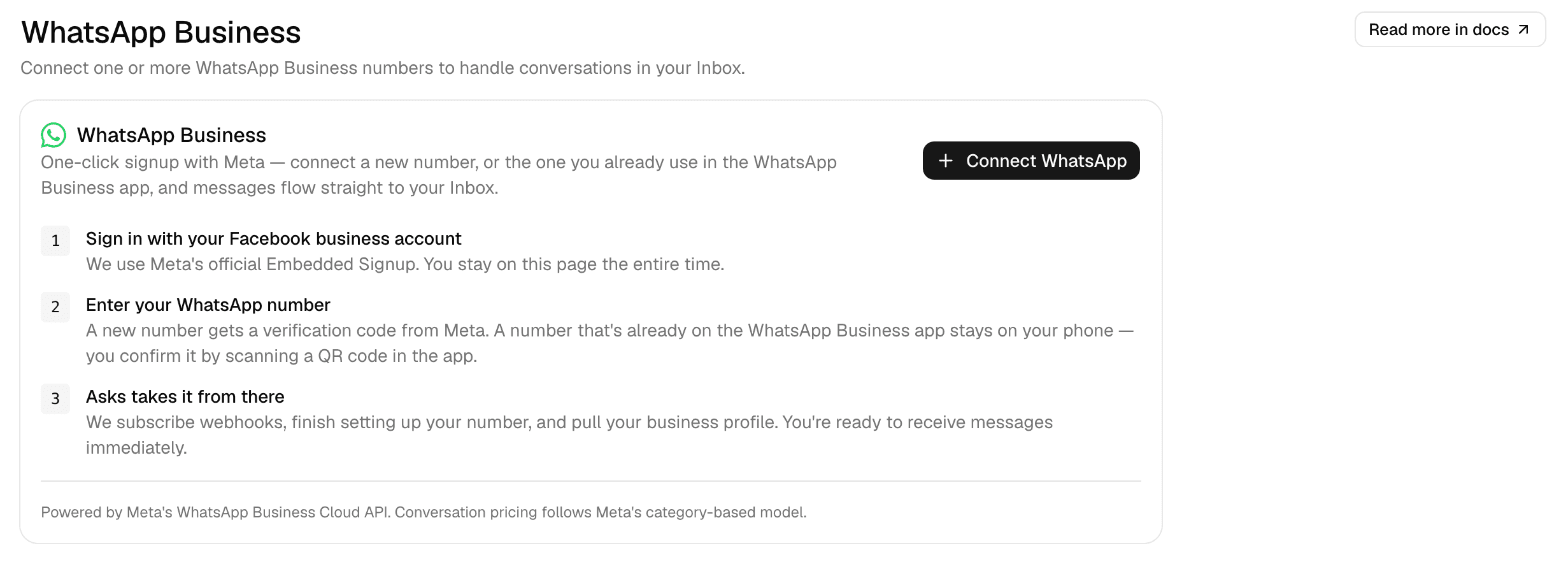
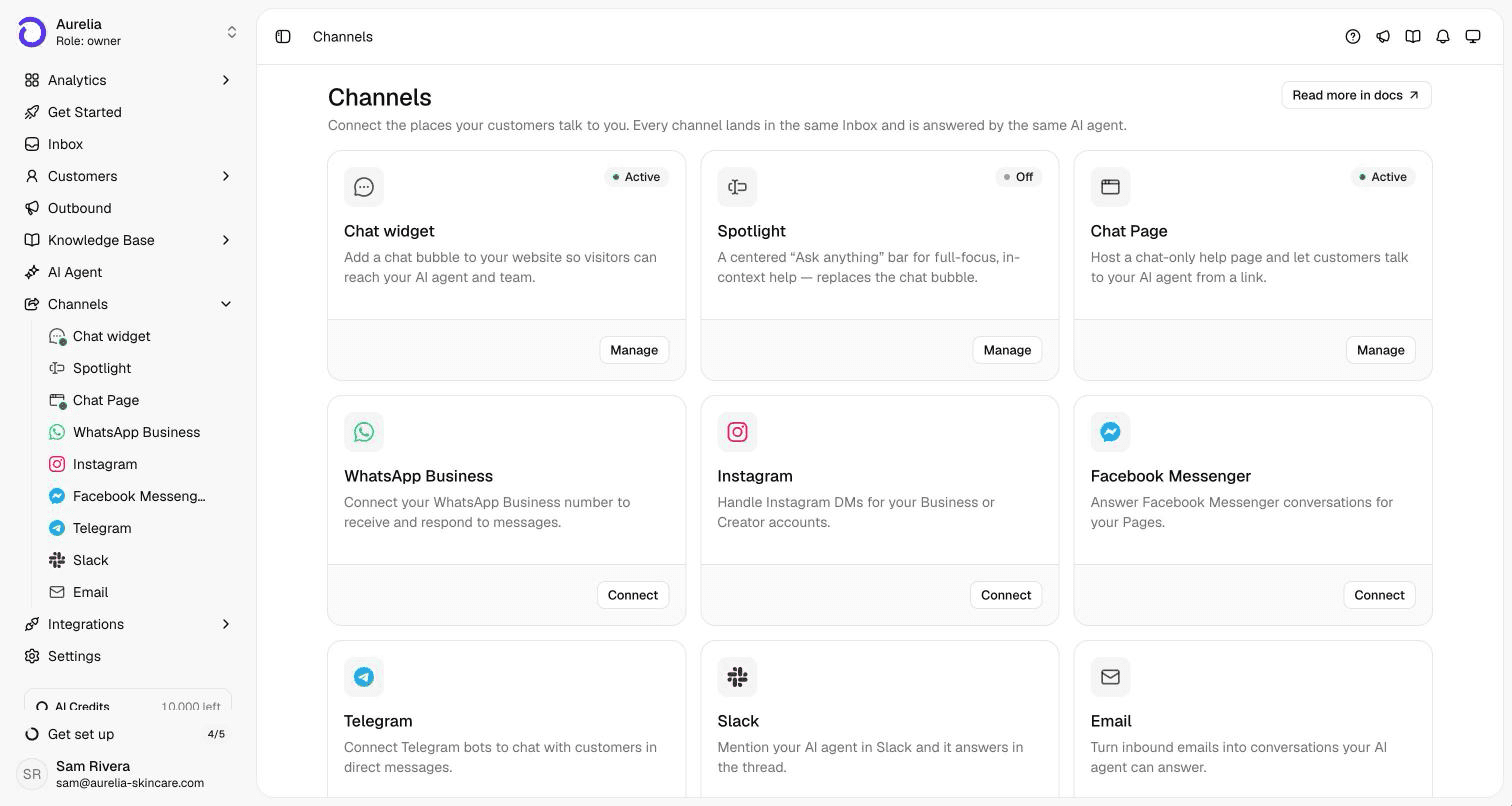
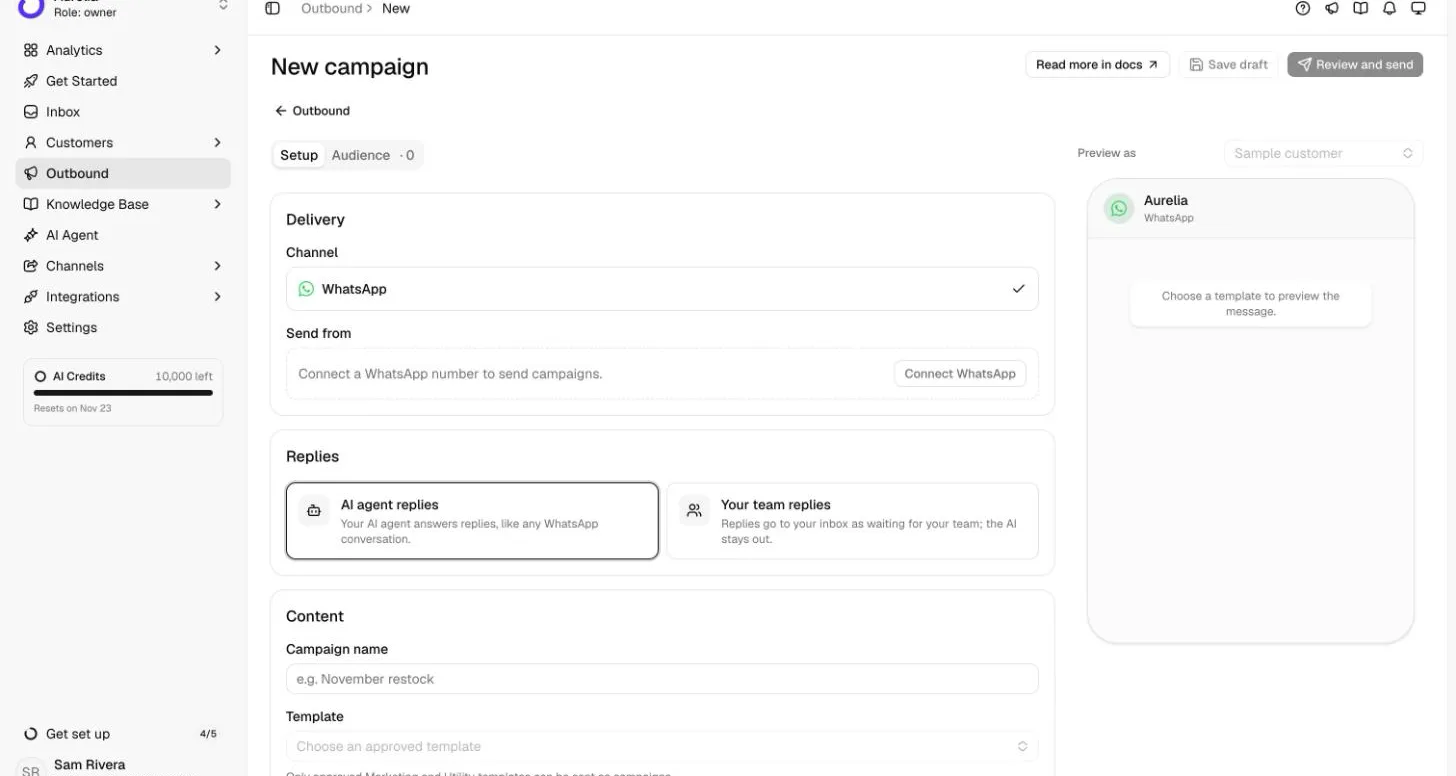
See the WhatsApp AI agent page for what it does on WhatsApp, or put the same agent on your site with the website chatbot.
FAQ
Questions, answered.
01How do I create a WhatsApp link?
Write https://wa.me/ followed by your full number in international format, digits only: country code, then the number without its leading 0, with no plus sign, spaces or dashes. To pre-fill a message, add ?text= and the URL-encoded message. The generator above does both.
02Do I put the + or a leading 0 in a wa.me link?
No. WhatsApp asks for the full number in international format without zeroes, brackets or dashes, and the link takes digits only: a UK mobile typed as 07700 900123 becomes 447700900123. The exception is numbering like Italy's, where the 0 after the country code is part of the number and stays.
03Can the customer change the pre-filled message?
Yes. It appears in their chat box, ready to send; they can edit or delete it first. Nothing is sent until they press send.
04What is the difference between wa.me and api.whatsapp.com?
wa.me is the short form WhatsApp documents. When we checked in November 2026, a wa.me link redirected to api.whatsapp.com/send with the same number and message, so both open the same chat. Use wa.me: shorter links, smaller QR codes. Details below.
05Do I need the WhatsApp Business API for a WhatsApp link?
No. A wa.me link works with any WhatsApp number: personal, the WhatsApp Business app, or the WhatsApp Business Platform (the API). The API matters for who answers: a shared team inbox, an AI agent on WhatsApp and automation need it.
06How can I tell which link a chat came from?
Give each placement its own pre-filled message, such as “Hi, I found you on Instagram” for your bio and “Hi, I have a question about my order” for order emails. The first message tells you where the chat started.
07Does this tool store or send my number?
No. The link is built in your browser. Your number and message aren't sent to Asks, stored or recorded in analytics; the only request is the one you make when you press “Test it”, which opens WhatsApp.
Sources
Sources and how we made this page
Written by Ray, the pen name of Asks's founder. The link format follows WhatsApp's own help page; the redirect from wa.me to api.whatsapp.com is from our own request on Nov 17, 2026. The screenshots are from Asks's demo workspace. Asks connects to WhatsApp as a messaging channel and doesn't resell Meta's fees; see our editorial policy.
- WhatsApp Help Center, How to use click to chat (the wa.me format): faq.whatsapp.com/5913398998672934 · checked Nov 17, 2026
- Meta for Developers, QR codes and short links (wa.me/message short links, 140-character messages): developers.facebook.com/documentation/business-messaging/whatsapp/qr-codes · checked Nov 17, 2026
- Meta for Developers, WhatsApp Business Platform pricing (service messages, the 24-hour window, Click to WhatsApp ads): developers.facebook.com/documentation/business-messaging/whatsapp/pricing · checked Nov 17, 2026
Answer every chat your link starts
Asks answers WhatsApp customers from your own content, day and night, and hands the conversation to your team in the same thread when it needs a person.
7-day free trial · card required · cancel anytime