Integrations
Asks integrations for the tools you already run.
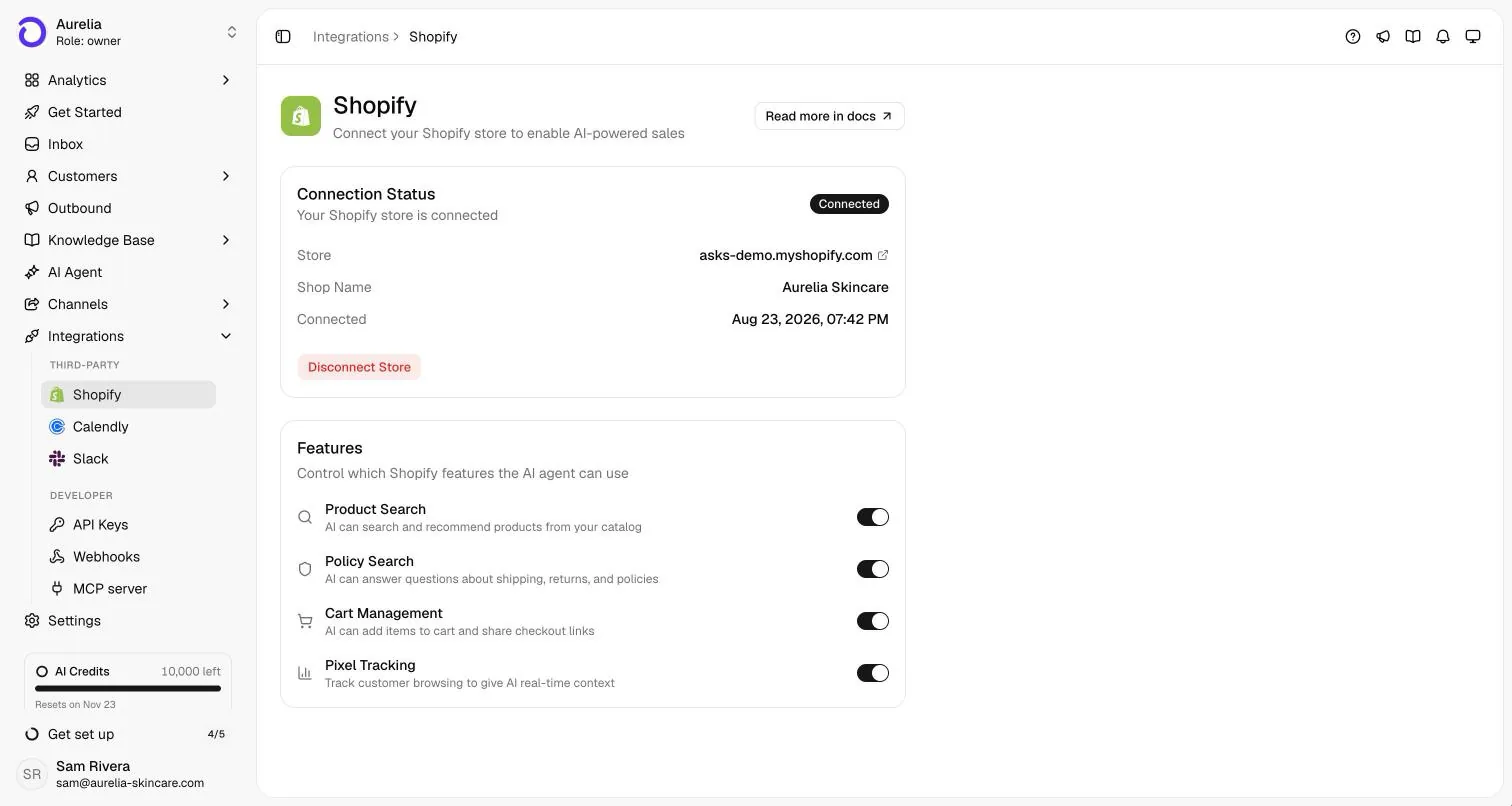
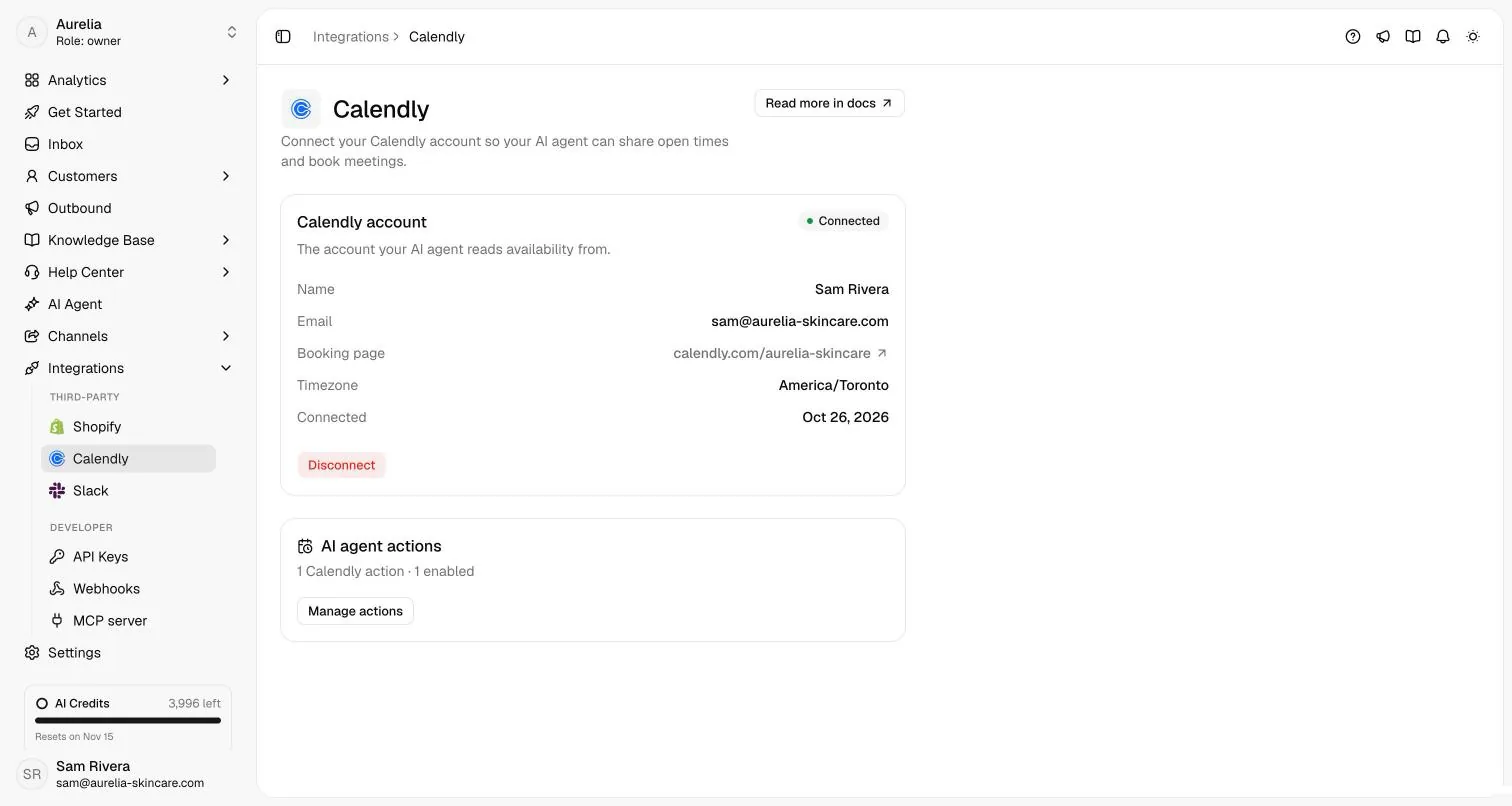
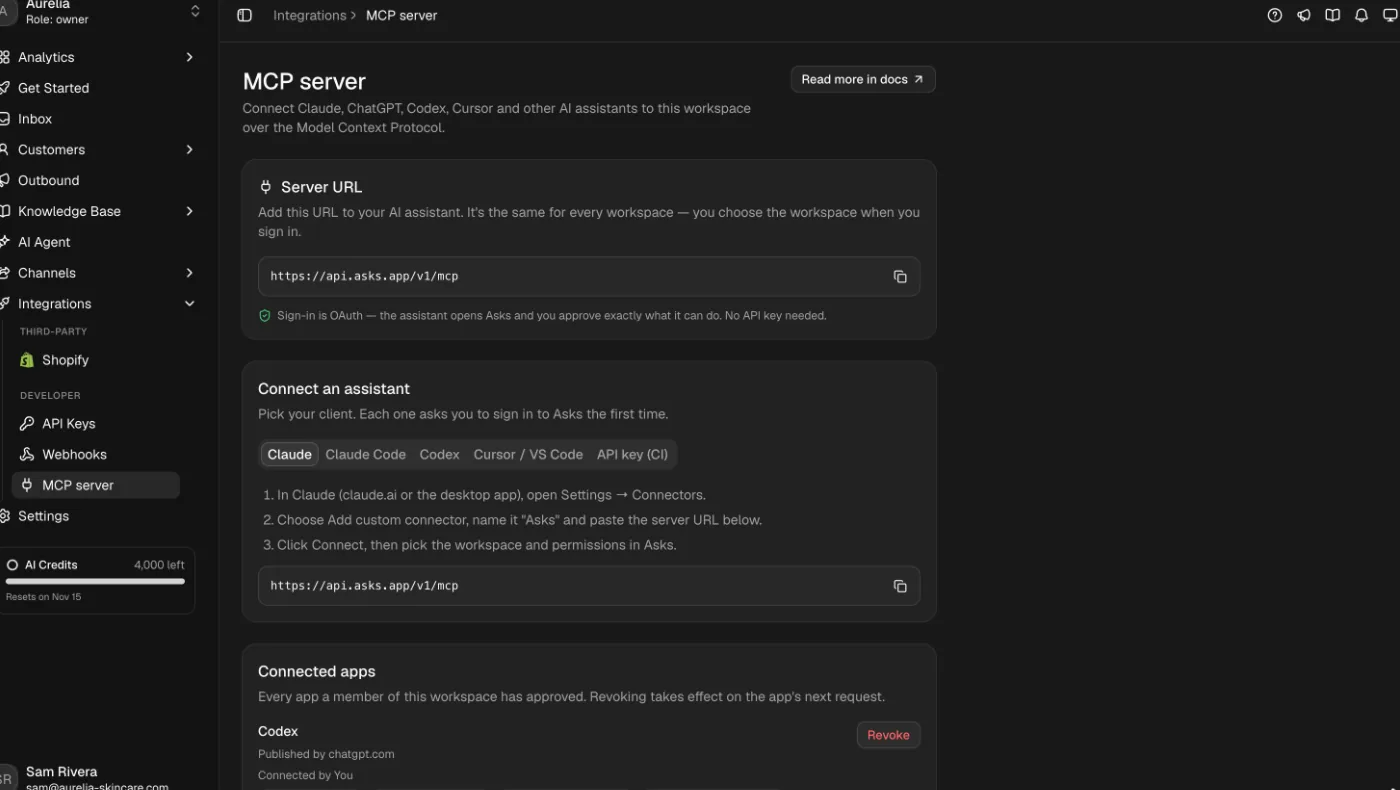
Asks connects natively to Shopify (live catalog, checkout links, verified order tracking) and Calendly (real open times). Claude, ChatGPT and Cursor reach your workspace through the Asks MCP server, and the chat widget installs on WordPress, Wix, Webflow or Squarespace with one snippet.
7-day free trial · card required · cancel anytime
Updated By Ray, founder of AsksProduct facts checked against Asks on
Apps and developer tools
What the agent can reach.
Website builders
Install the widget where your site lives.
Each guide is three steps: copy the snippet from Asks, paste it into your builder’s site-wide code, and publish.
On Shopify there is no snippet: the Shopify app turns the widget on from your theme editor. Any other site works with the script tag in the widget install guide.
At a glance
Every integration, and what it needs.
Plan figures are Starter / Business / Premium, straight from the product.
| Integration | What it does | Where you set it up | Plan | Setup |
|---|---|---|---|---|
| Shopify | Live catalog and policy answers, carts with checkout links, order status after verification, storefront context | Install the app from the Shopify App Store | Every plan | Docs guide |
| Calendly | Reads live availability, offers real times, books in the chat where Calendly allows it | Integrations → Calendly, then a Calendly action | Every plan · 5 / 15 / 50 actions | Docs guide |
| Slack | The agent answers @Asks mentions; your team gets inbox threads and alerts in Slack | Channels → Slack | Every plan | Docs guide |
| MCP server | Claude, ChatGPT, Codex or Cursor work with your agent, knowledge, inbox, tickets, customers and analytics | Add the server URL in your assistant, approve in Asks | Business and up (agent chat on Premium) | Docs guide |
| MCP servers for the agent | Your agent calls tools on MCP servers you run, on every channel | AI Agent → MCP Servers | 1 / 3 / 10 servers | Docs guide |
| Custom HTTP actions | The agent calls your own API mid-conversation (order lookups, account checks, tickets) | AI Agent → Custom Actions | 5 / 15 / 50 actions | Docs guide |
| REST API and webhooks | Read and write workspace data; get signed events when things happen | Integrations → API Keys and Webhooks | Business and up | Docs guide |
| Website builders | The chat widget or Spotlight on every page of your site | Paste one snippet in your builder’s site-wide code | Every plan | Docs guide |
FAQ
Questions, answered.
01Which tools does Asks integrate with?
Shopify, Calendly and Slack connect natively. AI assistants such as Claude, ChatGPT and Cursor connect through the Asks MCP server (Business plan and up). The chat widget installs on WordPress, Wix, Webflow, Squarespace or any site that accepts a script tag.
02My tool isn’t listed. Can the agent still use it?
Yes, in three ways: custom HTTP actions let the agent call your API mid-conversation, MCP servers you connect become tools the agent can call, and on the Business plan and up the REST API and signed webhooks let your systems read and react to Asks data.
03Do integrations cost extra?
No. Integrations are included in your plan. Plans set how many custom actions, Calendly actions and agent MCP servers you can add.
04Is there an Asks plugin for WordPress?
You don’t need one. Paste the widget snippet with the free WPCode plugin or into your theme’s footer, and the widget loads on every page.
05What is the difference between the MCP server and MCP servers for the agent?
They point in opposite directions. The Asks MCP server lets an AI assistant like Claude work inside your Asks workspace. MCP servers for the agent let your Asks agent call tools on servers you run, during customer conversations.

Give every customer your best agent.
Connect your business, let the agent learn it, and watch the first conversations get answered, booked, and closed — tonight.
7-day free trial · card required · cancel anytime
