Channels
One AI agent on every customer support channel.
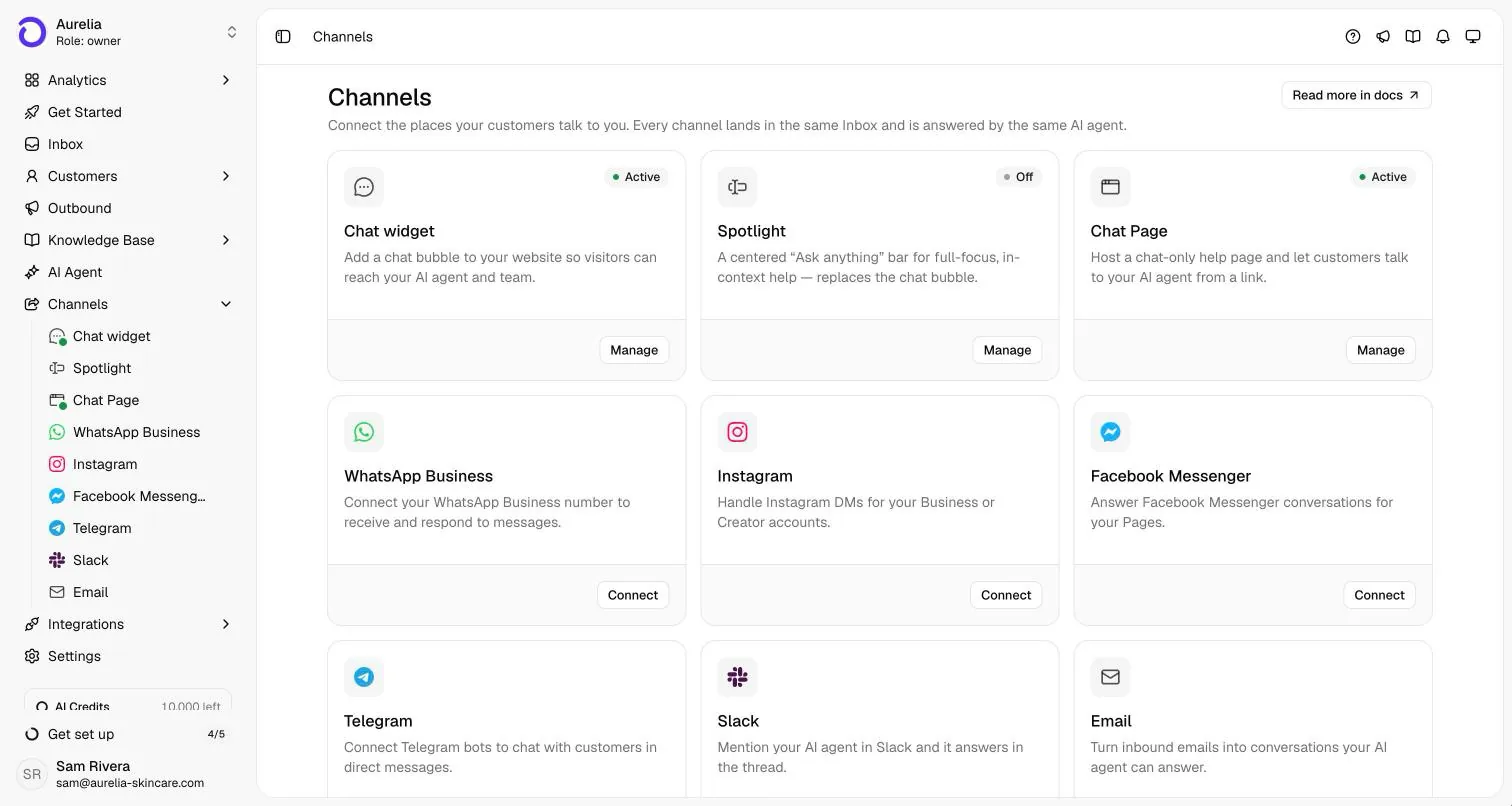
Asks answers customers on 9 live channels: Website chat widget, Spotlight, Chat Page, WhatsApp, Instagram, Facebook Messenger, Telegram, Slack, and Email. One agent, trained once on your content, replies on all of them, and every conversation lands in one shared inbox. Every live channel is included on every plan.
7-day free trial · card required · cancel anytime
Updated By Ray, founder of AsksProduct facts checked against Asks on
Channel guides
Pick a channel, see how it works there.
Each guide covers what the agent does on that channel, how you connect it, and the platform rules that apply.
At a glance
Every channel, side by side.
Status comes straight from what a new workspace can connect today.
| Channel | Status | Customers reach you | You connect it with | Good to know | Setup |
|---|---|---|---|---|---|
| Website chat widget | Live | A chat bubble on every page of your website | One script tag, the npm package, the WordPress option or the Shopify theme editor | Shows the sources behind answers. Your site runs the widget or Spotlight, not both | Docs guide |
| Spotlight | Live | A floating “Ask anything” bar at the bottom of your pages | The same embed script as the chat widget | Replaces the chat bubble while it is live; suits docs and product pages | Docs guide |
| Chat Page | Live | A hosted page at app.asks.app/c/your-name | Nothing to install: share the link | Works without a website: bio links, QR codes, email signatures | Docs guide |
| Live | Your WhatsApp Business number | Meta’s Embedded Signup: the Cloud API, or coexistence with the WhatsApp Business app on your phone | Meta bills WhatsApp messages separately from your Asks plan | Docs guide | |
| Live | Direct messages to your Instagram account, including story replies and mentions | An Instagram Business or Creator account | Comments on your posts are not part of the channel | Docs guide | |
| Facebook Messenger | Live | Messenger conversations with your Facebook Pages | Admin access to each Page you connect | Connect several Pages; each one is its own channel | Docs guide |
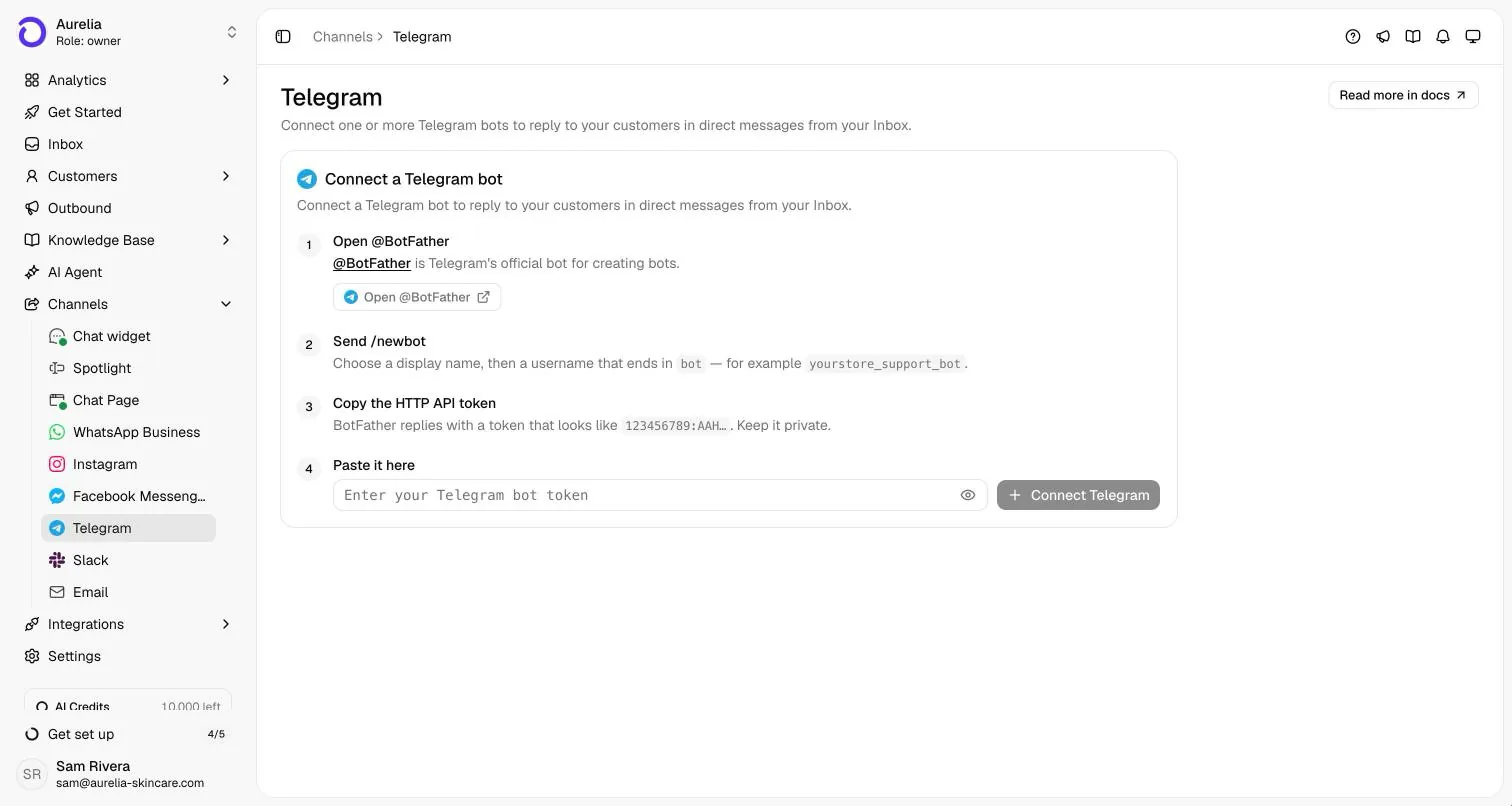
| Telegram | Live | Private chats with a Telegram bot you own | A bot token from @BotFather, pasted into Asks | Direct messages only; replies always go out as your bot | Docs guide |
| Slack | Live | @Asks mentions and direct messages in your Slack workspace | The Asks app, installed in one Slack workspace | Also brings inbox threads and alerts into Slack for your team | Docs guide |
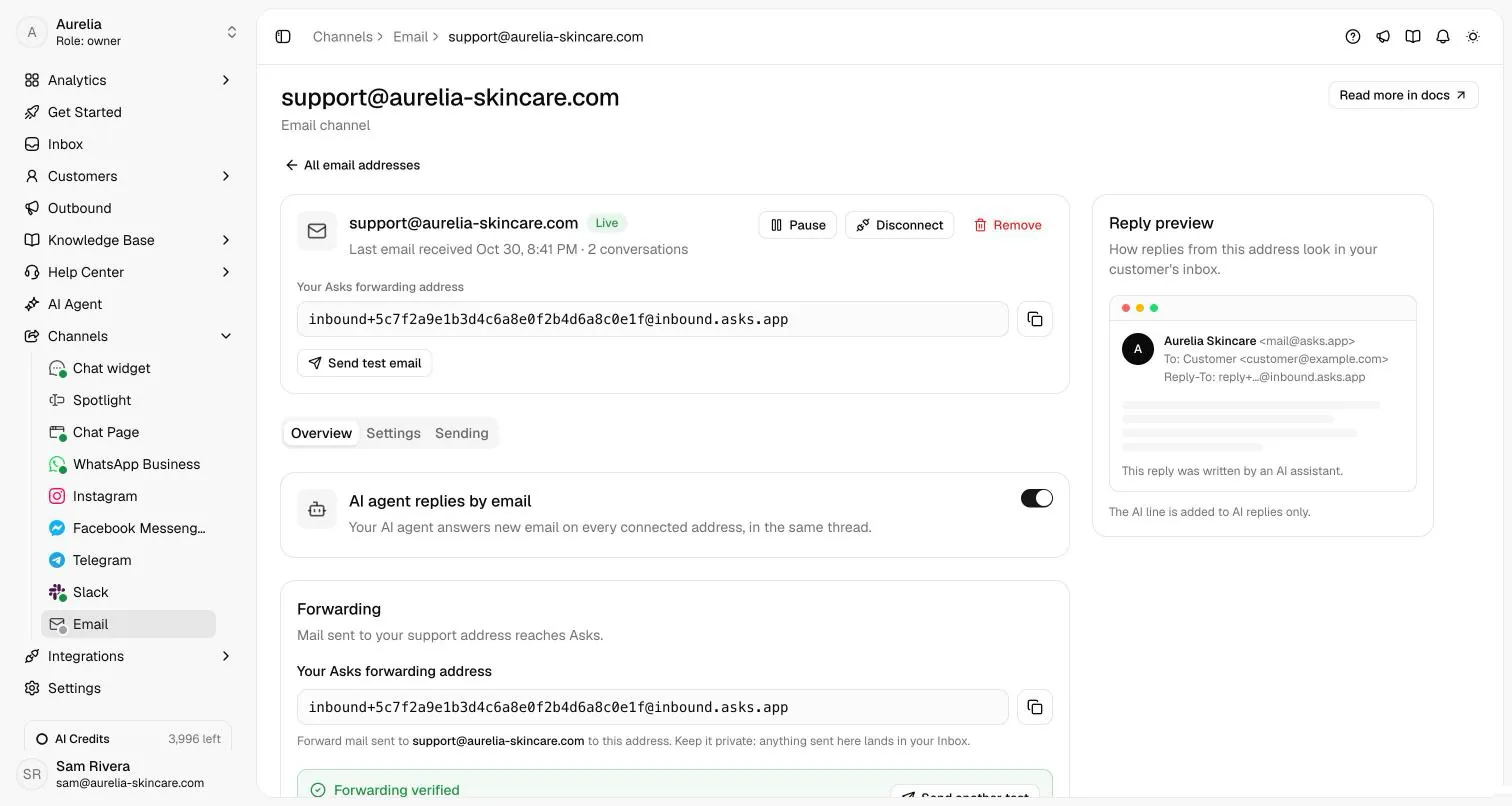
| Live | The support address customers already write to | One forwarding rule at your mail provider | The agent and your team reply in the customer’s original thread | Docs guide | |
| Discord | Coming soon | Your Discord server | Not available yet | Listed so you know it is planned; you can’t connect it today | — |
On every channel
Same agent, same inbox, whichever app they write from.
- Answers from your content. The agent learns your website, documents and help center, answers in the customer’s language, and shows its sources in web chat.
- One shared inbox. Every channel lands in the shared inbox, where your team can take over a conversation and hand it back to the AI.
- Store and calendar actions. With Shopify connected, the agent answers from your live catalog and tracks orders after the customer verifies their email. With Calendly, it offers real open times.
- One price. Every live channel is on every plan, with AI credits included each month and no per-resolution fees.
Starting with the website? The AI chatbot for your website guide covers the chat widget, Spotlight and the Chat Page, and the integrations page has install guides for WordPress, Wix, Webflow and Squarespace. For what the agent can do once it is connected, see use cases.
FAQ
Questions, answered.
01Which channels does Asks support?
9 channels are live today: Website chat widget, Spotlight, Chat Page, WhatsApp, Instagram, Facebook Messenger, Telegram, Slack, and Email. They all feed one shared inbox and one AI agent.
02Do I pay extra for each channel?
No. Every live channel is included on every plan, and an AI reply uses the same AI credits on any channel. Meta bills WhatsApp messages separately, under its own pricing.
03Is it the same AI agent on every channel?
Yes. You train one agent on your website, documents and help center, and it answers on every channel you connect, in the customer’s language. Customers are recognized across channels, so your team sees one history.
04Can my team take over from the AI?
Yes. Every conversation is in the shared inbox, where a teammate can take over from the AI and hand it back later. The agent hands off on its own when it can’t support an answer from your content or the customer asks for a person; AI handoff summaries come with the Business plan and up.
05Can I connect more than one number, account or address?
Yes. You can connect several WhatsApp numbers, Instagram accounts, Facebook Pages, Telegram bots and support email addresses. Each one becomes its own channel in the inbox.

Connect one channel tonight.
Train the agent on your website, connect the channel your customers use most, and add the rest when you’re ready.
7-day free trial · card required · cancel anytime
