Calendly integration
A Calendly chatbot that only offers real times.
Connect Calendly and the Asks AI agent reads your live availability, offers customers a few real times (each link opens your Calendly page on that slot) and, where Calendly allows it, books the meeting right in the chat. It never invents a time.
7-day free trial · card required · cancel anytime
Updated By Ray, founder of AsksProduct facts checked against Asks on
How it works
Two booking modes, you pick per meeting type.
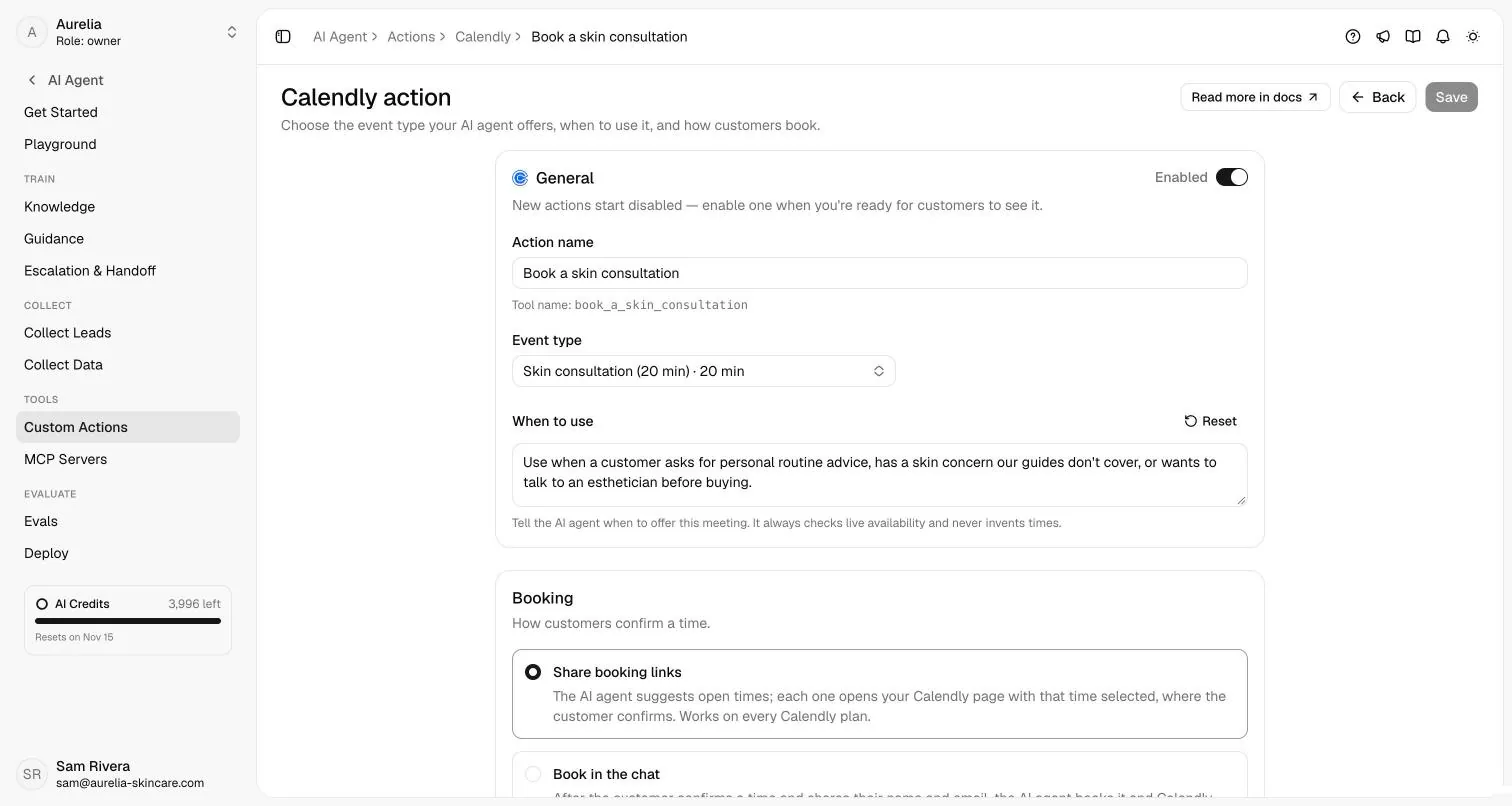
Each Calendly action is one event type with its own instructions, booking mode and channels.
| Mode | What the customer sees | Calendly plan |
|---|---|---|
| Share booking links | A few open times, spread across the day, with the timezone. Each link opens your Calendly page with that time selected; the customer confirms there. The agent never claims the meeting is booked. | Every Calendly plan |
| Book in the chat | The customer picks a time and gives a name and email; the agent re-checks the slot, books it, and returns Calendly’s reschedule and cancel links. Calendly emails the invitation. | Calendly Standard or higher |
- Availability is read live from Calendly for the dates the customer asks about, up to 31 days at a time.
- Meetings whose location or required questions need details only Calendly’s page can collect are sent to Calendly to finish.
- If Calendly stops accepting the connection, the agent shares your booking page instead of live times until you reconnect.
Set up
Connect, then choose what the agent may offer.
- 1
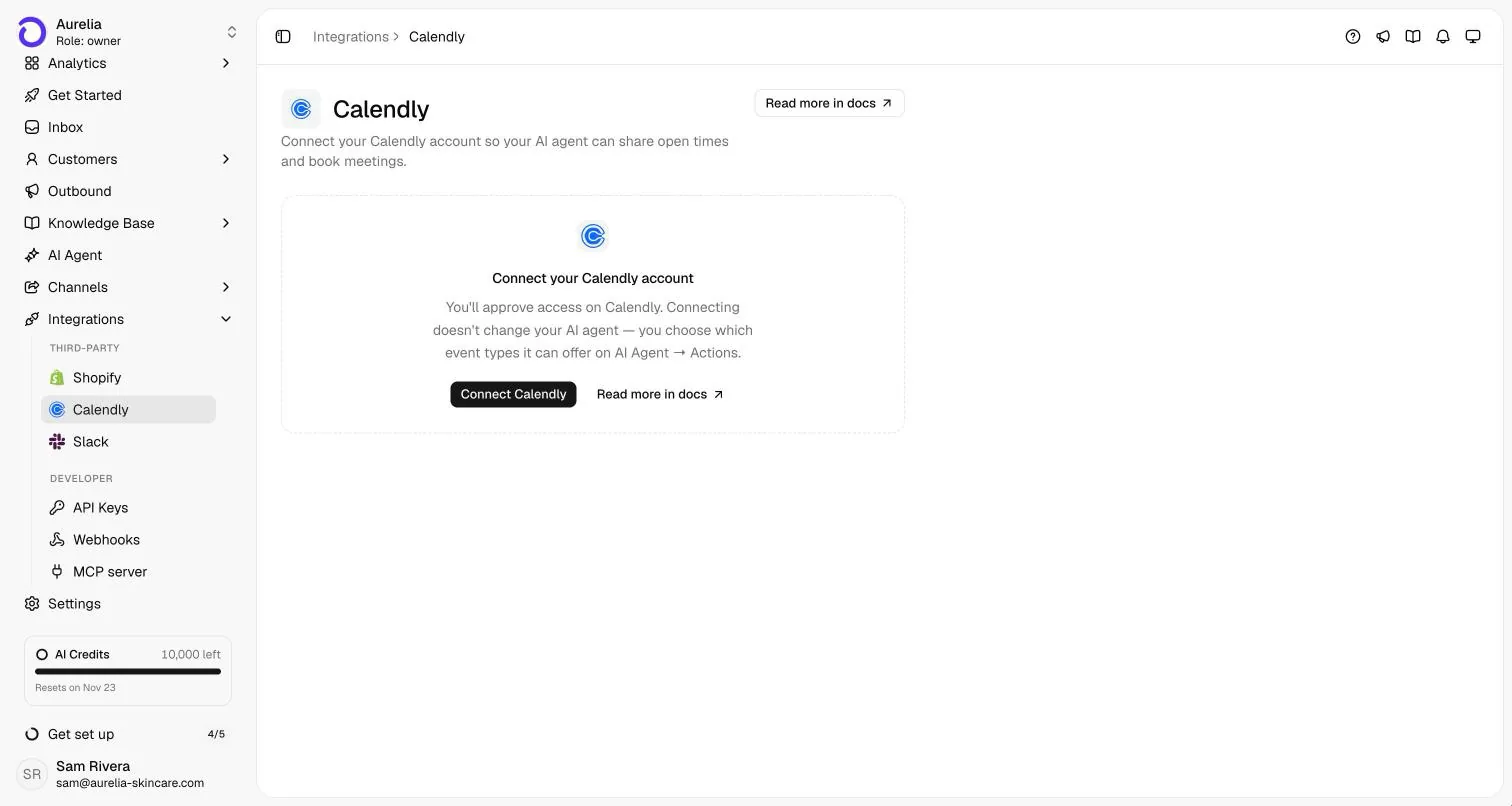
Connect your Calendly account
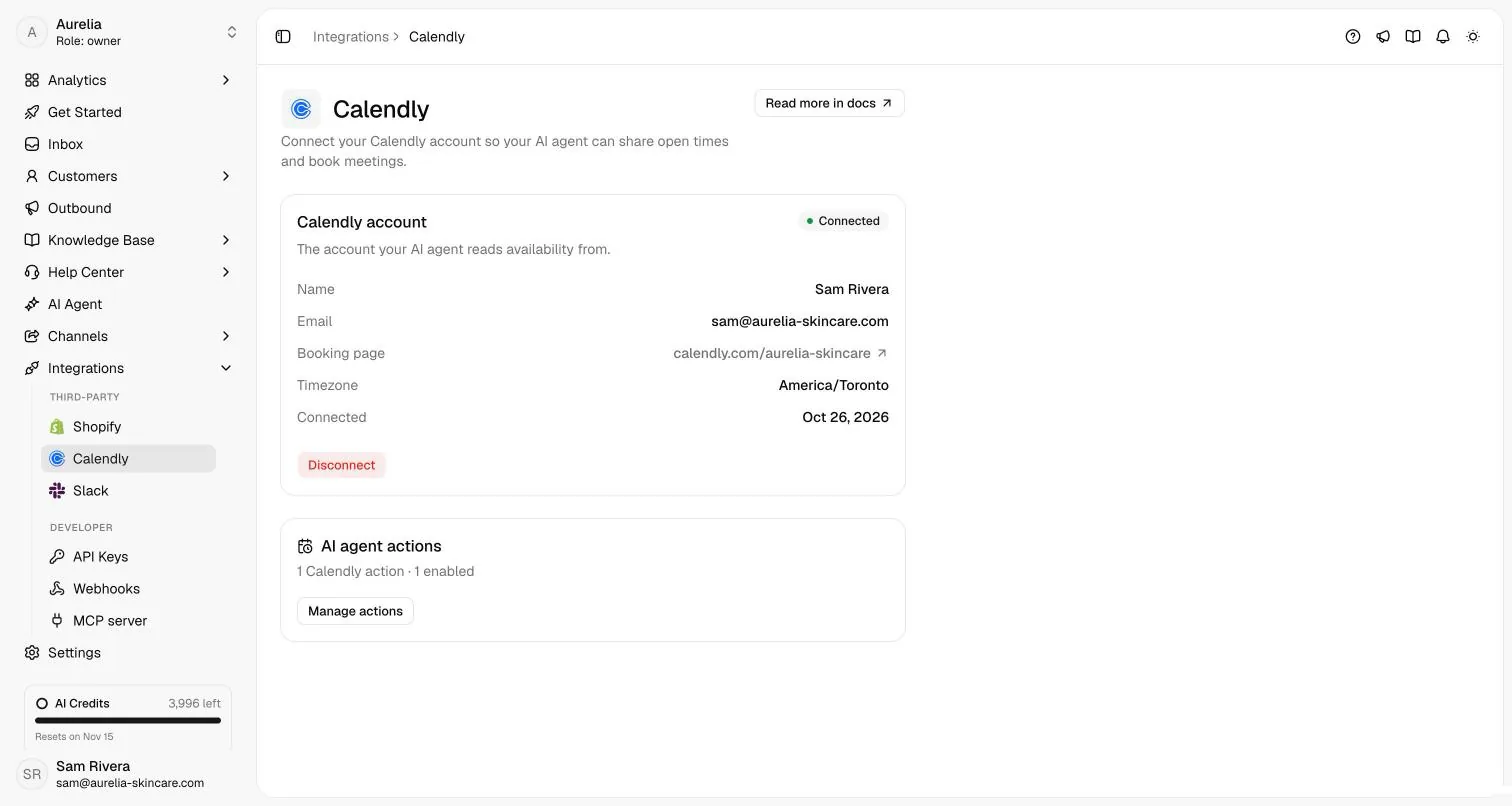
Go to Integrations → Calendly, select Connect Calendly and approve on Calendly. Connecting doesn’t change the agent yet. - 2
Add a Calendly action
Pick one active event type, write when the agent should offer it (a sensible default is filled in), and choose Share booking links or Book in the chat. - 3
Preview, then enable
Preview availability shows the next 7 days as the agent sees them. New actions start disabled: select Save & enable when you’re ready. Full options are in the Calendly setup guide.
Plans
On every plan, counted like custom actions.
Calendly actions come with every Asks plan, with the same allowance as custom actions and counted separately: 5 on Starter, 15 on Business and 50 on Premium. Only workspace owners and admins can connect Calendly or change its actions. Compare plans on the pricing page.
Calendly is not available for workspaces in Indonesia.
Honest take
When a plain Calendly link is enough.
- Your customers already know they want to book: a booking button on your site does the job, at no extra cost.
- You have one meeting type and no questions to answer first.
- The agent earns its keep when people ask questions before they book, or write to you on WhatsApp, Instagram or email instead of your website. That flow is covered in the appointment booking chatbot use case.
Clinics and salons book this way most: see the playbooks for healthcare and beauty and salons.
FAQ
Questions, answered.
01Can an AI chatbot book Calendly appointments?
Yes. The Asks agent reads your live Calendly availability and offers real times. In Share booking links mode the customer confirms on your Calendly page; in Book in the chat mode the agent books it once the customer picks a time and gives their name and email, and Calendly sends the invitation.
02Which Calendly plan do I need?
Share booking links works on every Calendly plan. Book in the chat depends on Calendly letting Asks book through its API (our setup guide lists Calendly Standard or higher). If Calendly refuses an API booking, the agent shares that time’s booking link instead.
03Does it work on WhatsApp, Instagram and email?
Yes. By default a Calendly action is available on every channel: the chat widget, WhatsApp, Instagram, Messenger, Telegram, Slack, email and the API. You can limit each action to specific channels; on messaging channels the agent shares times as text and links.
04Can it double-book or invent a time?
It never invents times: availability is read live from Calendly for the dates the customer asks about. Before booking in the chat it re-checks the exact time, and it books once per conversation and time.
05Can I test it without creating real bookings?
Yes. In the Playground the availability is real but bookings are simulated, so nothing is sent to Calendly. The action editor’s Preview availability shows the next 7 days exactly as the agent reads them.
06I use a different booking tool. Can Asks still book?
Calendly is the built-in booking integration. Other systems, such as a reservation tool or practice software, connect through custom HTTP actions that call your tool’s API.

Let the agent fill your calendar.
Connect Calendly, add one meeting type, and test it in the Playground before customers see it.
7-day free trial · card required · cancel anytime
