An appointment booking chatbot that offers real times.
An appointment booking chatbot offers real open times in the conversation and books the meeting. Asks reads your live Calendly availability, suggests a few slots with the timezone, and either books in the chat or sends a link with the time preselected, on your website, WhatsApp, Instagram and more.
Booking is where a sales or service conversation usually stalls: "here's my calendar link" sends the customer off to search for a slot alone. With Calendly connected, the agent checks your calendar while it talks, so the next step is a time, not a homework assignment. It suits appointment-led businesses such as beauty salons and clinics, and works alongside the lead generation chatbot and your website chat.
7-day free trial · card required · cancel anytime
By Ray, founder of Asks (pen name) · Updated
In a conversation
A time, not a link.
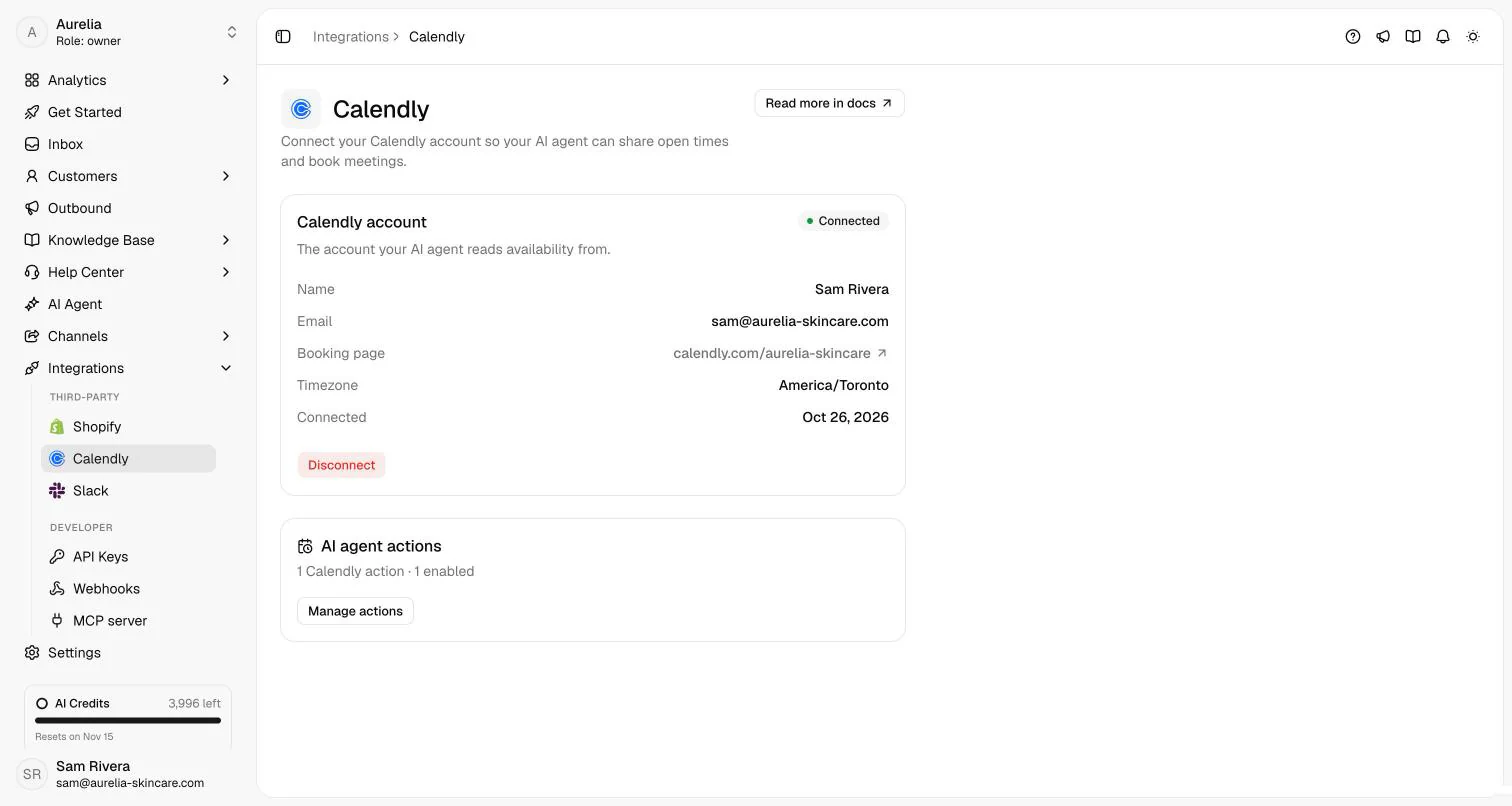
A consultation request on the website widget, in Share booking links mode. The real Calendly connection on the right is where the agent reads availability.
what the agent did · documented behaviour
How it works
How the appointment booking chatbot works in Asks
Booking is one of the conversations worth automating end to end. Calendly is connected once per workspace, and each event type you want the agent to offer becomes a Calendly action with its own instructions, booking mode and channels.
- Step 01
Connect your Calendly account
In Integrations → Calendly, select Connect Calendly and approve access on Calendly. Connecting changes nothing on its own: the agent offers only the event types you turn into actions.
Calendly docs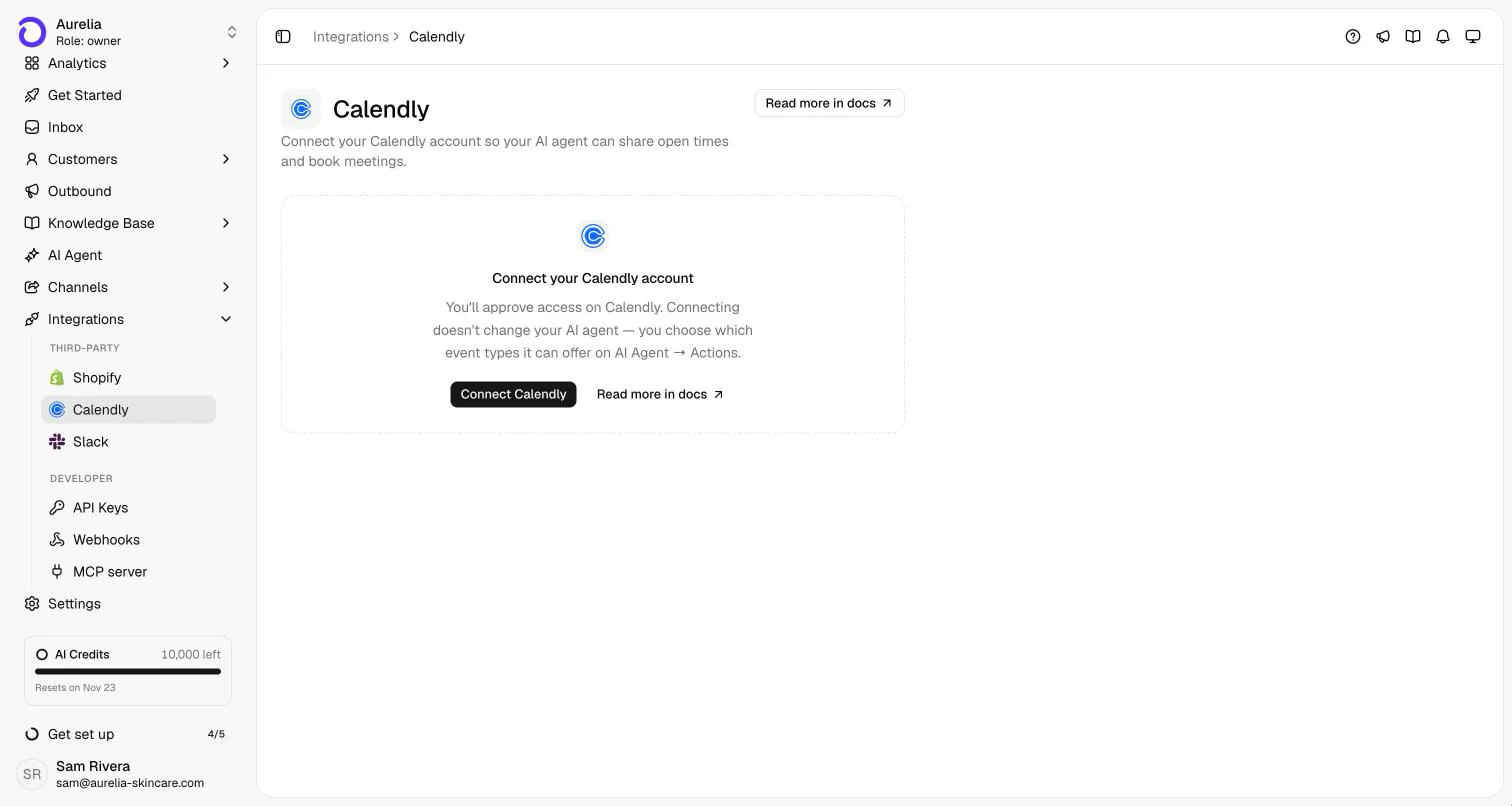
Connect once. You choose which event types the agent may offer afterwards. - Step 02
Add a Calendly action for each event type
Pick the event type, and tell the agent when to offer it in When to use, for example "when a customer wants personal routine advice". Limit it to specific channels if you like. New actions start disabled until you select Save & enable.
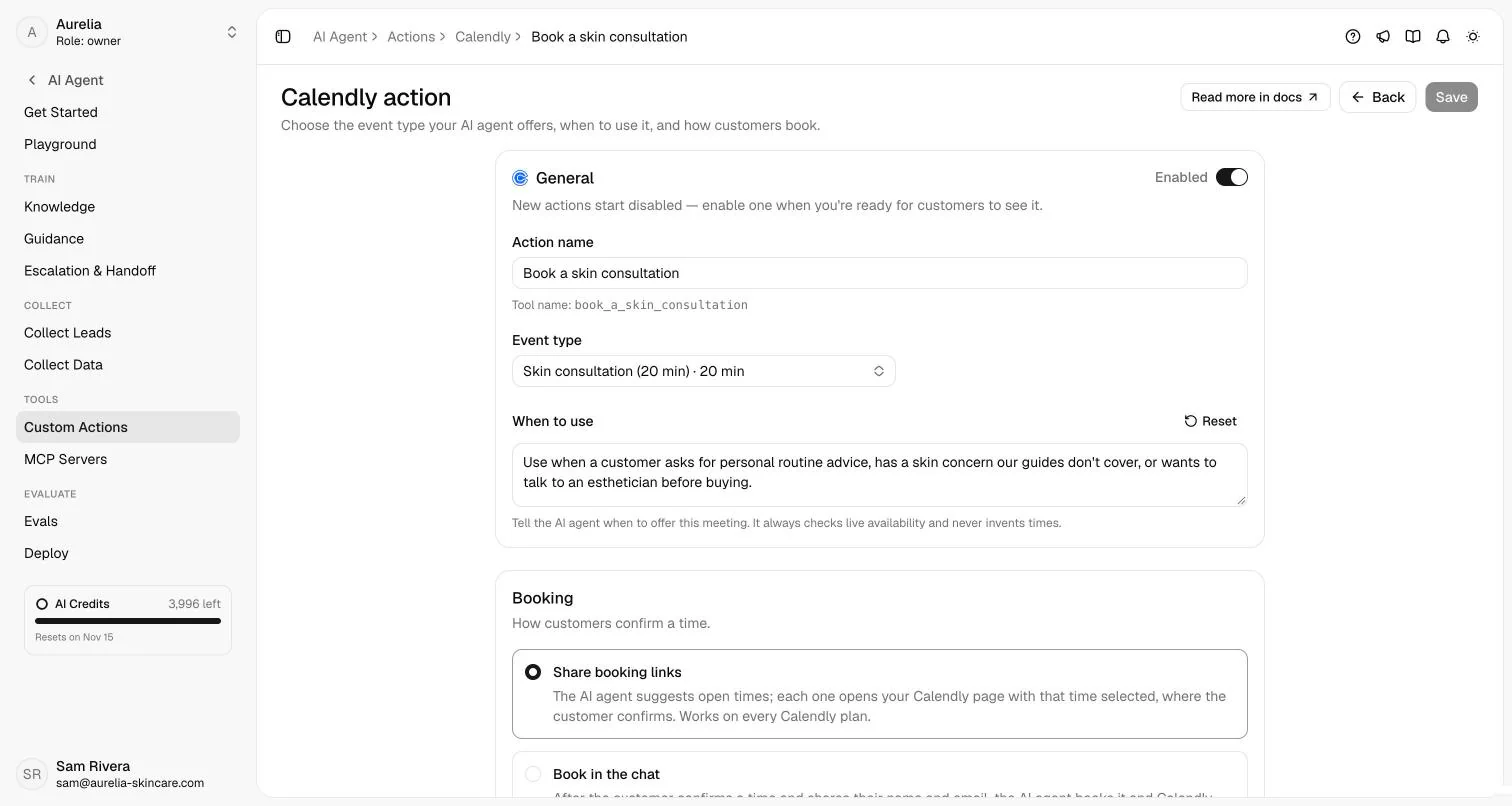
One action per event type: name, event type, when to offer it, and how customers book. - Step 03
Choose how customers book
Share booking links works with every Calendly account: each suggested time opens your Calendly page with that slot selected, and the customer confirms there. Book in the chat has the agent book once the customer picks a time and gives a name and email; Calendly emails the invite. If Calendly refuses the booking, the agent shares that time's link instead.
- Step 04
Test it in the Playground
Ask "Can I book a call next week?" as a customer. Availability in the Playground is real, but bookings are simulated, so nothing reaches your calendar. Preview availability in the action editor shows the next 7 days exactly as the agent reads them.
Testing docs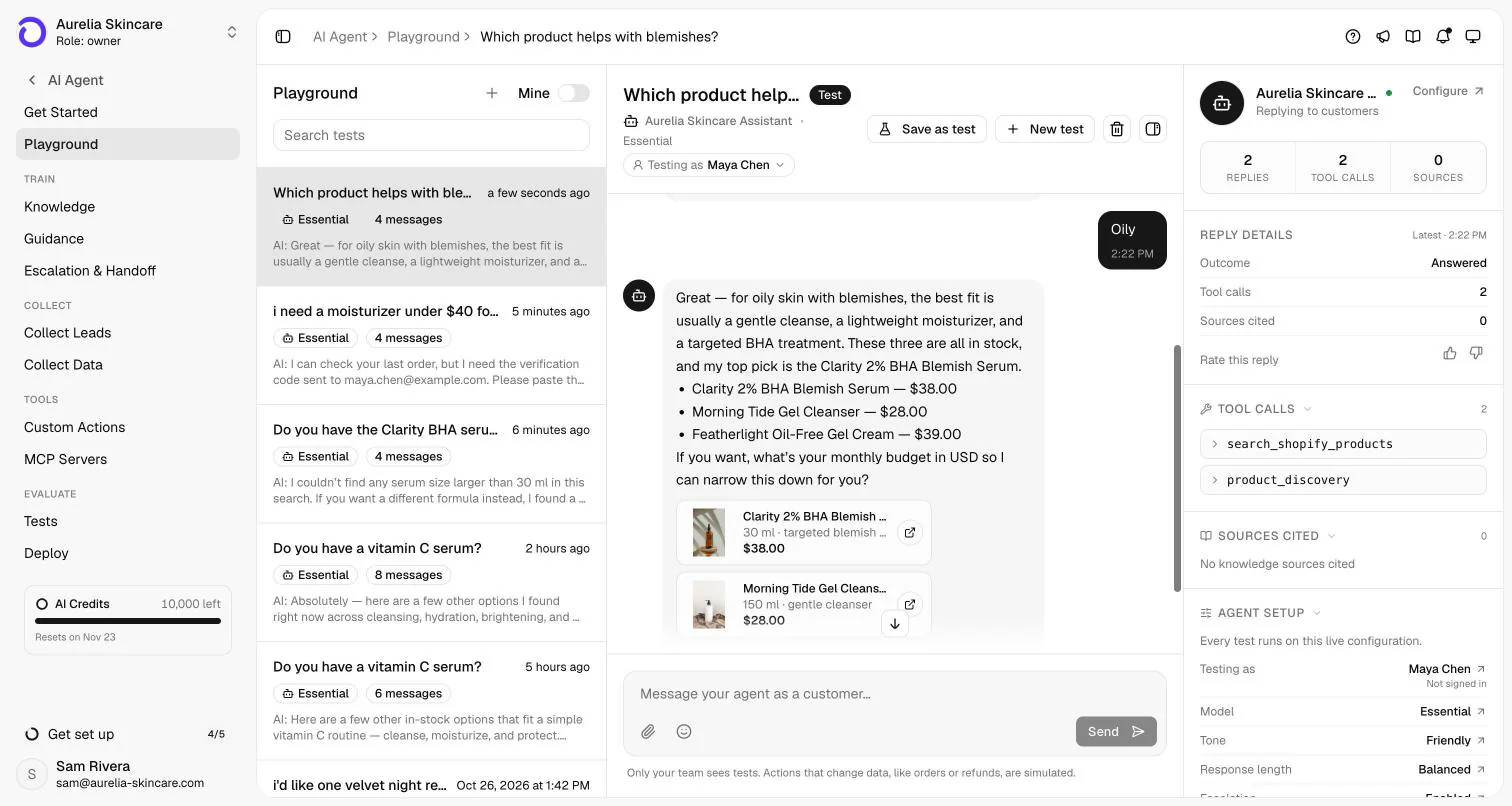
The Playground: chat as a customer against the live setup. Actions that change data are simulated.
Capabilities and limits
What it does, and what it won't.
What it does
- Reads availability live from Calendly for the dates the customer asks about (up to 31 days per lookup) and never invents times.
- Suggests a few concrete options spread across the day, states the timezone and links each one to Calendly.
- In Book in the chat mode, re-checks the exact time right before booking, books once per conversation and time, and returns Calendly's reschedule and cancel links.
- Offers times on every live channel; on messaging channels it shares them as text and links.
- Keeps a log of each action's last 20 lookups and bookings, without customer names or emails.
- Hands the conversation to your team under your escalation rules when booking isn't the answer, with the context attached (how handoff should work).
What it won't do
- Say a meeting is booked in Share booking links mode: the customer finishes on Calendly.
- Connect to other schedulers natively. Calendly is the built-in integration; another booking system needs a custom HTTP action against its API.
- Book meetings whose location or required questions only Calendly's page can collect. It sends the customer to Calendly instead.
- Answer phone calls. This is chat booking, not a voice receptionist.
- Run for workspaces in Indonesia, where Calendly isn't available.
Plans, channels and setup
Where it runs and what it costs.
Calendly actions are on every plan, with their own allowance next to custom actions. Each AI reply uses AI credits from the plan's monthly allowance.
| Plan | Starter | Business | Premium |
|---|---|---|---|
| Price, billed yearly | $29/mo ($39/mo monthly) | $119/mo ($149/mo monthly) | $279/mo ($349/mo monthly) |
| AI credits per month | 500 | 4,000 | 10,000 |
| Calendly actions (event types) | 5 | 15 | 50 |
| Custom HTTP actions (separate allowance) | 5 | 15 | 50 |
| Teammates in the inbox | 10 | 25 | 50 |
Enterprise adds custom limits and SAML SSO: talk to sales. Every self-serve plan starts with a 7-day free trial, card required, cancel anytime. Compare plans.
- Offers times on
- Website chat widget, Spotlight, Chat Page, WhatsApp, Instagram, Facebook Messenger, Telegram, Slack, and Email
- Booking
- Share booking links (any Calendly account) or Book in the chat
- Setup
- A few minutes: connect Calendly, add one action per event type, enable it. Only workspace owners and admins can connect Calendly.Calendly docsCustom actions docsPlayground testing docs
FAQ
Appointment booking chatbot questions
01Can a chatbot book appointments directly into my calendar?
With Calendly connected, yes. In Book in the chat mode the agent books the time the customer picks and Calendly sends the invite. In Share booking links mode it offers real open times, each opening your Calendly page with the slot preselected for the customer to confirm.
02Does it work with Google Calendar or Outlook?
Through Calendly. Connect your Google or Outlook calendar to Calendly and the agent reads the availability Calendly computes, so busy times stay blocked. Asks doesn't connect to those calendars directly.
03What if a slot gets taken while the customer decides?
Before booking in the chat, the agent re-checks that exact time, so it never books a slot that has just been taken. In Share booking links mode, Calendly's own page shows what's still open when the customer clicks.
04Can customers reschedule or cancel in the chat?
After a booking in the chat, the agent returns Calendly's reschedule and cancel links, and the customer uses them on Calendly. The agent doesn't move or cancel meetings itself.
05Does it book on WhatsApp and Instagram?
Yes. Calendly actions run on every live channel unless you limit them. On messaging channels the agent shares the times as text with links.
Guides
Read more before you set it up.
How we made this page. Drafted with AI assistance from the Asks docs and source code; product facts verified against Asks on . Screenshots are real captures from the Aurelia demo workspace (a fictional store). Conversations marked “Illustrative example” show documented behaviour, not a customer transcript. Asks publishes this page about its own product. Editorial policy.

Let the next step be a time.
Connect Calendly, add the event types you want booked, and test it in the Playground before it goes live.
7-day free trial · card required · cancel anytime
