Glossary · Inbox and operations
What is escalation in customer service?
Escalation in customer service is moving a conversation to someone better placed to solve it: from an AI agent to a person, from a first-line agent to a specialist, or up to a manager. For example, an AI agent hands a refund dispute to the billing team with the transcript and a summary attached.
Also calledTicket escalation · Human handoff · AI to human handoff
By Ray, pen name of the Asks founderUpdated
Types of escalation
| Type | What moves | Example |
|---|---|---|
| AI to human (handoff) | From an AI agent to your team | The customer asks for a person, or the AI can't support an answer from your content |
| Functional | To a team with the right skills or permissions | A billing question goes to finance; a bug report goes to engineering |
| Hierarchical | Up to a lead or manager | An upset customer asks for a manager, or a refund exceeds an agent's limit |
| Priority | To a faster queue | An outage report is marked urgent and jumps the queue |
Common triggers
- The customer asks for a person ("talk to a human", "real person").
- The AI or agent can't answer from approved information.
- Too many replies without progress.
- The customer is upset.
- Policy: refunds above a limit, legal threats, account security.
What a good escalation carries
The transcript, a short summary of what's been tried, the customer's details and the reason for the escalation, so nobody asks the customer to repeat themselves (a big driver of customer effort). Tell the customer what happens next and when; outside business hours, say when the team is back (after-hours support). For the AI-to-human case in depth, read our guide to AI to human handoff.
In the product
How Asks handles this
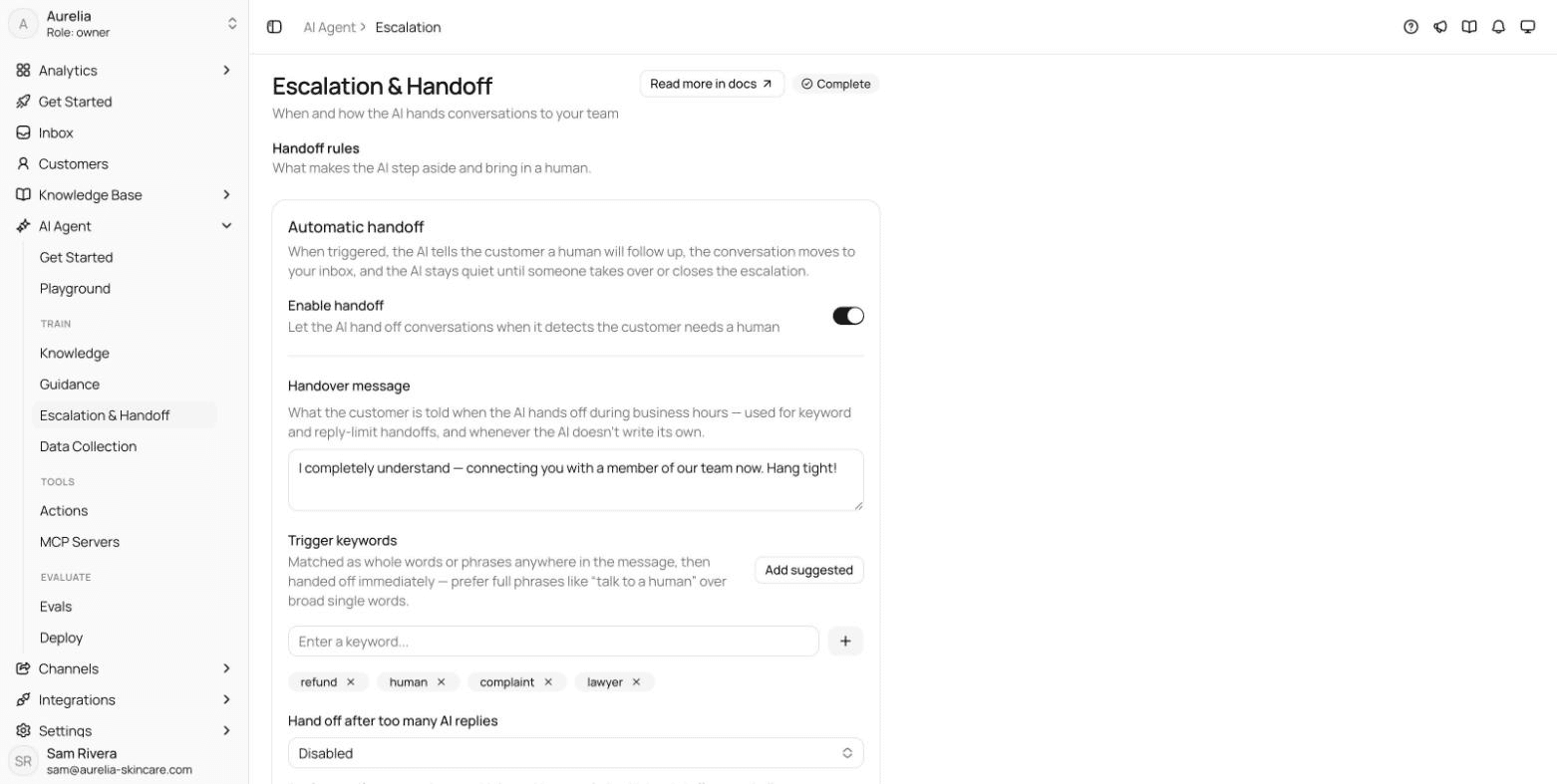
In Asks, an escalation hands the conversation to your team in the shared inbox, flagged Needs human, and the AI stays quiet until someone takes over. Triggers include phrases you choose, a reply limit (after 3, 5, 7 or 10 AI replies) and the AI's own judgment; outside business hours, an off-hours message says when the team reopens. An AI-written summary is posted as an internal note on the Business plan and above. See how it works.
7-day free trial · card required · cancel anytime
FAQ
Questions, answered.
01What's the difference between escalation and handoff?
A handoff is one kind of escalation: passing a conversation from an AI agent or bot to a person. Escalation also covers passing work between people, to specialists or managers.
02When should a chatbot escalate to a human?
When the customer asks for a person, when it can't answer from your approved content, when the conversation goes in circles, and for topics you've decided people should handle, such as refunds or complaints.
Related terms
- Customer effort score (CES)How easy it was to get help, usually agreement with "they made it easy" on a 1–7 scale.Support metrics
- After-hours supportHow customers get help outside business hours, from away messages to an AI agent.Channels and commerce
- Shared inboxOne team queue, like support@ or a WhatsApp number, where conversations are assigned and tracked.Inbox and operations
- SLA (service level agreement)A promised response or resolution time, such as a first reply within 1 hour, and how often you meet it.Inbox and operations
- Containment rateThe share of bot or AI conversations that never reach a human agent; not the same as resolved.Support metrics
How we made this page
Written by Ray (the pen name of the Asks founder) from how support teams use the term and how Asks implements it, with AI-assisted drafting. Formulas and examples are worked arithmetic, not benchmarks; every outside fact links to its source with the date we checked it, and product facts were checked against Asks on 2026-11-17. How we write and correct pages is in our editorial policy.
Sources
- Asks docs: Escalation & human handoff (checked Nov 17, 2026)

Answer customers instantly, hand the rest to your team.
Asks learns your website and help center, answers on chat, email and messaging apps, and hands conversations to your team in one inbox when a person should take over.
7-day free trial · card required · cancel anytime
