Glossary · Inbox and operations
What is an SLA in customer service?
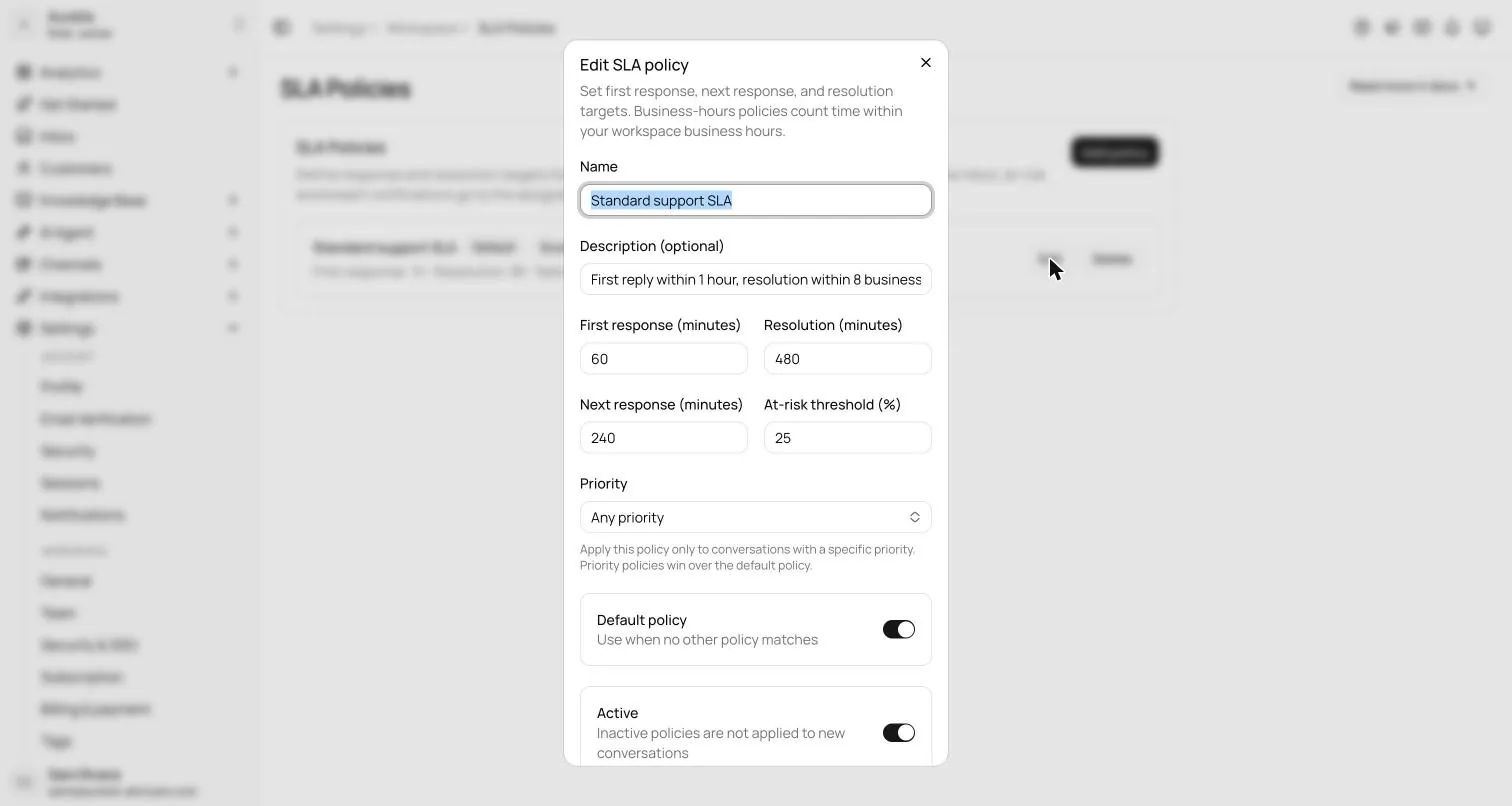
An SLA (service level agreement) in customer service is a promised response or resolution time, such as "first reply within 1 hour, resolved within 8 business hours". Teams track attainment as tickets that met the target ÷ tickets it applied to × 100: 92 of 100 tickets answered on time is 92% first-response attainment.
Also calledService level agreement · Support SLA
By Ray, pen name of the Asks founderUpdated
Formula
SLA attainment = (tickets that met the target ÷ tickets the target applied to) × 100
Worked example: 100 urgent tickets in a week have a 30-minute first-response target, and 8 get their first reply later. First-response attainment = 92 ÷ 100 × 100 = 92%.
What a support SLA usually covers
- First response: time to the first public reply (first response time).
- Next response: time to reply after each customer follow-up, so conversations don't stall after the first answer.
- Resolution: time to solve the issue (resolution time).
- Scope: which priorities, customers or channels the target covers, and whether the clock counts business hours only.
External vs internal SLAs
An external SLA is a contractual promise, often to enterprise customers, sometimes with service credits when it's missed. An internal SLA is a target the team sets for itself. Most small teams only need internal ones: clear targets per priority that the inbox counts down, with nothing in a contract. Our customer service metrics guide covers what to measure beyond them.
Setting targets you can keep
- 1Measure your current median and 90th-percentile response times for a month.
- 2Set targets your team meets on a normal busy day, not on your best day. Tighten them later.
- 3Give urgent issues tighter targets than general questions.
- 4Count business hours only if customers know your hours, and say what happens outside them (see after-hours support).
- 5Review breaches weekly. A pattern of breaches is a staffing or ticket backlog problem, not an individual one.
In the product
How Asks handles this
Asks SLA policies set first-response, next-response and resolution targets in minutes, per priority, with "business hours only" on by default. Tickets count down in the shared inbox as on track, at risk or breached, the assignee gets an email at each at-risk or breached change, and Team analytics shows attainment per policy. SLA policies are on the Business plan and above, as part of the AI help desk.
7-day free trial · card required · cancel anytime
FAQ
Questions, answered.
01What does SLA stand for in customer service?
Service level agreement: the response and resolution times a support team promises, either to customers in a contract or to itself as an internal target.
02What does a customer support SLA look like?
Typically a first-response target, an optional next-response target and a resolution target, each in minutes or hours, often tighter for urgent priorities. For example: first reply within 1 hour and resolution within 8 business hours. Set yours from your own response-time data.
03What is SLA attainment?
The share of tickets that met their target. If 92 of 100 tickets got a first reply within the target, first-response attainment is 92%. Track it per priority and per metric.
Related terms
- First response time (FRT)How long customers wait for the first real reply; report the median per channel.Support metrics
- Resolution timeTime from a customer's first message until the issue is solved; watch the median and the p90.Support metrics
- Ticket backlogOpen requests not yet resolved, usually counted past an age threshold such as 24 hours.Inbox and operations
- After-hours supportHow customers get help outside business hours, from away messages to an AI agent.Channels and commerce
- Escalation (human handoff)Moving a conversation to someone better placed to solve it, including AI-to-human handoff.Inbox and operations
How we made this page
Written by Ray (the pen name of the Asks founder) from how support teams use the term and how Asks implements it, with AI-assisted drafting. Formulas and examples are worked arithmetic, not benchmarks; every outside fact links to its source with the date we checked it, and product facts were checked against Asks on 2026-11-17. How we write and correct pages is in our editorial policy.
Sources
- Asks docs: Tickets, tags & SLAs (checked Nov 17, 2026)

Answer customers instantly, hand the rest to your team.
Asks learns your website and help center, answers on chat, email and messaging apps, and hands conversations to your team in one inbox when a person should take over.
7-day free trial · card required · cancel anytime
