Glossary · Channels and commerce
What is after-hours customer support?
After-hours support is how customers get help outside your team's business hours: evenings, weekends and holidays. Options range from an away message with your reopening time to on-call staff, outsourced agents, or an AI agent that answers around the clock and leaves the rest for the morning.
Also calledAfter-hours customer service · 24/7 support · Off-hours support
By Ray, pen name of the Asks founderUpdated
The options
| Option | Good at | Watch out for |
|---|---|---|
| Away message | Setting expectations: when you're back, where to look meanwhile | Answers nothing; customers still wait until morning |
| Help center | Questions customers can solve by reading | Customers have to find the right article themselves |
| On-call staff | Urgent issues that need a person | Cost, and burnout on a small team |
| Outsourced agents | Full coverage across time zones | Training, quality control and hourly cost |
| AI agent | Instant answers to routine questions at any hour | Needs good content and a clear handoff for the rest |
A setup that works for small teams
- 1Publish your business hours and time zone wherever customers contact you.
- 2Let an AI agent answer what your knowledge base covers, at any hour.
- 3For everything else, send an honest off-hours message with your reopening time, and ask for an email if you don't have one. Need wording? See these away message templates.
- 4Count SLA clocks in business hours, or set separate targets, so overnight tickets don't show up as breaches.
- 5First thing each morning, work the overnight handoffs, oldest first.
Measure coverage
Track the share of off-hours conversations that got a real answer, not just an acknowledgement. For a team of people only, it's close to zero; it's often the clearest gain once an AI agent starts answering. Our customer service metrics guide calls this coverage.
In the product
How Asks handles this
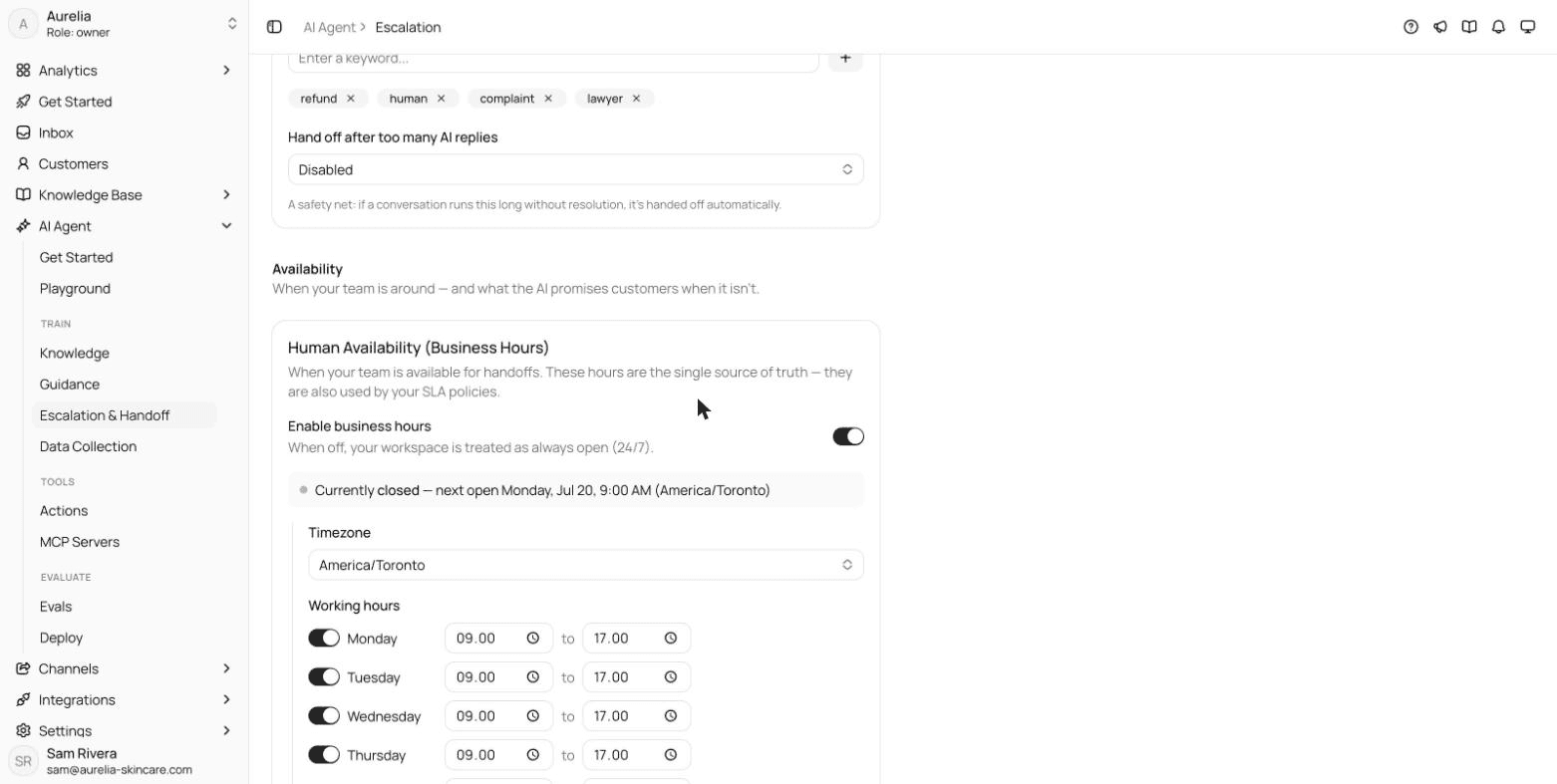
Asks keeps one business-hours schedule (time zone, opening hours and holidays) for handoffs and SLAs. Outside those hours the AI agent keeps answering, and an escalation sends your off-hours message with the next opening time filled in, optionally asking for the customer's email. More in our guide to AI to human handoff.
7-day free trial · card required · cancel anytime
FAQ
Questions, answered.
01How can a small team offer 24/7 customer support?
Combine an AI agent for routine questions with a clear off-hours message and a morning follow-up for the rest. Keep people on call only for issues that are genuinely urgent.
02What should an after-hours message say?
That you're closed, when you'll be back (with the time zone), where to find answers meanwhile, and that the message has been received. Don't promise a reply time you can't keep.
Related terms
- Escalation (human handoff)Moving a conversation to someone better placed to solve it, including AI-to-human handoff.Inbox and operations
- SLA (service level agreement)A promised response or resolution time, such as a first reply within 1 hour, and how often you meet it.Inbox and operations
- First response time (FRT)How long customers wait for the first real reply; report the median per channel.Support metrics
- Live chatA real-time chat window on a website or app, answered by people, an AI agent or both.Channels and commerce
- Proactive supportReaching customers before they reach you: delay notices, outage alerts, reminders and tips.Channels and commerce
How we made this page
Written by Ray (the pen name of the Asks founder) from how support teams use the term and how Asks implements it, with AI-assisted drafting. Formulas and examples are worked arithmetic, not benchmarks; every outside fact links to its source with the date we checked it, and product facts were checked against Asks on 2026-11-17. How we write and correct pages is in our editorial policy.
Sources
- Asks docs: Escalation & human handoff (checked Nov 17, 2026)

Answer customers instantly, hand the rest to your team.
Asks learns your website and help center, answers on chat, email and messaging apps, and hands conversations to your team in one inbox when a person should take over.
7-day free trial · card required · cancel anytime
