WhenSent automatically when a new email arrives.
SubjectWe've got your message [#{ticket_number}]
Personalize: Promise your realistic response time, not your best case. Beating a promise feels great; missing it is a second complaint.
A good customer service email answers in the first line, says what happens next and when, and signs off with a real name. Here are 31 templates with subject lines for acknowledgments, order delays, refunds, billing, outages, complaints and follow-ups, each with a note on when to send it and how to personalize it.
By Ray, pen name of the Asks founderUpdated 31 templates
Replace everything in {braces} before you send. The subject lines carry the reference number where it helps, because customers search their inbox for it later. For live chat, use the shorter canned responses instead.
The first email decides whether the customer waits calmly or writes again. Confirm, give a time, and point to anything they can do meanwhile.
WhenSent automatically when a new email arrives.
SubjectWe've got your message [#{ticket_number}]
Personalize: Promise your realistic response time, not your best case. Beating a promise feels great; missing it is a second complaint.
WhenSent automatically when someone emails outside your support hours.
SubjectThanks for your email: we're back {reopen_time}
Personalize: List the two or three links that solve the most after-hours questions for your business. Anything more and nobody reads it.
WhenYou can't act on the request without a few details.
SubjectA couple of details so we can help [#{ticket_number}]
Personalize: Ask for everything in one email. Each extra round trip adds a day to the resolution time.
WhenYour queue is backed up and replies are slower than you promised.
SubjectAn update on your request [#{ticket_number}]
Personalize: Only offer the "urgent" path if someone actually watches for it. Otherwise everyone becomes urgent and nobody is.
Shipping emails work when they read like a status report: order number in the subject, the new date in the first paragraph, the fix in the second.
WhenYou know an order will arrive late, ideally before the customer does.
SubjectYour order {order_number} is running late
Personalize: Offer a way out. Customers who are given the choice to cancel rarely take it, and the offer itself prevents angry replies.
WhenThe carrier has confirmed the parcel is lost.
SubjectYour order {order_number}: a replacement is on its way
Personalize: Ship first, explain second. The replacement tracking link is the part of this email customers actually want.
WhenThe customer received a broken item or the wrong product.
SubjectSorry about your order {order_number}: here's the fix
Personalize: Use a short list for what you've done. Customers skim for the fix; a list makes it impossible to miss.
WhenPart of an order is out of stock after the customer paid.
SubjectAn item in your order {order_number} is delayed
Personalize: Numbered options plus a default turn a complaint into a one-character reply.
WhenYou've cancelled an order at the customer's request.
SubjectOrder {order_number} cancelled and refunded
Personalize: Only include the saved-cart line if your store really keeps the cart. A broken link at the end undoes a good email.
These emails get forwarded to banks and partners. Make them complete on their own: amount, method, date and reference.
WhenA customer asks how to return an item.
SubjectHow to return your order {order_number}
Personalize: Say who pays for return shipping, clearly. It is the first question people ask after reading return instructions.
WhenYou've issued a refund.
SubjectYour refund of {refund_amount} is on its way
Personalize: Put the amount in the subject line. It's the one number the customer wants to see without opening the email.
WhenThe request falls outside your policy.
SubjectAbout your return request for order {order_number}
Personalize: Explain the reason once, link the policy, and spend most of the email on what you can do. That's what customers remember.
WhenA size or color exchange has been arranged.
SubjectYour exchange is confirmed
Personalize: If your stock can run out before the return arrives, say how long you're holding the item.
WhenA refund is held up on your side.
SubjectAn update on your refund for order {order_number}
Personalize: Send this before the customer chases. A refund delay explained on time almost never becomes a dispute.
Billing emails should be impossible to misread. Quote the plan, the amount, the date and what happens next.
WhenA subscription payment didn't go through.
SubjectAction needed: your payment didn't go through
Personalize: State the grace period and its consequence plainly. Vague urgency reads like phishing; specific dates read like a real business.
WhenA customer was charged twice for one purchase.
SubjectAbout the duplicate charge on your account
Personalize: If it's actually a pending authorization, not a second charge, say that instead and give the date it will drop off.
WhenA customer cancels a subscription.
SubjectYour {plan} subscription is cancelled
Personalize: Make the confirmation first and the feedback ask second. A cancellation email that argues is a bad last impression.
WhenA customer asks for an invoice.
SubjectYour invoice from {company}
Personalize: Offer the corrected copy in the first email. Finance teams usually need it, and it saves a round trip.
WhenA few weeks before a yearly subscription renews.
SubjectYour {plan} plan renews on {renewal_date}
Personalize: Make cancelling as easy to find as continuing. A renewal surprise costs more in refunds and disputes than the churn you avoid.
Engineers fix bugs; support emails decide whether customers trust you while they wait. Be specific, give the next update time, keep it.
WhenYou've reproduced a bug the customer reported.
SubjectWe've reproduced the issue you reported [#{ticket_number}]
Personalize: Include the workaround even if it's clunky. A clunky way forward beats waiting with no way forward.
WhenThe fix for a reported bug has shipped.
SubjectFixed: {issue}
Personalize: Send this to every customer who reported the bug, not only the most recent. Keep a list on the bug ticket.
WhenA known outage is affecting many customers.
SubjectService update: {issue}
Personalize: "What still works" is the line that stops a wave of duplicate tickets. Never leave it out.
WhenAfter an outage is over.
SubjectResolved: {issue}, and what we're changing
Personalize: Explain the cause in one plain sentence. Customers forgive outages much more readily than they forgive vague ones.
When someone is upset, the email has three jobs: own it, fix it, and say who is responsible now.
WhenYour company got something wrong and the customer is rightly unhappy.
SubjectI'm sorry, and here's what we've done
Personalize: Write the apology in the first person. "I'm sorry" from a named person carries more weight than "we regret" from a company.
WhenA customer submits a formal complaint.
SubjectWe've received your complaint [#{ticket_number}]
Personalize: Name the reviewer and the date. A process with a person and a deadline feels like accountability, not a brush-off.
WhenThe request needs another team.
SubjectYour request #{ticket_number} is with our {team} team
Personalize: Tell the customer the conversation stays in the same thread. People worry that a transfer means starting over.
WhenA support lead follows up on an escalated case.
SubjectFollowing up on your conversation with our team
Personalize: Show you read the case by summarizing it in two sentences. Then propose a concrete resolution instead of asking what they want.
Close conversations on purpose. Check in once, close kindly, and ask for feedback only after things went well.
WhenYou sent a solution and haven't heard back for a few days.
SubjectStill need help with {topic}?
Personalize: One check-in is service; three is spam. Set the close date in the first follow-up.
WhenThe issue is resolved, or the customer didn't reply to a check-in.
SubjectClosing your request [#{ticket_number}]
Personalize: Keep it to three lines. A closing email that says too much invites new questions.
WhenA day after a conversation was resolved.
SubjectHow did we do?
Personalize: Name the topic and the agent. A specific request gets more answers than a generic "rate your experience".
WhenA customer sent a suggestion or critical feedback.
SubjectThank you for your feedback
Personalize: Promise to write back only if your team tracks who suggested what. Otherwise leave the second paragraph out.
| Instead of | Write |
|---|---|
| We apologize for any inconvenience. | I'm sorry your order arrived late. |
| Please be advised that… | (Delete it and start with the point.) |
| Your request has been escalated. | I've passed this to Maya on our billing team. |
| We will get back to you shortly. | You'll hear from us by 3 pm tomorrow. |
| Per our policy… | Our returns window is 30 days, so… |
| Do not hesitate to contact us. | Reply to this email and it comes straight to us. |
Beyond templates
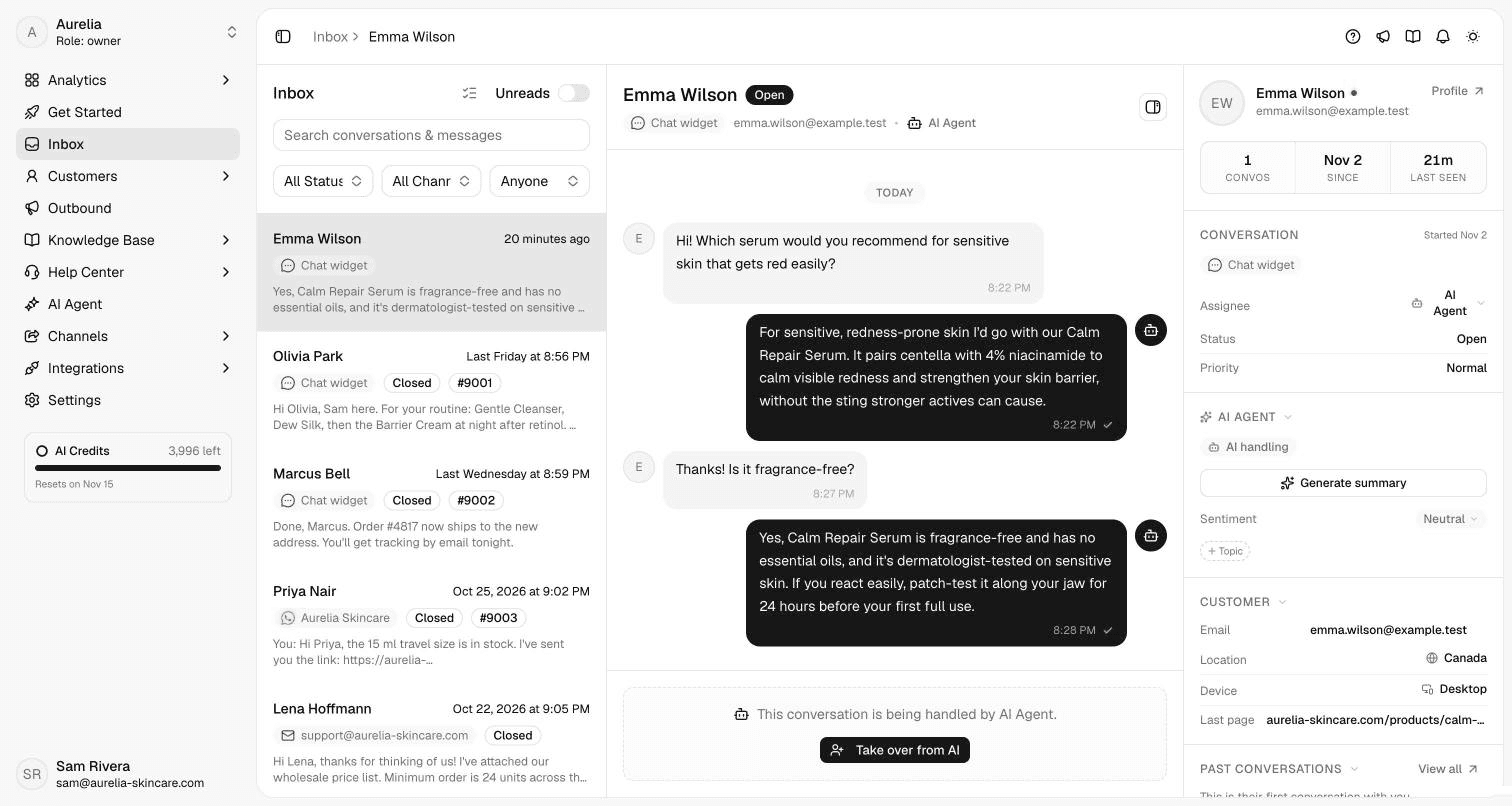
Templates speed up writing, but someone still has to read every email, find the right template and fill it in. For the questions your help center already answers (shipping times, return policy, order status, how a feature works), that work can be done before a person opens the inbox.
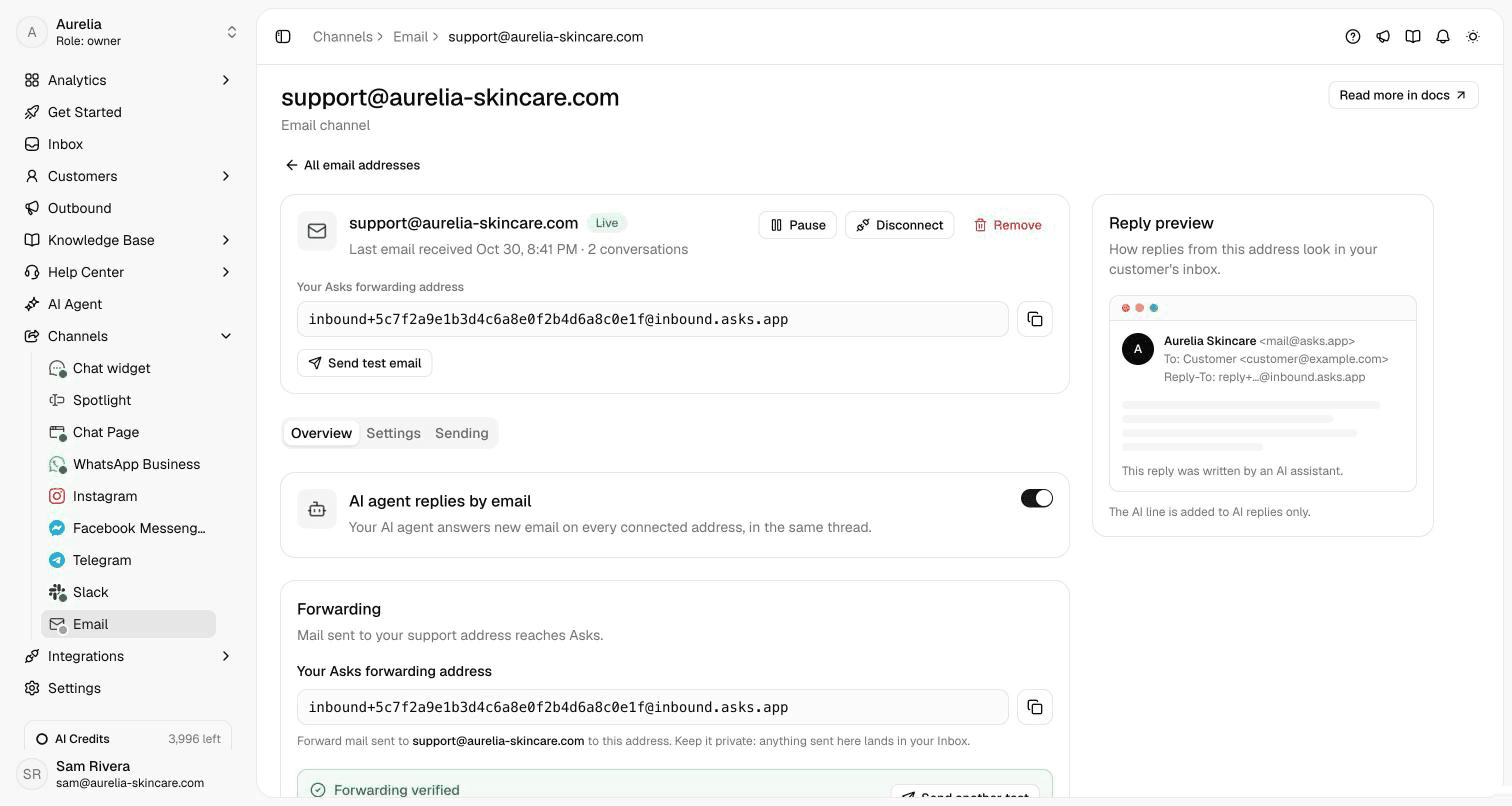
With Asks, you forward your existing support address and the AI agent replies by email in the customer's own thread, from your knowledge base. By default, its replies end with a line saying an AI assistant wrote them. When it can't support an answer from your content, or the customer asks for a person, the conversation lands in your shared inbox with the history attached, and your team answers with the templates above.
7-day free trial · card required · cancel anytime


FAQ
A subject line the customer can search for (with the order or reference number), the answer in the first two lines, what happens next and by when, one link for the next step, and a sign-off with a real person's name.
Promise a time you can keep and say it in your acknowledgment email. Many small teams commit to the same business day or within 24 hours. Beating a realistic promise matters more than the number itself.
Match your brand and the customer's tone, but default to plain and friendly. Short sentences, "I" instead of "we" when one person is responsible, and no stock phrases like "we apologize for any inconvenience".
An email template is a complete message with a subject line, greeting and sign-off. A canned response is a shorter reply you insert into a live chat or an existing thread. Most teams keep both.
Put the amount in the subject line, then state the amount, the payment method, the date you sent it and how long banks usually take, plus a reference number. If you're declining a refund, give the reason once, link the policy and spend the rest of the email on what you can offer instead.
Yes, for questions your own content answers. Asks reads emails forwarded from your support address and replies in the same thread from your knowledge base, and hands anything else to your team with the history attached.
Written for asks.app and published under Ray's byline. Every template is original: drafted with AI assistance from common support situations and reviewed for accuracy and tone before publishing, not copied from other template lists. Details about Asks were checked against the product and its documentation on November 16, 2026. How we write and correct pages is in our editorial policy.

Asks learns your website and help center, answers customers on chat, email and messaging apps, and hands the rest to your team in one inbox.
7-day free trial · card required · cancel anytime