WhatsApp campaigns, with replies your agent can answer
Send an approved WhatsApp template to the customers you choose, personalized and sent now or on a schedule, then follow delivery, reads and replies. Replies go to your AI agent or your team, and STOP opt-outs are handled for you.
Outbound sends an approved WhatsApp template to a list of your customers: a restock alert, an order update, a promotion. Pick customers by hand, filter them by tags or details your agent collected, or import a CSV. Each message is personalized from the customer's details, sent from your connected number now or at a time you schedule, and tracked from sent to replied.
Sending doesn't flood your inbox. When a customer replies, the campaign message and the reply land together in one conversation, answered by your agent or left for your team, as you choose per campaign. Find it under Outbound in the sidebar; it's on every paid plan.
Build the message
Go to Outbound and click New campaign. Pick the WhatsApp number to send from and an approved Marketing or Utility template, then fill each template variable from the customer's details: first name, email, a detail your agent collected, or fixed text. Add a fallback for empty values; without one, those customers are skipped instead of getting a blank. The preview shows the message as a chosen customer will see it.
Choose who gets it
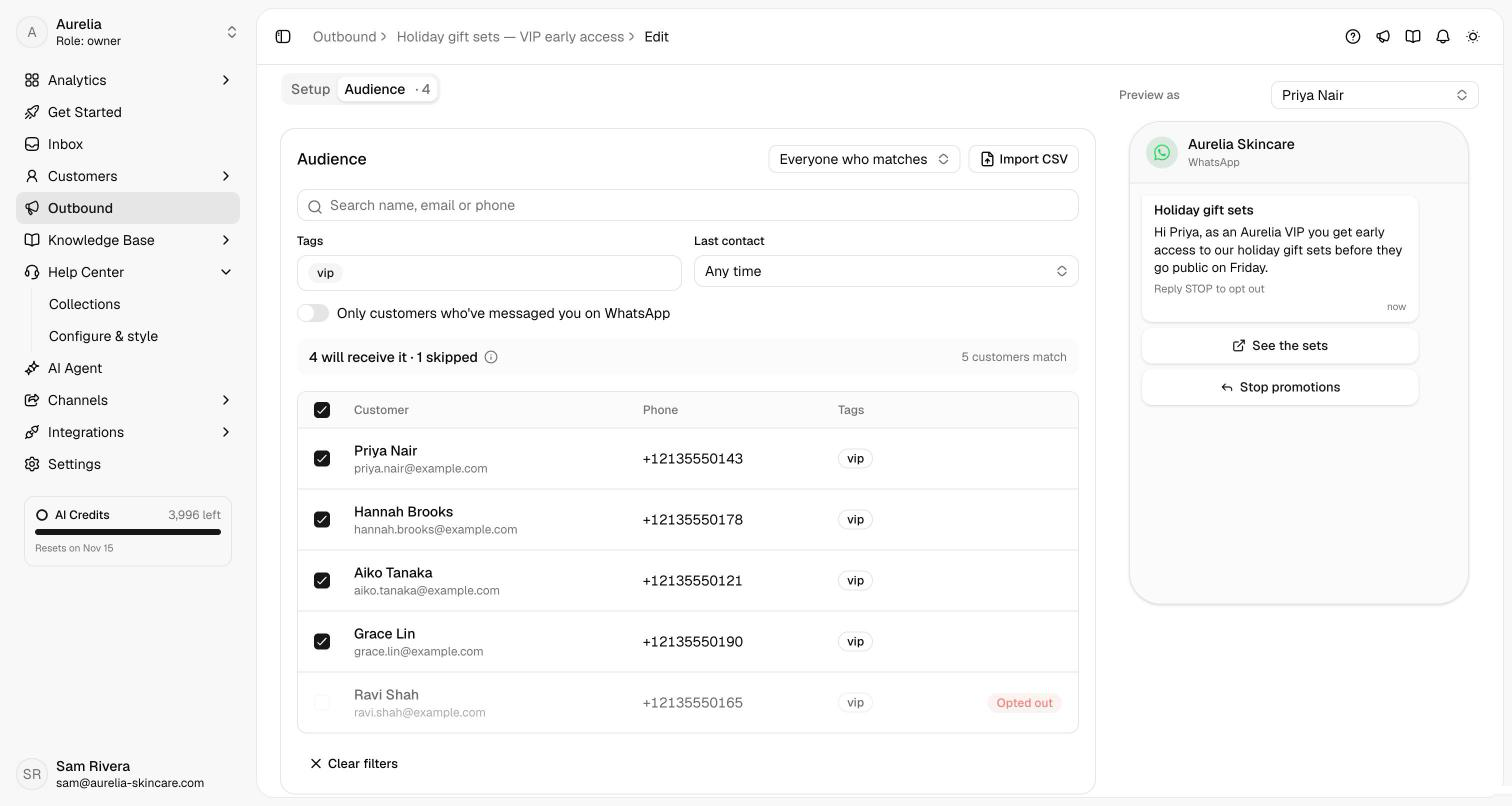
Pick customers one by one, or switch to Everyone who matches and filter by tags, a collected detail, last contact, or customers who've messaged you on WhatsApp before. To reach a list from outside Asks, import a CSV. Before you send, the count shows who will be skipped and why: no usable phone number, opted out, or a duplicate number. Then send now or schedule it for later.
Follow every message
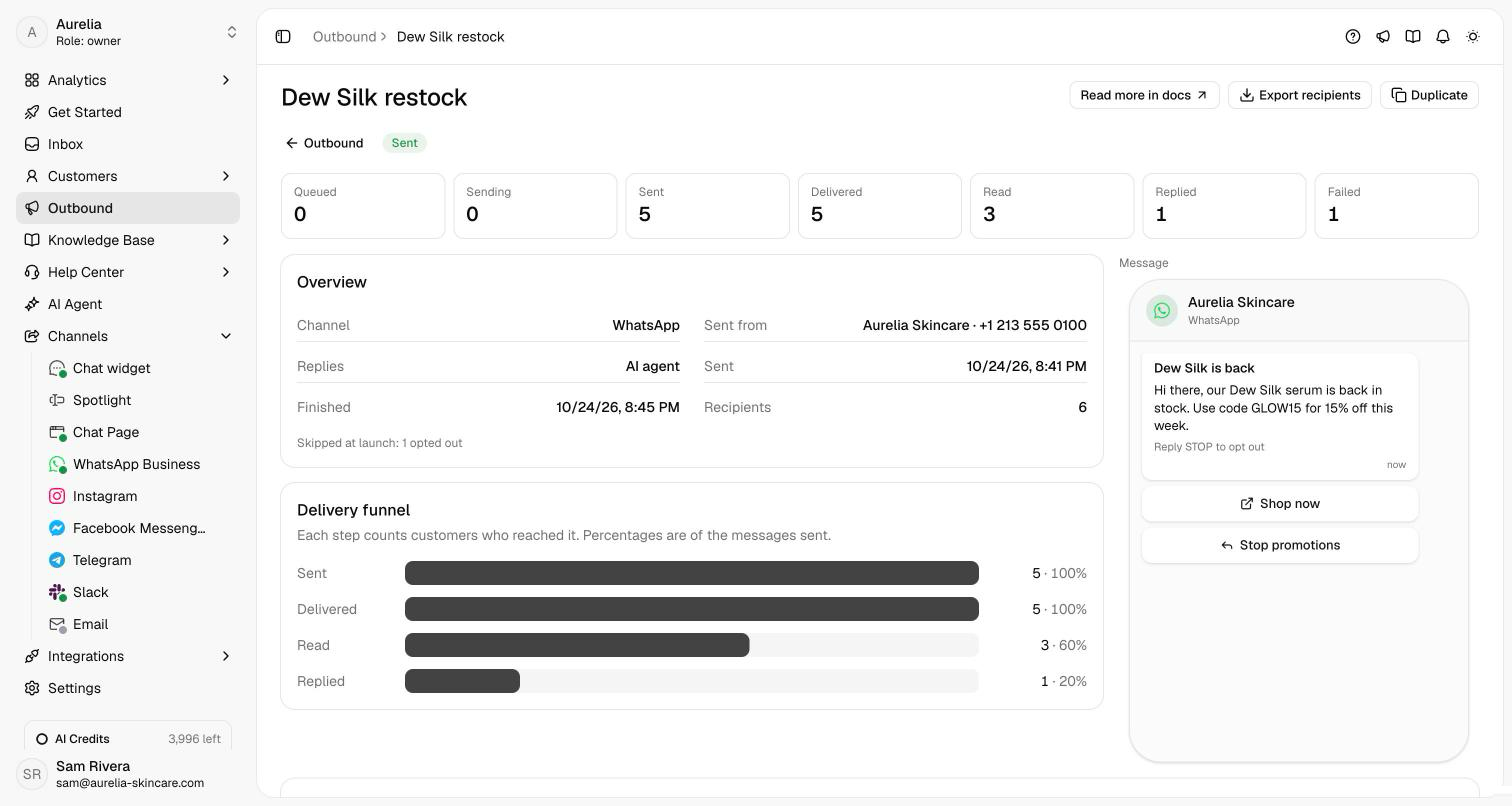
Each campaign page shows how many messages were sent, delivered, read and replied to, as a funnel, with every recipient's timestamps and Meta's reason for any failure. If something would make every remaining message fail, like a paused template or a disconnected number, the campaign pauses itself and tells you why. A campaign that reaches your number's daily Meta limit waits and carries on by itself.
Replies and opt-outs
A campaign doesn't open conversations on its own, so sending to a thousand people doesn't fill your inbox. When a customer replies, the campaign message and the reply appear together in one conversation, answered by your agent or waiting for your team (you choose per campaign). A customer who replies STOP, or taps Meta's Stop promotions button, is left out of future campaigns automatically.
See what's new in your workspace
Everything on this page is live today. Asks trains on your website and resolves customer conversations on every channel — free to try, live in minutes.