Calendly: your agent offers real open times and books meetings
Connect Calendly and your agent reads your live availability, suggests concrete times with links that open your booking page on that slot, and, on Calendly Standard or higher, books the meeting right in the chat.
When a customer wants a consultation, a demo or a fitting, your agent can now offer real times instead of a generic link. Connect Calendly under Integrations → Calendly, then add a Calendly action for each event type you want offered and say when to offer it. The agent reads your availability live, suggests a few options with the timezone, and links each one to your Calendly page with that time already selected.
On Calendly Standard or higher, set the action to Book in the chat: once the customer picks a time and shares their name and email, the agent books it and sends the reschedule and cancel links. Calendly actions are on every paid plan, counted separately from custom actions.
Connect once, offer the meetings you choose
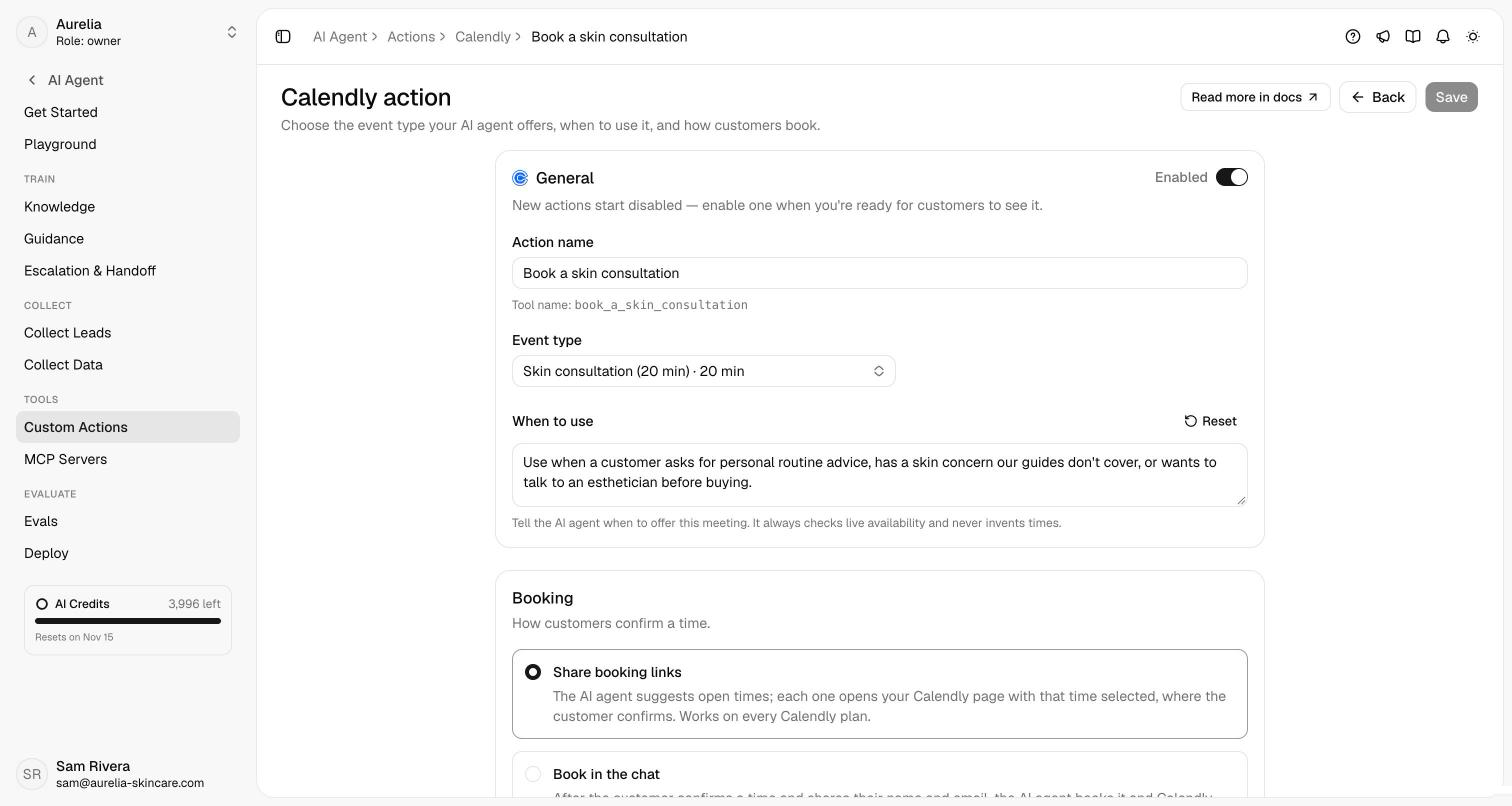
Connect your Calendly account under Integrations → Calendly. Connecting turns nothing on by itself. Then add a Calendly action for each event type you want the agent to offer (a 20-minute consultation, a product demo) and tell it when to offer each one. New actions start disabled, and Preview availability shows the next seven days exactly as the agent will read them.
Two ways to book
- Share booking links (any Calendly plan). The agent suggests a few open times and links each one to your Calendly page with that time selected. The customer confirms there, and the agent never claims a meeting is booked.
- Book in the chat (Calendly Standard or higher). Once the customer picks a time and gives their name and email, the agent re-checks the slot, books it, and shares Calendly's reschedule and cancel links.
Either way the agent reads availability live, states the timezone, and never invents a time. You can limit each action to certain channels; on messaging apps, times arrive as text with links.
See what's new in your workspace
Everything on this page is live today. Asks trains on your website and resolves customer conversations on every channel — free to try, live in minutes.