Collect Leads and Collect Data: the agent gathers what your team needs
Have your agent capture a visitor's name, email and phone with a short form or in conversation, and define actions that collect the details a request needs, like an order number before a return.
Two new tools under AI Agent. Collect Leads asks interested visitors for their contact details at the moment you describe (a pricing question, a demo request, a back-in-stock alert), with a short form under the reply on your website or conversationally on WhatsApp, Instagram and the other messaging channels. Collect Data gathers the custom fields a request needs, like an order number and a reason before a return.
Every submission is saved to the customer's profile and delivered where you work: the Leads and Collected data lists under Customers, email, and webhooks. Both are on every plan.
Collect Leads: contact details at the right moment
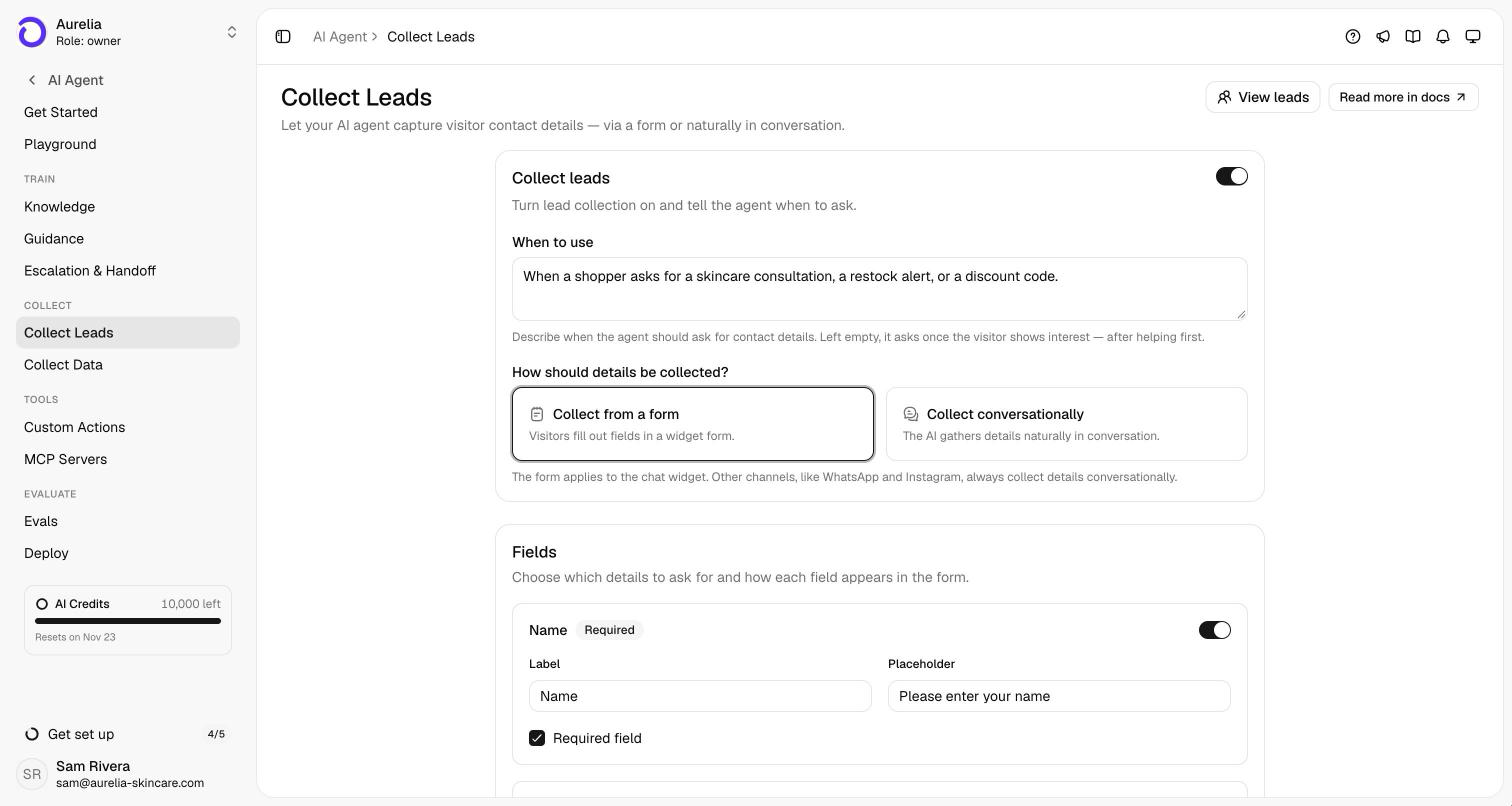
Switch on Collect leads under AI Agent and describe when the agent should ask, for example “when the visitor asks about pricing or wants a follow-up”. Left empty, it asks once the visitor shows interest, and only after it has helped with their question. Choose how it asks:
- From a form. A short form appears under the agent's reply in your website channels, at most once per conversation.
- Conversationally. The agent asks in plain messages. WhatsApp, Instagram and the other messaging channels always work this way.
Pick the fields (name, email, phone), their labels and which ones are required. Every lead has to be reachable, so email or phone is always on.
Collect Data: the details a request needs
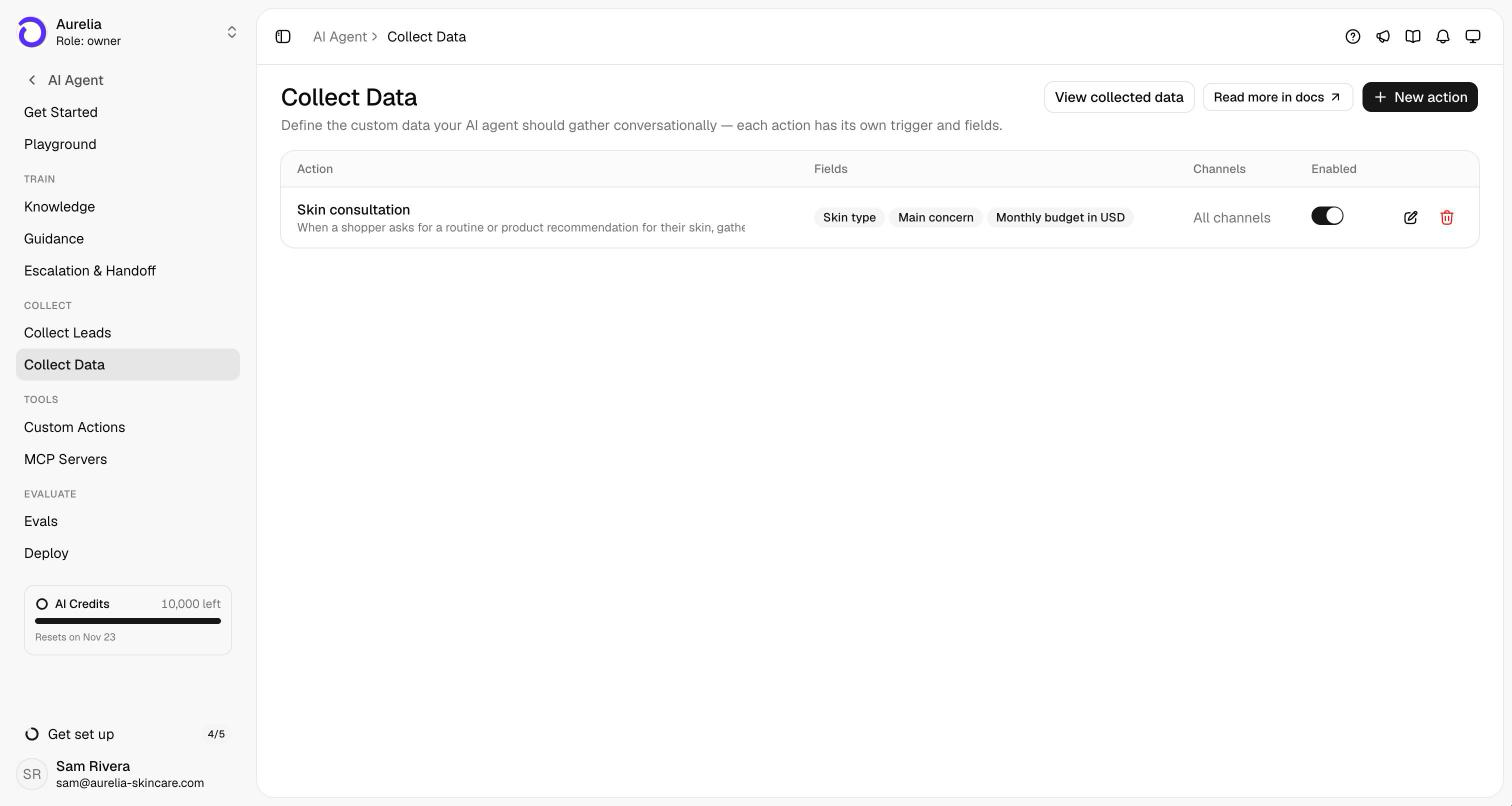
Some requests need specifics before your team can act: an order number and a reason before a return, company size and timeline before a quote. With Collect Data you create an action for each, with its own trigger and up to 20 fields, and the agent gathers them naturally while it helps.
Delivered where you work
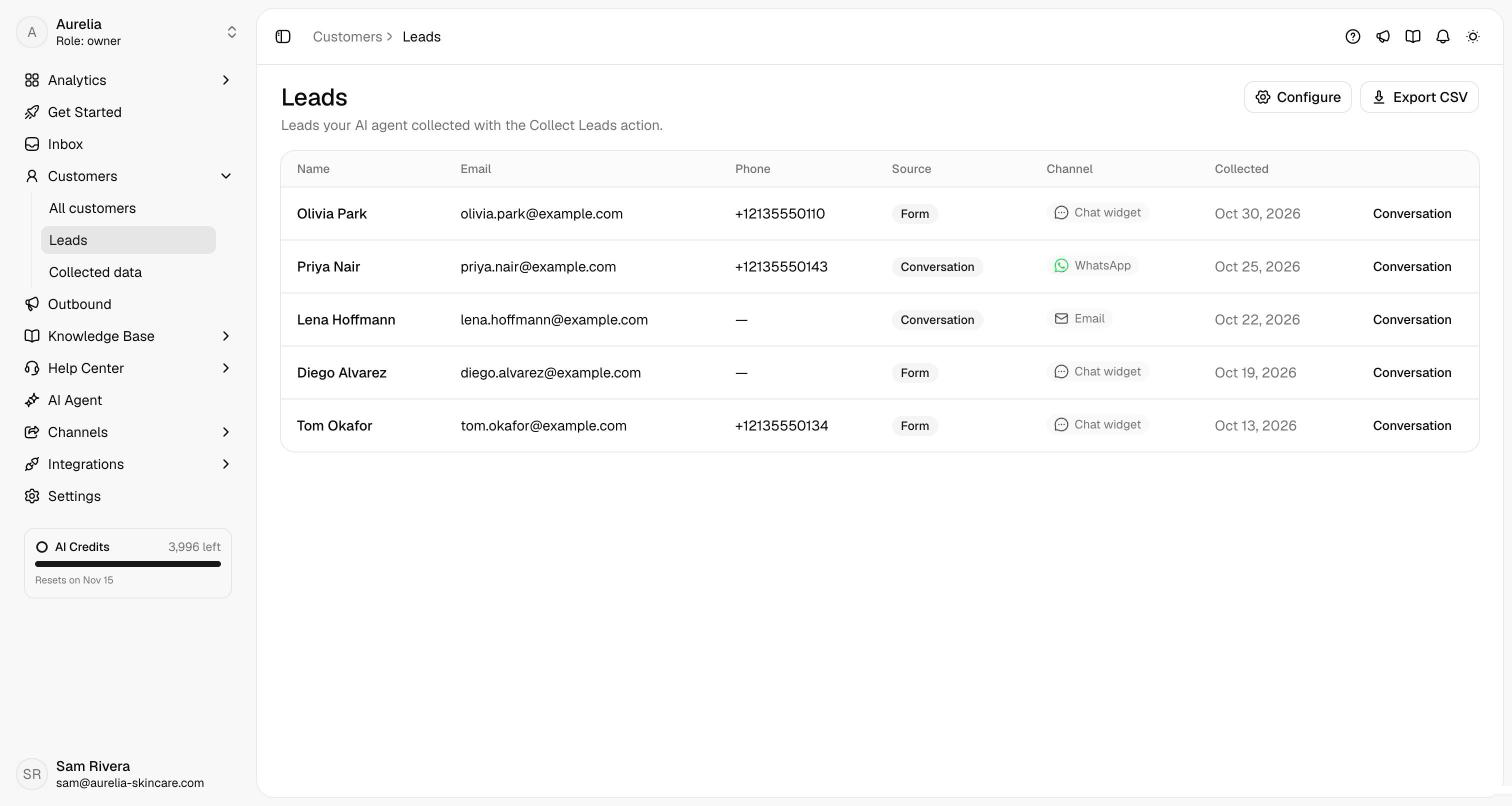
Each lead and each submission is saved to the customer's profile and listed under Customers: Leads shows the channel and whether it came from the form or the conversation, with a CSV export, and Collected data marks each submission complete or partial. You can also have them emailed to the addresses you choose, or sent to your own systems by webhook.
See what's new in your workspace
Everything on this page is live today. Asks trains on your website and resolves customer conversations on every channel — free to try, live in minutes.