Work in Asks from Claude, ChatGPT, Codex and Cursor
The Asks MCP server connects AI assistants to your workspace with a sign-in, not an API key: chat with your agent, update its knowledge, work the inbox, tickets and customers, and pull analytics, with the permissions you approve.
Add https://api.asks.app/v1/mcp to Claude, ChatGPT, Codex, Cursor or any other MCP client, sign in, pick the workspace and approve what the assistant may do. There's no API key to create or paste. From then on you can ask the assistant to add a policy to your knowledge base, find every open conversation about late deliveries, or summarize last week's ratings, without leaving the tool you're working in.
Anything that reaches a real customer or can't be undone needs your confirmation every time. The URL, setup for each client and every connected app are under Integrations → MCP server. The MCP server and the expanded public API are on Business and Premium.
Sign in instead of pasting keys
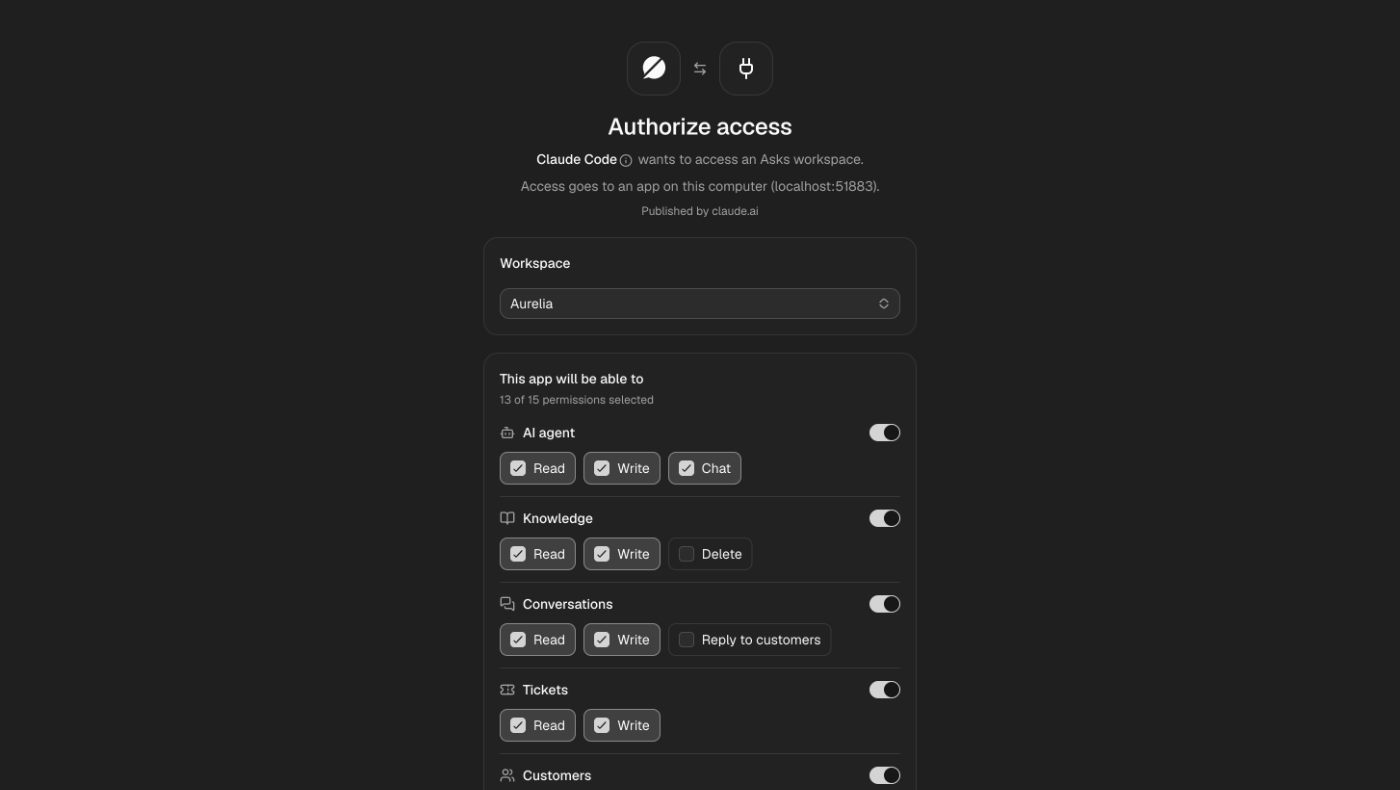
Add https://api.asks.app/v1/mcp to your assistant, for example Claude under Settings → Connectors. The assistant opens Asks, you choose the workspace, and you approve exactly what it can do, area by area. An assistant can never do more than your own role allows, and anything that reaches a real customer or can't be undone, like sending a reply or deleting a knowledge source, needs an explicit confirmation on every call.
What an assistant can do
The server has 27 tools, each running one operation of the public API:
- AI agent: read and update its settings, search the knowledge it answers from, and chat with it.
- Knowledge: add, edit, re-crawl and remove text, Q&A and website sources. Every change trains immediately.
- Inbox: search every channel's conversations, assign, close or hand back to the AI, add notes and reply to customers.
- Tickets, customers and workspace: work tickets and teams, look up and update customers, check channels and pull analytics.
The public API grew with it: knowledge sources, conversation search and filters, notes, reply delivery status, ticket updates, teams and an analytics overview are all available as REST endpoints too.
See and revoke every connection
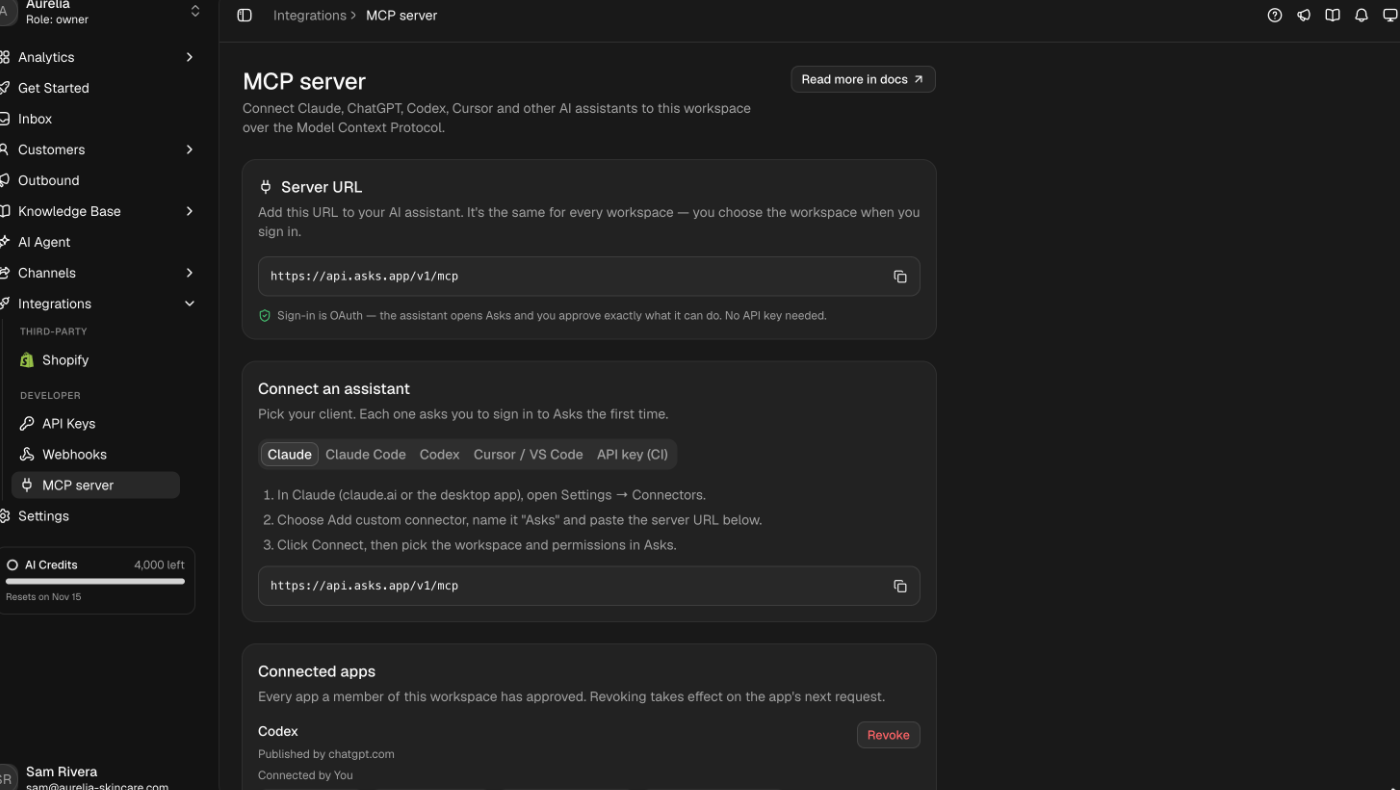
Integrations → MCP server has the server URL, setup steps for each assistant, and the list of every app a member of your workspace has connected. Revoking one takes effect on its next request.
See what's new in your workspace
Everything on this page is live today. Asks trains on your website and resolves customer conversations on every channel — free to try, live in minutes.