Meta Business AI, which Meta now calls Meta Business Agent, is Meta's own AI that answers customers for your business on WhatsApp, learning from your Facebook Page, website, catalog and past chats. It's enough for a WhatsApp-first business with routine questions. A dedicated AI agent fits better when you need your own knowledge base, actions in your systems, a shared inbox and other channels.
On the WhatsApp Business Platform, Meta charges $2.00 per million tokens for it, about 4 to 5 cents per message by Meta's own estimate. This page covers what Meta's agent does, what it costs, the limits in Meta's own documentation, and when each option is the better choice.
Updated November 16, 2026. Meta facts were checked against Meta's developer documentation, the WhatsApp Help Center and Meta's product pages on 2026-11-16 (links in Sources). Meta is still rolling this product out, so availability and features change often.
Disclosure: Asks publishes this page, and Asks is a dedicated AI agent, so we compete with Meta's agent for some businesses. We've tried to describe Meta's product the way Meta does, including where it's the better pick. How we made this page: every claim about Meta's agent comes from Meta's own pages, Asks facts were checked against the product, and it was drafted with AI assistance under our editorial policy. We haven't run Meta's agent side by side with Asks on a test number yet; when we do, we'll add the results here.
What Meta Business AI is (and why it has two names)
Meta announced "Business AI on WhatsApp" for small businesses in India in May 2026, set up from Tools → Your Business AI in the WhatsApp Business app. Meta's product pages, Help Center and developer documentation now call it Meta Business Agent. Both names refer to Meta's AI answering customers on behalf of a business, and it comes in two versions:
- In the WhatsApp Business app (for small businesses): you turn it on under Tools → AI agent, let it learn from your past chats, add your website or catalog, test it and switch it on. Meta's Help Center says the feature "is currently only available in limited countries to select businesses"; if the option isn't in your Tools tab, you can join a waitlist, which "doesn't guarantee access".
- On the WhatsApp Business Platform (the Cloud API, for larger businesses and their providers): developers configure the agent through Meta's APIs, with knowledge sources, instructions, connectors to the business's own systems, handoff to the business's app, and testing tools.
What it does, in Meta's words: it can answer questions about business hours or location, answer questions about products or services, recommend products, share pricing details, and handle questions about discounts, payment and shipping. On the app version you choose which chats it answers: all new one-to-one chats, all except your saved contacts, or only chats that start from your Facebook or Instagram ads.
What Meta Business AI costs
On the WhatsApp Business Platform, Meta Business Agent messages are their own billing category, charged since August 1, 2026:
- One global rate of $2.00 per 1 million tokens, counting input and output tokens (not cache tokens). That one charge covers the AI and the message delivery.
- About 4 to 5 cents per message. Meta says one message typically consumes 20,000 to 25,000 tokens. Its examples: a simple question answered in four messages costs about 16 to 20 cents; a complex one answered in ten messages, about 40 to 50 cents.
- No free allowance, no volume tiers. The 1,000 free service messages per number don't apply, and the free entry point window for Click to WhatsApp ads doesn't cover Meta Business Agent messages.
- A payment method is required for the agent to deliver messages, except while it answers only an allowlist of test users.
For comparison, a reply written by a person or by a third-party AI agent is a service message: free for the first 1,000 a month per number since October 1, 2026, then $0.0034 in the US, $0.022 in the UK, $0.0068 in Brazil or $0.025 in Indonesia per message. That isn't the full cost of a third-party reply, because you also pay for the AI or the people behind it, and Meta's pricing page makes the same point. Its own estimate of third-party AI is about 2 cents per message for simpler models and about 9 cents for more complex ones, before delivery. Our WhatsApp Business API pricing guide has every rate and worked monthly costs.
For the WhatsApp Business app version, Meta's product page and Help Center articles don't state a price (checked 2026-11-16). Check the terms shown in the app before you turn it on.
What Meta's agent does well
Credit where due. For a lot of small businesses, Meta's agent is a sensible first step:
- Nothing to integrate. In the app it's a few taps in a tool you already use. On the platform, Meta hosts the agent, so there's no separate AI vendor to connect.
- It learns from what you already have. Meta says it learns from your Facebook Page, past chats and website, and you can upload catalogs or price lists and write instructions for tone.
- It's native to WhatsApp. The platform version supports product carousels, buttons, lists and WhatsApp Flows, and Meta says it reads images and, where Meta has enabled them for your number, voice notes.
- Languages are handled for you. On the platform version it detects each customer's language and answers in it, reading your knowledge in its original language (Meta notes English gets the strongest quality). In the app, Meta says the language follows your business's phone number and not every language is supported yet.
- Testing tools exist on the platform. The Agent Test API sends free test messages, and Agent Eval scores answers across test scenarios.
- Pricing is simple if you can predict your message volume: one rate, every country.
Limits in Meta's own documentation
These come straight from Meta's pages. None of them are unusual for a first version, but each one decides whether the agent fits your business.
- It's built around WhatsApp. Meta's developer overview describes an agent for WhatsApp; the app's product page also mentions Messenger and ads, and the platform's eligibility API accepts Instagram business accounts. Your website chat, email, Telegram and Slack aren't part of it.
- Excluded industries. On the platform, every vertical is supported "except Finance, Government, Health, Alcohol, Gambling, over-the-counter drugs, and matrimony services". Clinics, financial services and alcohol brands can't use it there.
- Limited countries and access. The business must be based in an eligible country, meet Meta's trust and verification requirements, and, in the app, may sit on a waitlist with no set date.
- You don't configure when it hands off. On the platform, the agent hands a chat to your team when it detects low confidence, an integrity issue or a customer asking for a human. "You do not configure the triggers." In the app you can flag topics it should avoid and step in manually, and you get a notification when it decides a customer needs you.
- It doesn't read everything customers send. Videos, documents (including PDFs) and audio files that aren't voice notes aren't read. Voice notes are read only where Meta has enabled them for your number.
- It can switch off things you rely on. Turning it on in the app may limit features such as broadcast lists, and it disconnects linked devices; you can re-link most, but not WhatsApp for Windows, Android tablets or Wear OS. In Meta Business Suite, turning on Meta Business Agent pauses your existing automations, such as away messages and instant replies.
- Your chats help train Meta's AI. Meta's Help Center says chats with the agent are collected to improve AI at Meta, "even when you mute Meta Business Agent", until you delete it. Customers see a notice that AI from Meta receives the chats.
- Accuracy isn't promised. Meta's own wording: "AI-generated messages may not be accurate or appropriate."
- One AI per number. A number already running another AI agent integration can't enable Meta's, and enabling Meta's makes it the primary responder while other integrations move to standby.
Side by side: Meta Business Agent vs a dedicated multichannel agent
The right column describes Asks, the agent we build; other dedicated agents differ in the details.
| Meta Business Agent | Dedicated multichannel agent (Asks) | |
|---|---|---|
| Channels | WhatsApp; Meta also mentions Messenger and ads | Website chat widget, Spotlight, Chat Page, WhatsApp, Instagram, Messenger, Telegram, Slack and email, with one agent across all of them |
| Knowledge | Business info, FAQs, files, websites; in the app, your Page, past chats, website and catalog | Your websites (crawled and kept in sync), help articles and uploaded documents, shared by every channel |
| Actions | Connectors to your APIs (platform version) | Custom HTTP actions, Calendly booking, Shopify catalog, checkout links and order tracking |
| Handoff | Automatic; triggers not configurable on the platform | Rules you set: trigger phrases, a cap on AI replies, business hours, your own handover message |
| Where your team replies | WhatsApp Business app, or your own app through thread control | One shared inbox for every channel; take over any conversation and hand it back |
| Testing | Agent Test and Agent Eval (platform) | Playground and AI Tests you run before changes go live |
| Pricing | $2.00 per 1M tokens (about 4–5¢ a message); app price not published | Flat monthly plans with AI credits included; on WhatsApp, Meta bills its service-message rate separately |
| Industries | Excludes finance, government, health, alcohol, gambling, OTC drugs, matrimony | No vertical exclusion list; WhatsApp's own business and commerce policies still apply |
When Meta Business AI is the better choice
- WhatsApp is your only channel and your questions are routine. Hours, location, prices, availability, shipping times: Meta's agent handles these without a second vendor.
- You run on the WhatsApp Business app and your volume is small. If it's available in your country, the app version is the shortest path from zero to an AI answer.
- Your traffic comes from Click to WhatsApp ads and you want the agent answering only those chats, which the app lets you choose.
- You'd rather not manage an AI vendor at all, and Meta's data terms are acceptable to you.
When a dedicated multichannel agent fits better
- Customers reach you on more than WhatsApp. If they also use your website, Instagram, email or Telegram, one agent and one knowledge base across all of them avoids writing every answer twice and getting different answers per channel.
- Your team needs one place to work. A shared inbox where the AI and your teammates handle every channel, with takeover, assignment and history, is the part Meta's agent leaves to you.
- You need to control escalation. Refund requests, complaints and legal threats often need a person immediately; a dedicated agent lets you set those rules instead of relying on detection you can't tune.
- The answer depends on your systems. Order status, booking a slot, checking an account: the agent needs actions into your store, calendar or API. Meta offers connectors on the platform version; a dedicated agent offers them on every channel.
- You're in an excluded industry, such as health, finance or alcohol.
- You want to test before you ship. Running a fixed set of questions against every knowledge or instruction change catches regressions before customers do.
How Asks does it
Asks is a dedicated AI agent for customer support and customer experience. It learns your website and docs, answers on every channel from that content, takes actions, and hands off to your team in one inbox. On WhatsApp it connects through Meta's Embedded Signup, including numbers you keep using in the WhatsApp Business app.
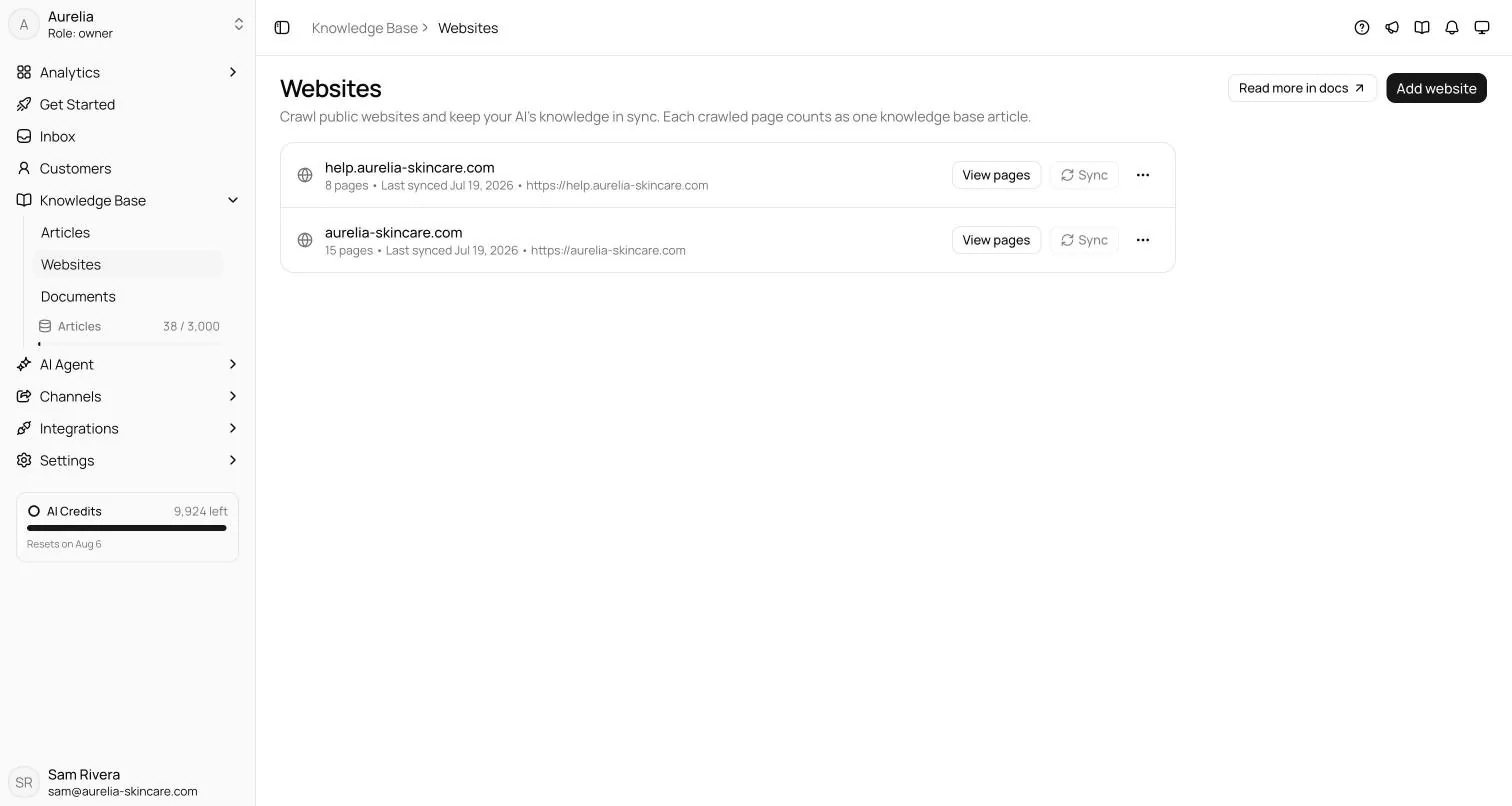
You give it one knowledge base for every channel. Websites are crawled and re-synced, and articles and documents sit next to them:
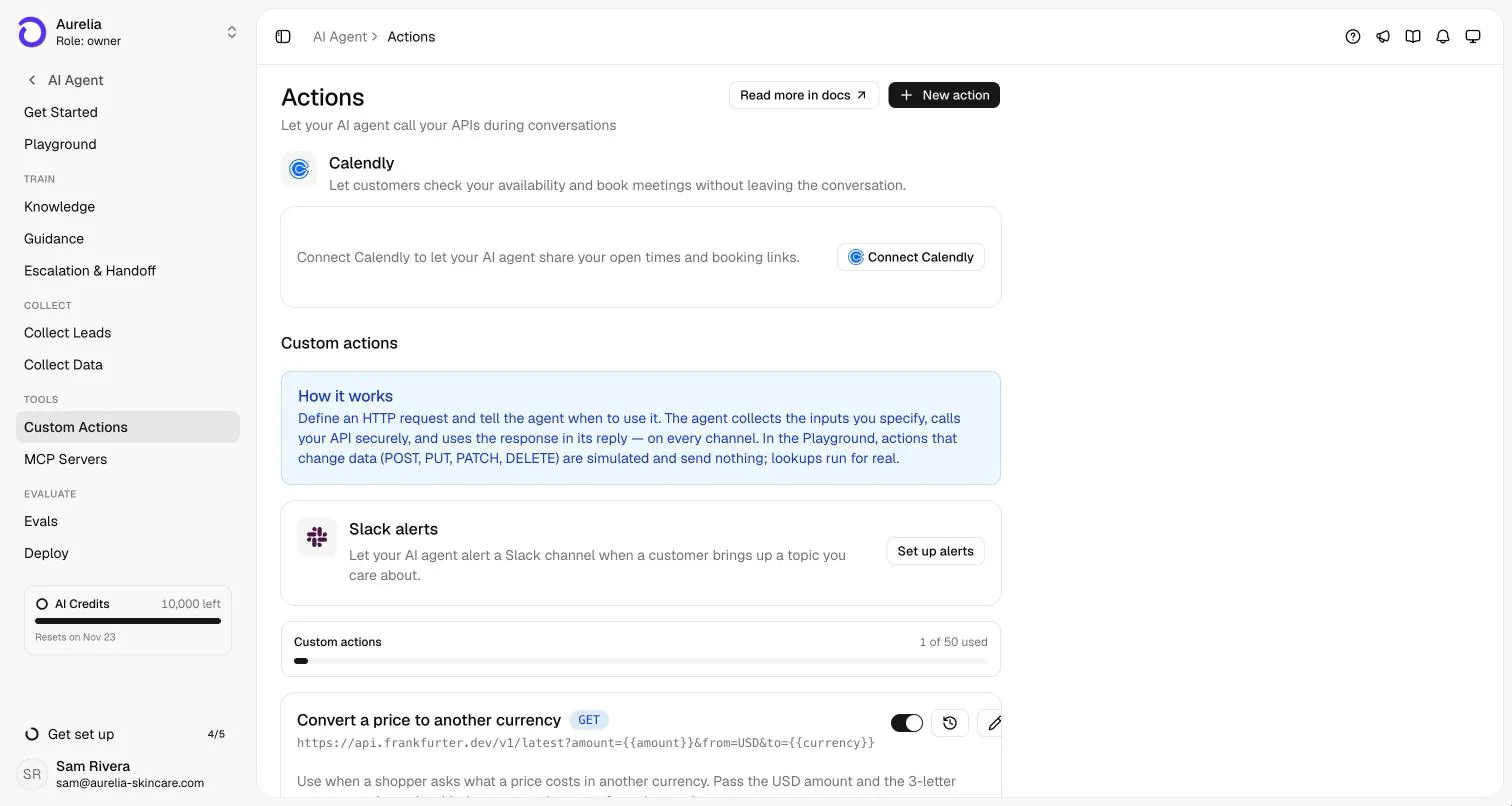
It acts through your systems. Calendly lets customers see open times and book; custom actions call your own APIs with inputs the agent collects:
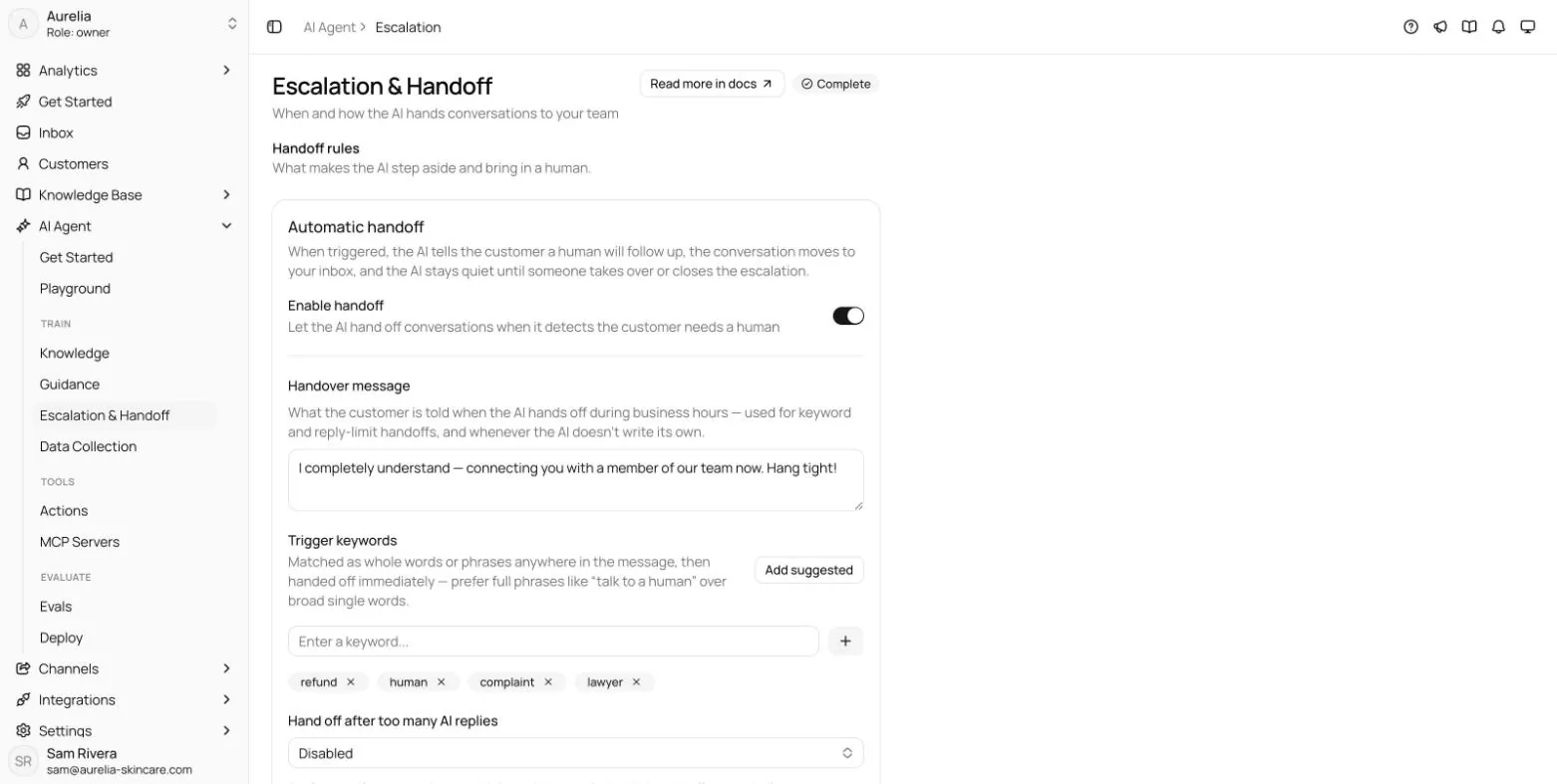
You decide when it steps aside:
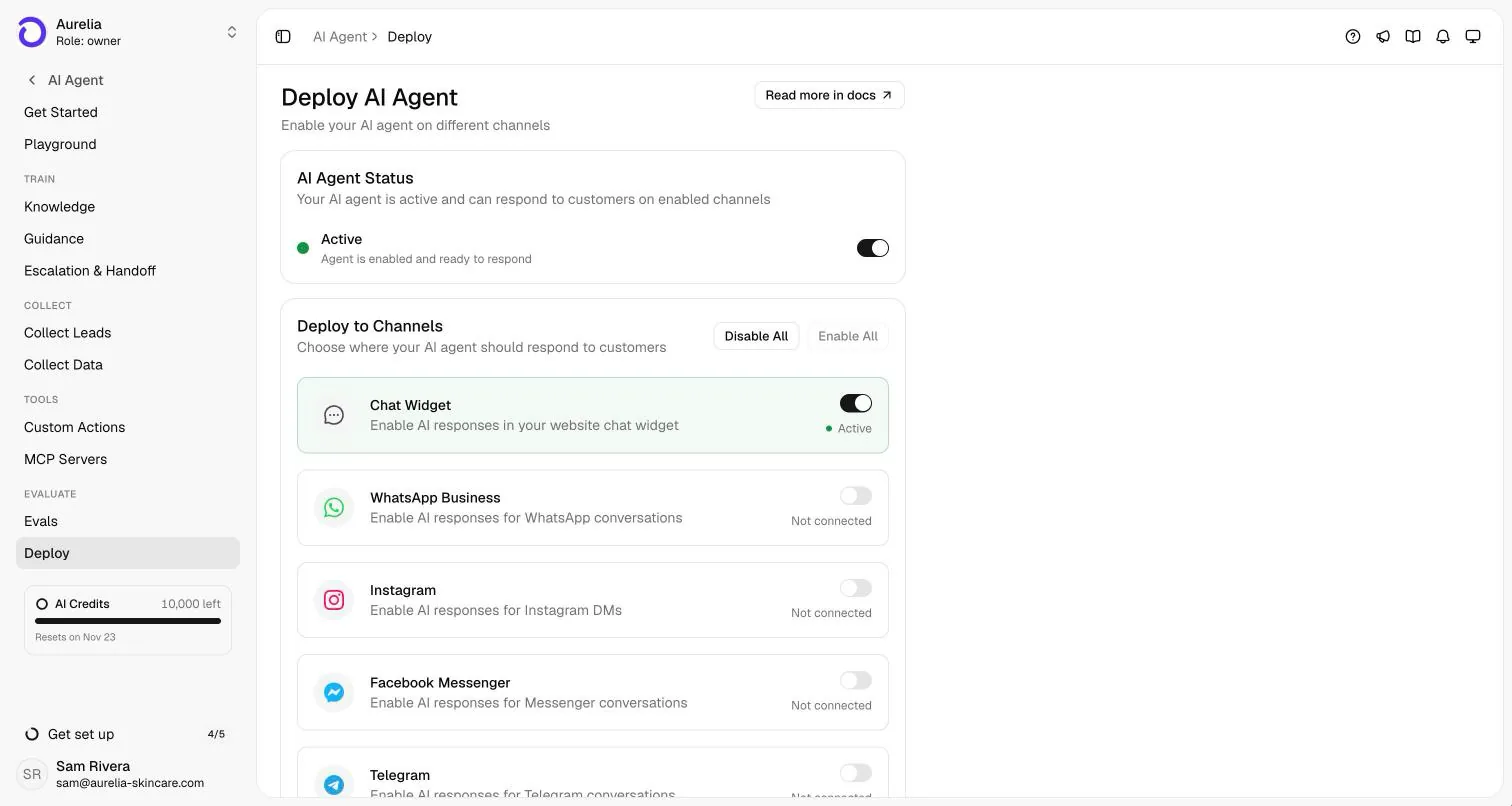
One switch per channel puts the same agent on your website, WhatsApp, Instagram, Messenger, Telegram, Slack and email:
And your team works every channel from one inbox, taking over from the AI in a click:
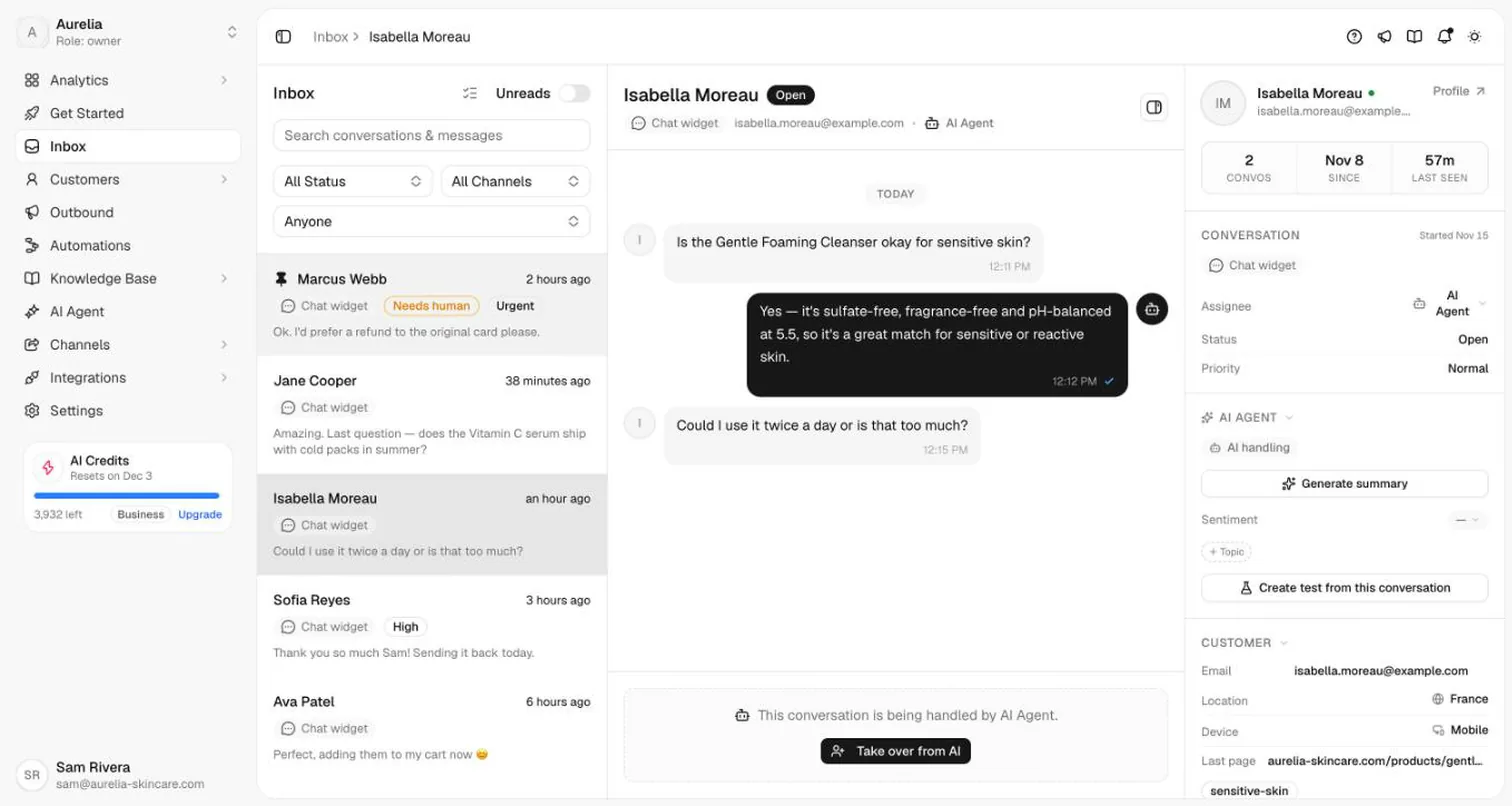
On WhatsApp, Asks's replies are service messages, so Meta's service rate applies after the 1,000 free messages per number each month, and Meta bills your WhatsApp Business account directly. Asks plans are flat, with AI credits included; see pricing. More on the channel: Asks for WhatsApp, and how the agent works end to end: how Asks works.
Can you use both?
Not on the same number at the same time, in most setups. Meta's documentation says a number already running another AI agent integration can't enable Meta Business Agent, and that enabling Meta's agent makes it the primary responder for new conversations while previous responders move to standby. If you want to try both, use separate numbers, or compare them one after the other on the same set of real questions.
A fair test takes an afternoon: pull 30 to 50 real customer questions from your chat history, including the awkward ones (refund disputes, "where is my order", questions your website doesn't answer), ask each agent the same set, and score the answers for accuracy, tone and whether it handed off when it should have. For a deeper checklist, see how to stop chatbot hallucinations and designing AI to human handoff.
Frequently asked questions
Is Meta Business AI free?
Not on the WhatsApp Business Platform: Meta Business Agent messages cost $2.00 per million tokens, about 4 to 5 cents per message, with no free allowance. For the WhatsApp Business app version, Meta's product page and Help Center don't state a price (checked 2026-11-16), so check the terms in the app before you enable it.
How do I turn off Meta Business AI in the WhatsApp Business app?
Go to Tools → Your AI agent → AI replies and choose Paused for new chats but learning to stop automatic replies, or delete the agent to stop it entirely; Meta's Help Center has a separate article on pausing or deleting it. If you reply to a chat yourself, the AI stops answering that customer until you turn AI replies back on.
Is Meta Business AI available in my country?
Only in some countries for now. Meta's Help Center says it's available "in limited countries to select businesses", and the platform version requires the business to be based in an eligible country. If AI agent doesn't appear in your Tools tab, it isn't available to you yet.
Does Meta Business AI work on Instagram and Messenger?
Meta's WhatsApp app product page says the agent can also represent businesses on Messenger and in ads, and the platform's eligibility API accepts Instagram business accounts. Availability varies by account, so check eligibility for each one. A dedicated agent such as Asks covers Instagram and Messenger alongside WhatsApp from one knowledge base.
Does Meta use my customer chats to train its AI?
For the app version, Meta's Help Center says chats with Meta Business Agent are collected to improve AI at Meta, even when the agent is muted, and that deleting the agent stops this. Customers are told that AI from Meta receives the chats. Read Meta's current terms if your business handles sensitive conversations.
Can I connect Asks to a WhatsApp number that uses Meta's agent?
Meta's documentation allows one AI agent per number: an existing AI agent integration blocks Meta Business Agent, and enabling Meta's agent moves other integrations to standby. Choose one AI per number, or use separate numbers if you want to compare.
Sources
Checked 2026-11-16.
- Meta for Developers, Meta Business Agent overview and eligibility: developers.facebook.com/documentation/meta-business-agent/overview
- Meta for Developers, Meta Business Agent capabilities (knowledge, connectors, handoff, message types, languages, testing): developers.facebook.com/documentation/meta-business-agent/capabilities
- Meta for Developers, WhatsApp pricing and the Meta Business Agent rate: developers.facebook.com/documentation/business-messaging/whatsapp/pricing and non-template message pricing
- Meta for Developers, preparing a number before enabling Meta Business Agent (routing and standby): developers.facebook.com/documentation/business-messaging/whatsapp/conversation-routing/prepare-before-enabling-meta-business-agent
- WhatsApp Help Center, about using Meta Business Agent: faq.whatsapp.com/291930066973116
- WhatsApp Help Center, how to set up Meta Business Agent: faq.whatsapp.com/1153795669452207
- WhatsApp Business, Meta Business Agent on WhatsApp (product page): whatsappbusiness.com/products/business-app-ai-agent
- Meta Newsroom, "Introducing Business AI on WhatsApp for Small Businesses in India" (May 14, 2026): about.fb.com
- Meta Business Help Center, inbox automations in Meta Business Suite: facebook.com/business/help/318238182723007
Ray is the pen name of the founder of Asks, who writes here about the economics of customer support and AI agents. How we write
Put an AI support agent on your site today
Asks trains on your website, docs, and help center — then resolves customer conversations on every channel, and hands off to your team when it matters.