Yearly plans up front, plan changes without surprises
The subscription page now leads with yearly pricing — 20% off, clean dollar amounts — and every plan change spells out exactly what you'll pay and when.
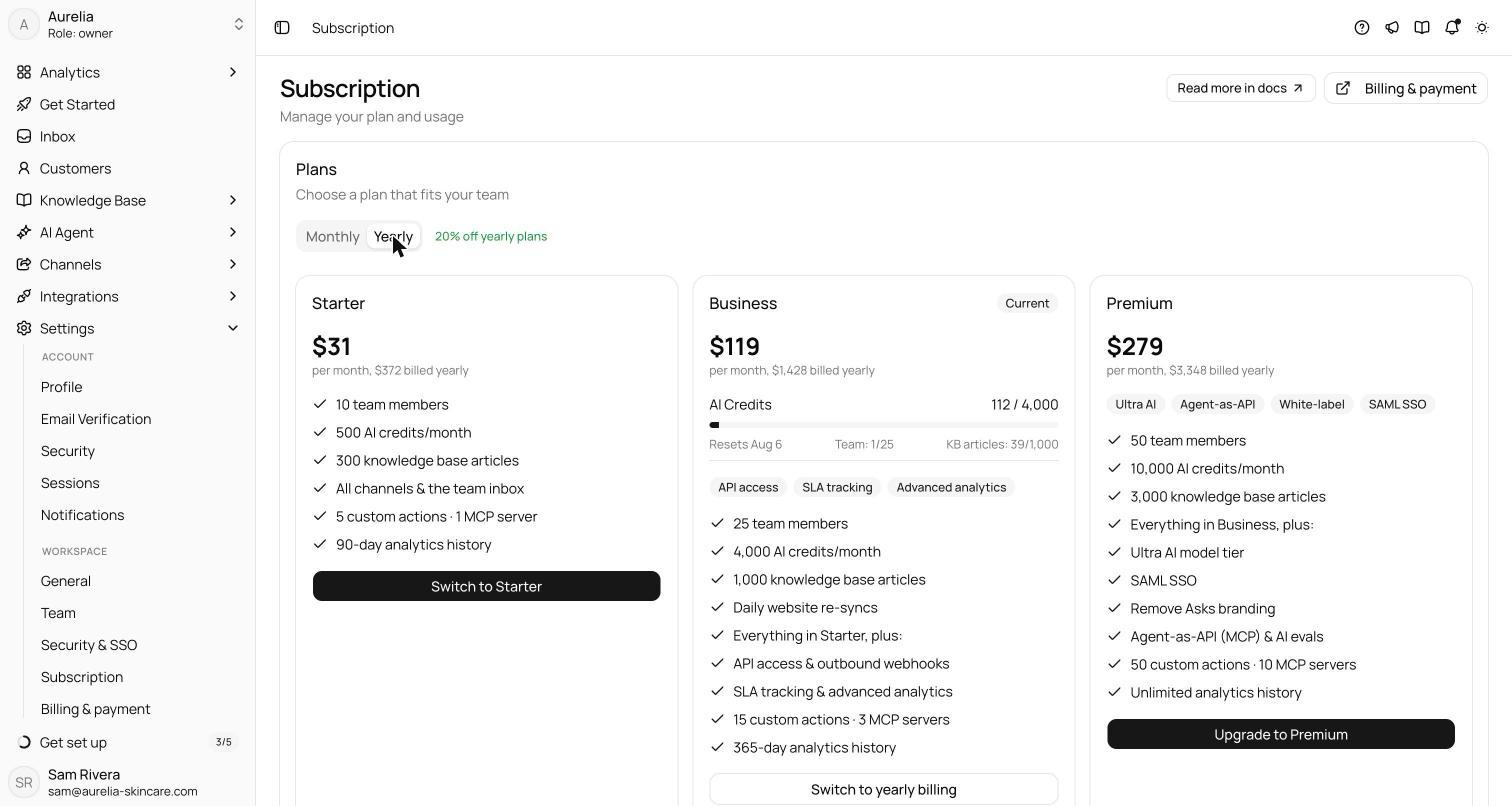
The subscription page now defaults to yearly — $31, $119, and $279 a month billed annually, a straight 20% off — with monthly one tab away and nobody moved off the interval they already chose.
Plan changes got honest math: upgrades apply immediately with the prorated charge spelled out before you confirm; downgrades wait until the period you've paid for ends, shown as a pending change you can cancel with one click. No surprise invoices in either direction.
Yearly, up front
The subscription page and the upgrade dialog now open on a Yearlytab, marked with a “20% off yearly plans” badge. Each plan card headlines the discounted per-month price with “billed yearly” beneath it, and the numbers are clean whole dollars rather than the usual almost-round artifacts: Starter $31/mo ($372 a year), Business $119/mo ($1,428), Premium $279/mo($3,348). Monthly stays one tab away at $39, $149, and $349. If you already subscribe, nothing is nudged: the page lands on the interval you actually pay on, not the one we'd like you to.
Upgrades: immediate, and itemized first
Upgrades — a higher tier, or switching monthly to yearly — apply the moment you confirm. Before you do, the dialog spells out the exact prorated amount charged today for the remainder of the current cycle, and what renewals will cost after that. The arithmetic happens before the invoice, where you can still say no — not on the invoice, where you can only be surprised.
Downgrades: scheduled, and reversible
Downgrades never claw anything back mid-cycle. They're scheduled for the end of the period you've already paid for, and until then they sit on the subscription page as a pending change you can cancel with one click — the confirmation reads “Scheduled plan change canceled — your current plan continues.” You keep what you paid for; the change waits its turn.
See what's new in your workspace
Everything on this page is live today. Asks trains on your website and resolves customer conversations on every channel — free to try, live in minutes.