Your widget now speaks eight languages
Enable the languages you want, pick a default, and the widget's chrome follows each visitor's browser language — your own words are never machine-translated.
The AI could always answer in any language — but the widget around it spoke English. Now the whole frame is localized: English, Spanish, Portuguese, French, German, Italian, Dutch, and Indonesian, over a hundred interface strings each, translated by hand with the right register per language.
You choose which languages are enabled and which is the default under Channels → Widget → Behavior; visitors get their browser language when it's on your list. One deliberate rule: your greeting, your card titles, your conversation starters are your words — Asks never machine-translates them.
Enable languages, pick a default
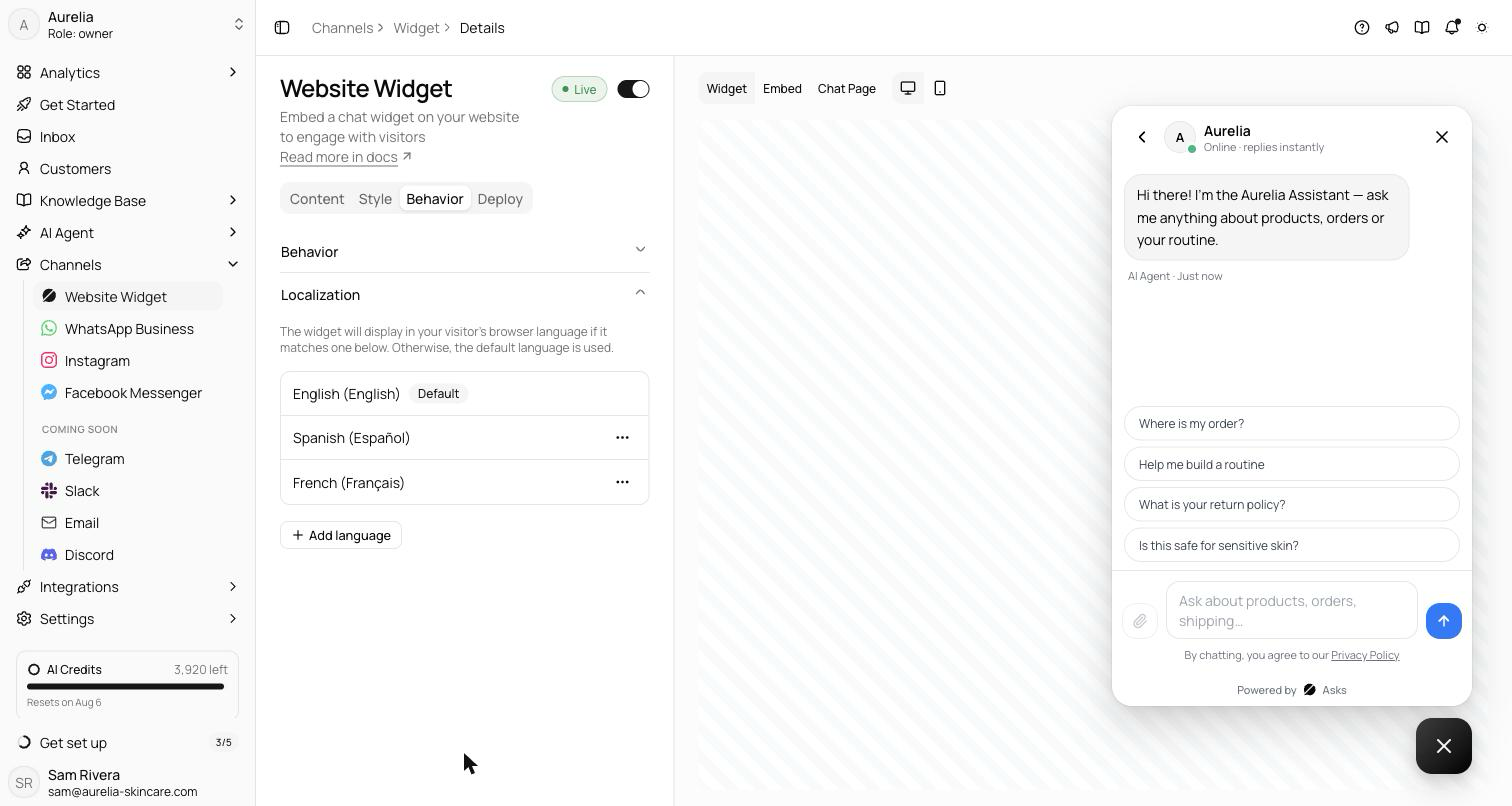
Localization lives where the rest of the widget's behavior does: Channels → Widget → Behavior, in a Localizationaccordion. Each enabled language is a row — shown as “Label (Native label)”, like German (Deutsch) — with a Default badge on your fallback, a set-default action, and a remove action. A searchable Add languagepopover adds more. The rule is stated right in the panel: “The widget will display in your visitor's browser language if it matches one below. Otherwise, the default language is used.” Negotiation checks the visitor's browser languages against your enabled set, in the visitor's order of preference; no match means your default. The hosted chat page follows the same settings, so the two surfaces never disagree.
Translated by hand, with the right register
Eight languages ship: English, Spanish (Español), Portuguese (Português), French (Français), German (Deutsch), Italian (Italiano), Dutch (Nederlands), and Indonesian (Bahasa Indonesia) — 111 interface strings each, translated by hand rather than run through a translation model. That made room for decisions machine translation flattens: Spanish addresses the visitor as tú, Portuguese as você, French keeps the more formal vous, German uses du, Italian tu, Dutch je— the register a support chat should have in each language, chosen deliberately. Even “AI” is localized where the language expects it: IA in Portuguese, French, and Italian, KI in German. All eight locales together add roughly 12 KB gzipped to the widget bundle.
Your words stay yours
Only the widget's chrome switches language — buttons, labels, timestamps, system messages. Content you wrote — the greeting, card titles, conversation starters — is never machine-translated. If you serve one market, write those in that market's language; if you serve several, the AI already replies in whatever language the customer writes, so the conversation itself was never the gap.
See what's new in your workspace
Everything on this page is live today. Asks trains on your website and resolves customer conversations on every channel — free to try, live in minutes.