Response targets your team can see ticking
SLA policies bring first-response, next-response, and resolution targets with live countdown chips in the inbox — and alerts before you breach, not after.
For teams that promise response times, the inbox now keeps score. Define SLA policies per priority — a first-response target, a next-response target, a resolution target — measured in your business hours, not wall-clock time. Every conversation then carries a live chip counting down, in the list, the header, and the customer rail.
The point is the warning, not the autopsy: conversations flag themselves at risk before the deadline (25% of the target remaining, by default), alert the assignee, and fire webhooks your own systems can react to. New inbox filters surface everything at risk or breached in two clicks. Available on Business and Premium.
Defining policies
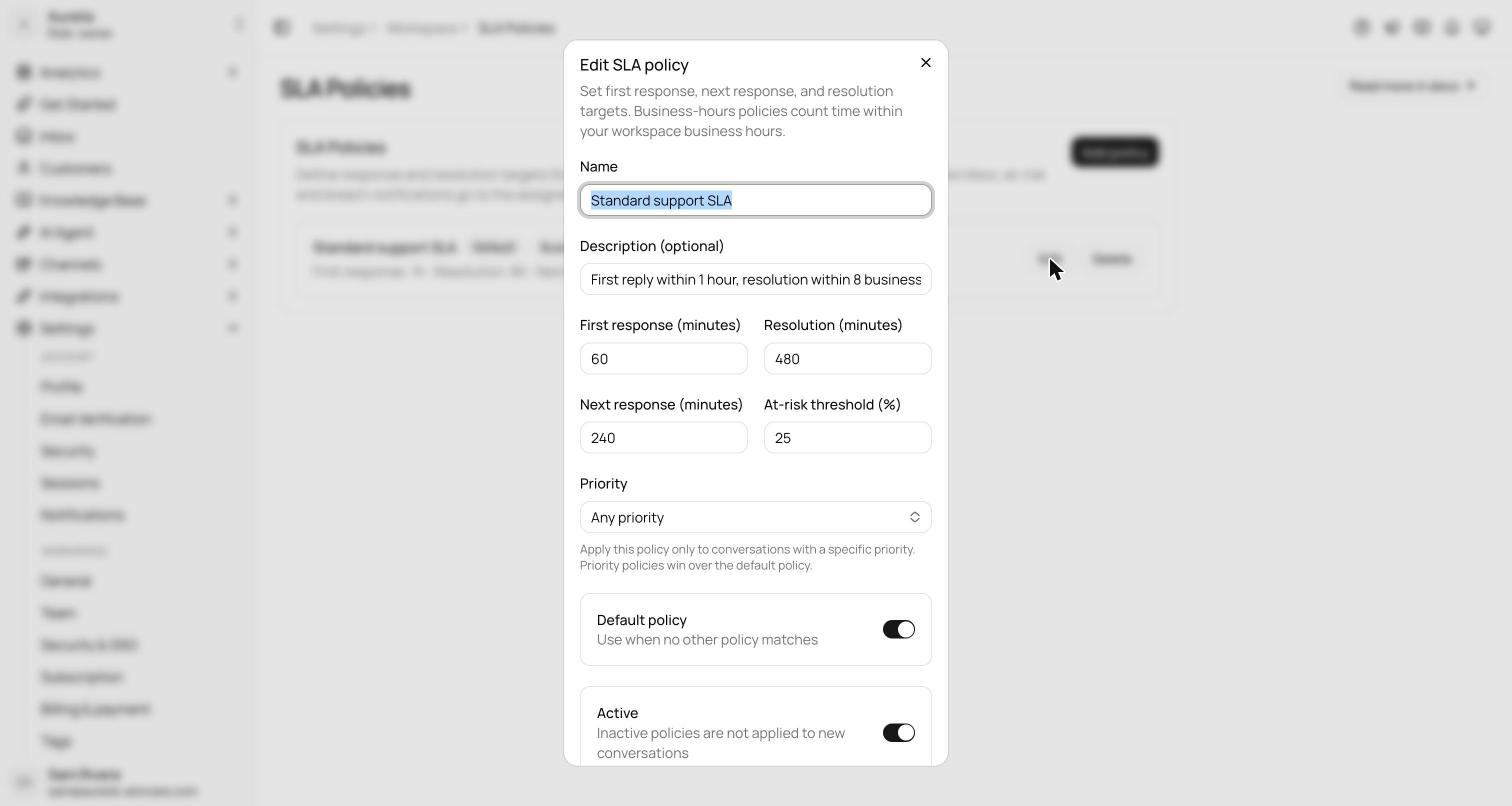
Policies live under Settings → SLA policies, manageable by owners and admins, up to 20 per workspace. Each policy targets a priority and sets a first-response target, a next-response target, a resolution target, and an at-risk threshold — the share of time remaining that flips a conversation to at risk, 25% of the target by default.
Targets are measured in your workspace's business hours, not wall-clock time. A ticket that arrives Friday night isn't breached by Saturday morning; the clock runs when your team does.
Live in the inbox
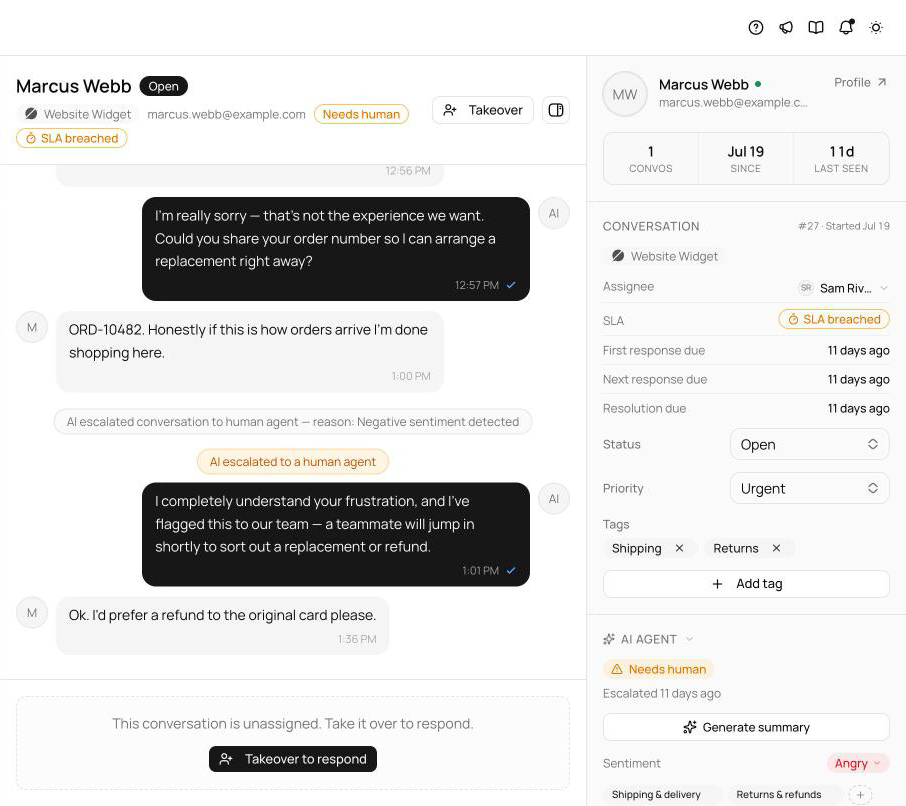
SLA state is visible where you triage, not buried in a report. Live chips appear in the conversation header, on list rows, and in the customer rail, refreshing every 30 seconds: SLA {time} counting down, SLA {time} over, SLA breached, and SLA met. The inbox status filter gains SLA at risk and SLA breached, so everything that needs attention is two clicks away.
AI replies count as responses — all the clocks run off one message pipeline — so an agent that answers instantly is an agent that meets your first-response target.
Alerts, webhooks, and reporting
The system is built around the warning, not the autopsy:
- At-risk and breach events send in-app alerts to the assignee, falling back to owners and admins when unassigned.
- The public webhooks sla.at_risk and sla.breached fire for your own systems; the at-risk sweep runs every five minutes.
- A conversation that ever breached stays breached in reporting — a late reply doesn't erase the miss.
- Analytics → Team gains an SLA performance card, so targets become a trend you can manage, not just a chip you race.
See what's new in your workspace
Everything on this page is live today. Asks trains on your website and resolves customer conversations on every channel — free to try, live in minutes.