Setup shows its work now
The “Learning your business” step reports real progress as it happens, runs its tracks in parallel, and no longer slows down when you switch tabs.
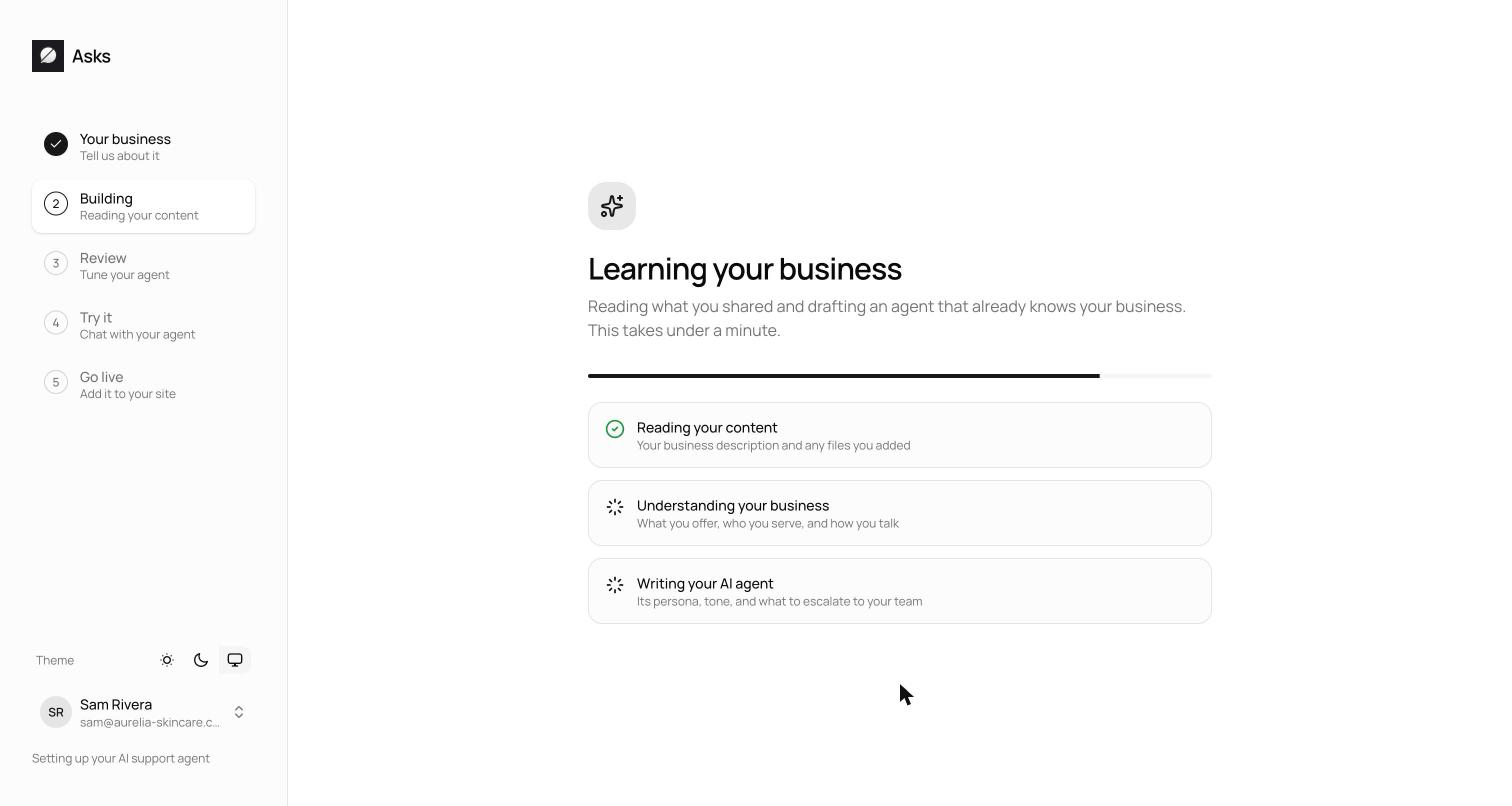
The build step of onboarding used to show three rows that all ticked over at the end. Now each row is a real phase reporting live: Reading your website, Learning your brand & catalog, Writing your AI agent — and the brand and persona tracks run in parallel, so the whole step finishes sooner.
It's smarter about what it reads, too: your homepage plus a handful of key pages chosen intelligently — not a blind crawl — and for Shopify stores the catalog and policies stay live from the store itself. Logo detection now catches inline SVG logos, the agent's suggested questions seed your widget's conversation starters automatically, and the build keeps moving even if you wander off to another tab.
Progress you can watch
The “Learning your business” step now shows one row per phase, and each row ticks when its phase actually finishes — not when the whole build does. Reading your website comes first; then Learning your brand & catalog(“Detecting your logo and colors, and what you sell”) and Writing your AI agent (“Its persona, tone, and what to escalate to your team”) run in parallel, so the whole step finishes sooner.
The build also starts the moment reading completes — server-side. Previously the kickoff came from your browser, and a backgrounded tab could delay it by minutes; now you can switch tabs and the build keeps moving without you.
It reads less, and reads better
Instead of crawling your whole site, the build reads your homepage plus up to 6 intelligently chosen key pages — the ones most likely to hold your policies, story, and catalog. For Shopify stores it reads only the homepage, because your catalog and policies stay live from the store itself. Password-protected Shopify storefronts now get a proper storefront-password prompt instead of a silent failure. And logo detection reads the raw rendered page, so inline SVG logos and favicons — invisible to the old approach — are found.
A better first draft
- The agent's suggested questions now seed your widget's conversation starters, so the widget opens with prompts drawn from your actual business.
- Generated personas describe behavior and voice — how the agent should sound and when it should escalate — not a frozen snapshot of products and prices that would go stale.
- The custom-instructions cap under AI Agent → Guidance was raised from 2,000 to 4,000 characters, for merchants who write their agent a longer brief.
See what's new in your workspace
Everything on this page is live today. Asks trains on your website and resolves customer conversations on every channel — free to try, live in minutes.