Collect leads without a form in sight
The agent now captures names, emails, and any custom fields naturally in conversation — no forms — and exports everything to CSV.
Nobody likes a form popping up mid-conversation. Turn on Data Collection and your agent gathers what you need — name, email, company, any custom field — the way a person would: by asking at the right moment and remembering the answer.
Details are saved to the customer profile as the conversation happens, visible in the inbox side panel, and exportable to CSV. Set which fields matter and the agent handles the rest.
You choose the approach
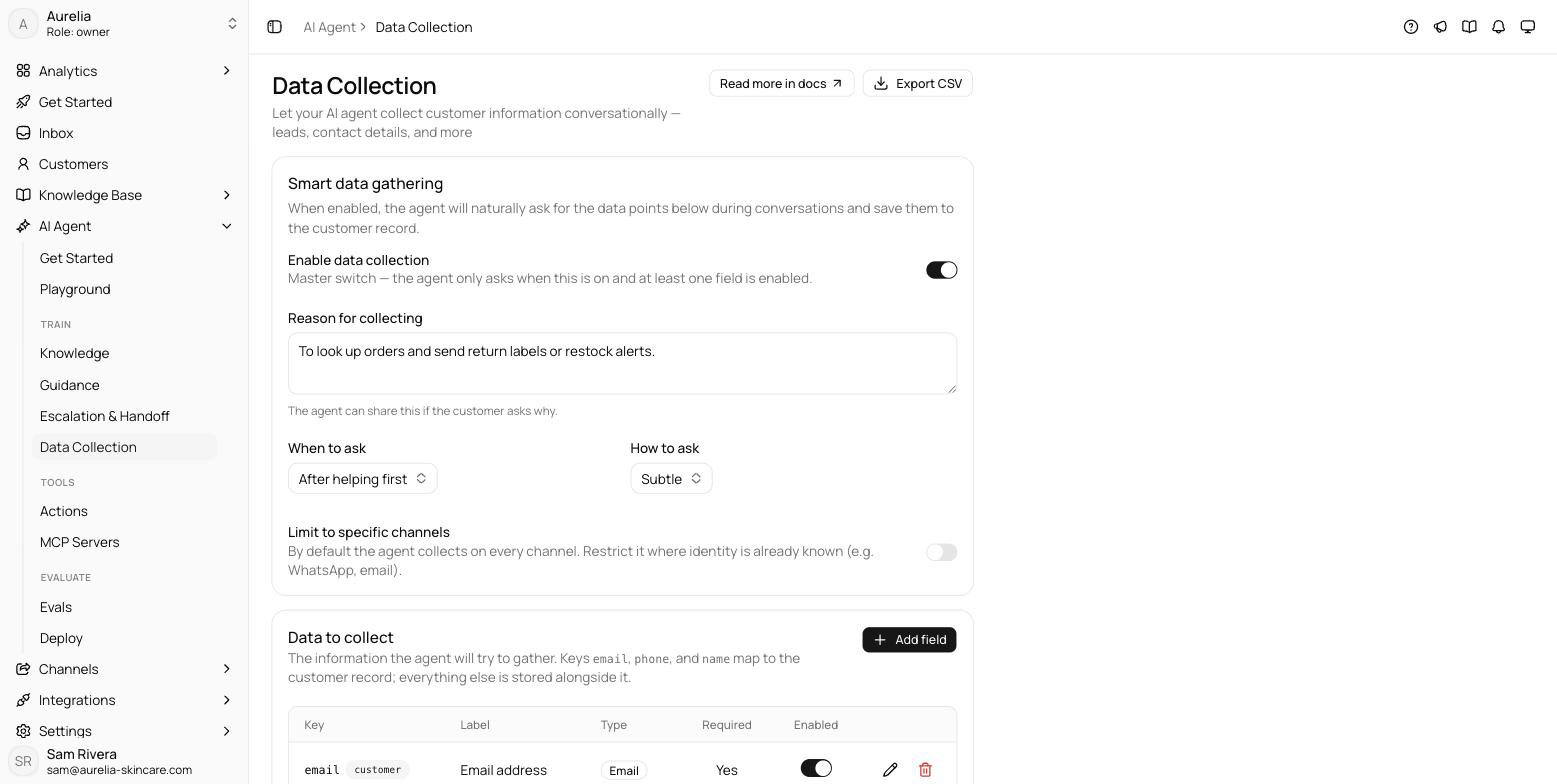
Four settings shape how the agent asks. When to ask — immediately, after helping first (the default: never lead with it), or only once the customer shows clear buying or follow-up intent. How to ask — subtle weaves the request in and keeps it optional; direct asks plainly. A reason for collecting is shared if the customer asks why, and you can limit collection to specific channels — useful where identity is already known.
Define the fields
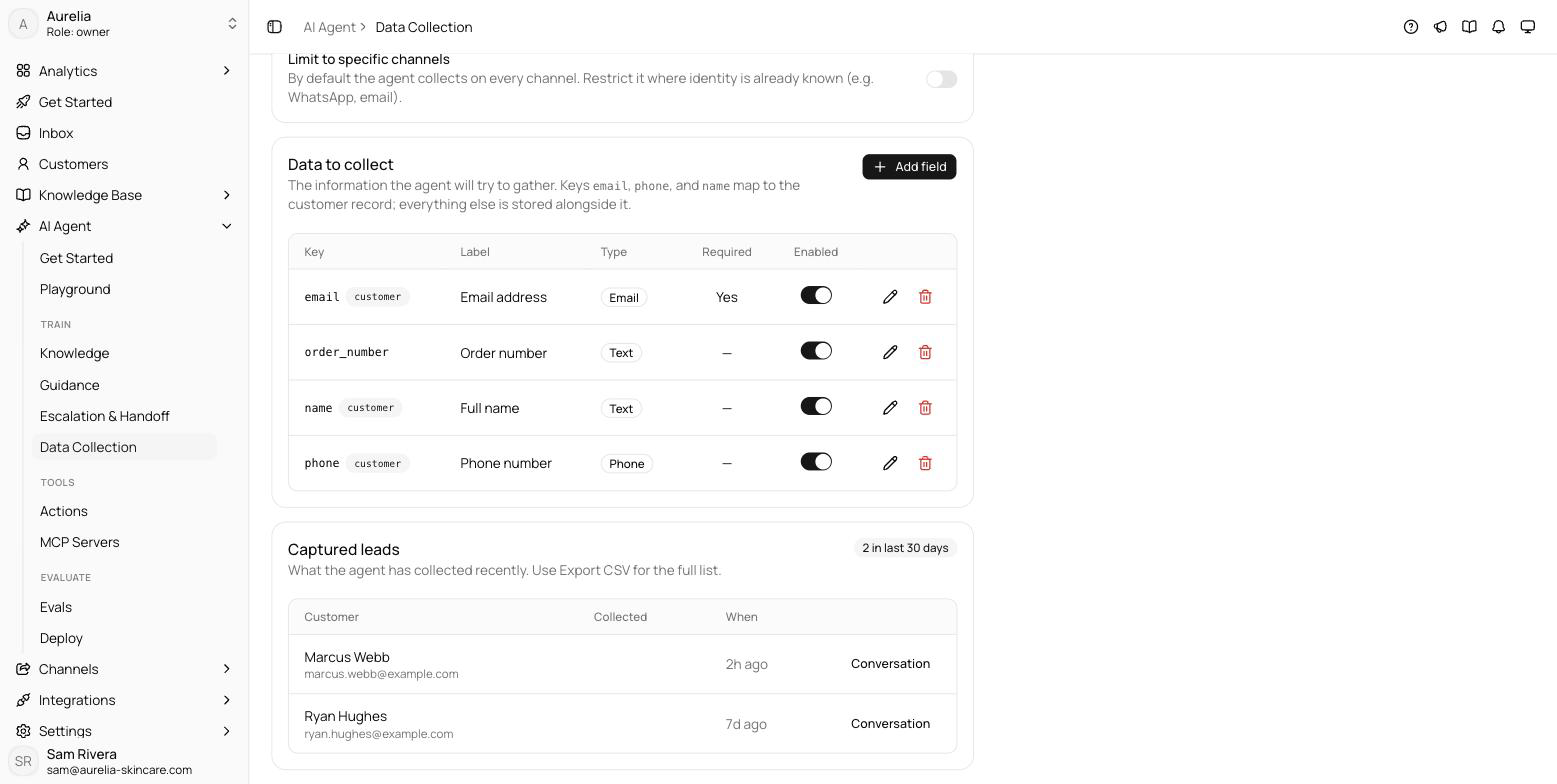
Each field is one data point, up to 15 per workspace: a key, a label, a description that tells the agent what to ask for, and a type — text, email, phone, number, or a fixed list of choices. The reserved keys email, phone, and name map onto the customer record itself; everything else is stored alongside it. Required fields are prioritized, and disabling a field keeps it without asking for it.
How it behaves, where it lands
The agent follows fixed rules you don't configure:
- At most one missing item per message.
- It never re-asks for something already provided — in the conversation or on the customer record.
- Each value is saved the moment the customer provides it.
- It never asks for sensitive data, and if the customer declines, it moves on.
Collected values appear on the customer's profile and in the inbox right rail during conversations. The Captured leads card shows recent captures with a link to each conversation, and Export CSV downloads the full list — one column per field, plus name, email, and phone.
See what's new in your workspace
Everything on this page is live today. Asks trains on your website and resolves customer conversations on every channel — free to try, live in minutes.