Custom Actions: teach your agent to use your APIs
Define any HTTP API as a tool your agent can call mid-conversation — check order status, look up bookings, trigger workflows — with guardrails built in.
Knowledge answers questions; actions solve problems. Custom Actions let you describe any HTTP API to your agent — an endpoint, its parameters, when to use it — and the agent calls it live, mid-conversation, when a customer needs it.
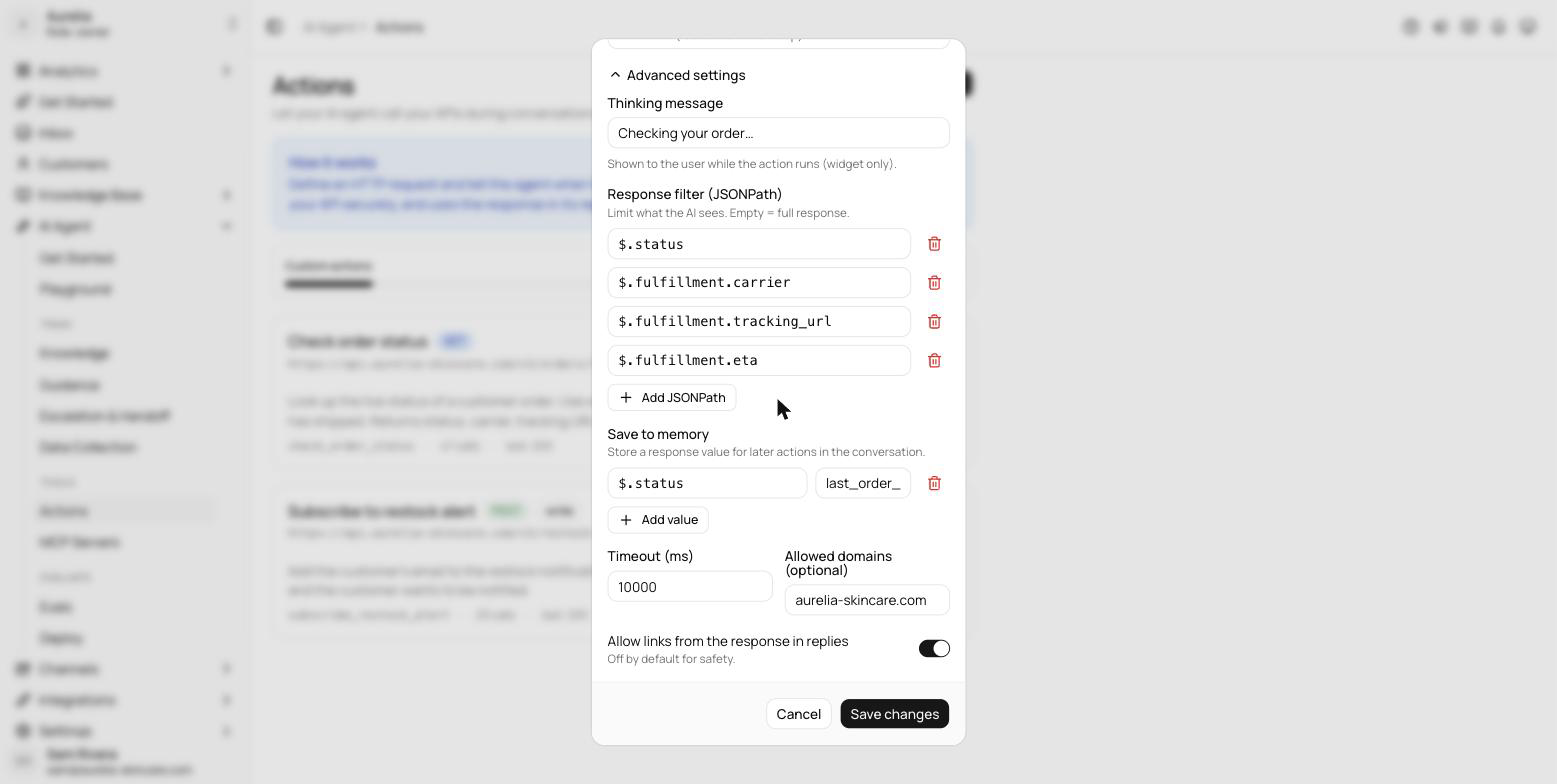
“Where's my order?” becomes a real lookup against your system, not a canned deflection. Every action runs with guardrails: response filtering so the agent only sees the fields you allow, secret redaction, rate limits, and an egress guard that keeps requests pointed only where you aimed them.
Anatomy of an action
An action is a description plus a request. You give it a name, tell the agent when to use it and what it returns, list the inputs to collect from the customer, and define the HTTP request — method, URL, headers, query, and body, with {{variable}} placeholders for the collected values. Authentication supports bearer tokens, API-key headers, and basic credentials; secrets are encrypted at rest and never shown again.
You don't have to build the form by hand: describe the action in one sentence — “Look up an order's delivery status by tracking number” — and the editor drafts the name, description, inputs, and request for you to review.
Guardrails on every call
The destination of a request is fixed at design time — placeholders are never allowed in the scheme or host, so a manipulated conversation can't redirect calls to another server. On top of that:
- Write methods require a domain allowlist — POST, PUT, PATCH, and DELETE calls outside it are refused, and write actions are rate-limited and audit-logged.
- Response filtering — optional JSONPath filters limit what the model sees from the response.
- Links off by default — URLs from the response only appear in replies if you allow them.
- Timeouts— 1 to 30 seconds per call, 10 by default — plus an optional “thinking message” shown to the customer while the action runs (widget only).
Manage and monitor
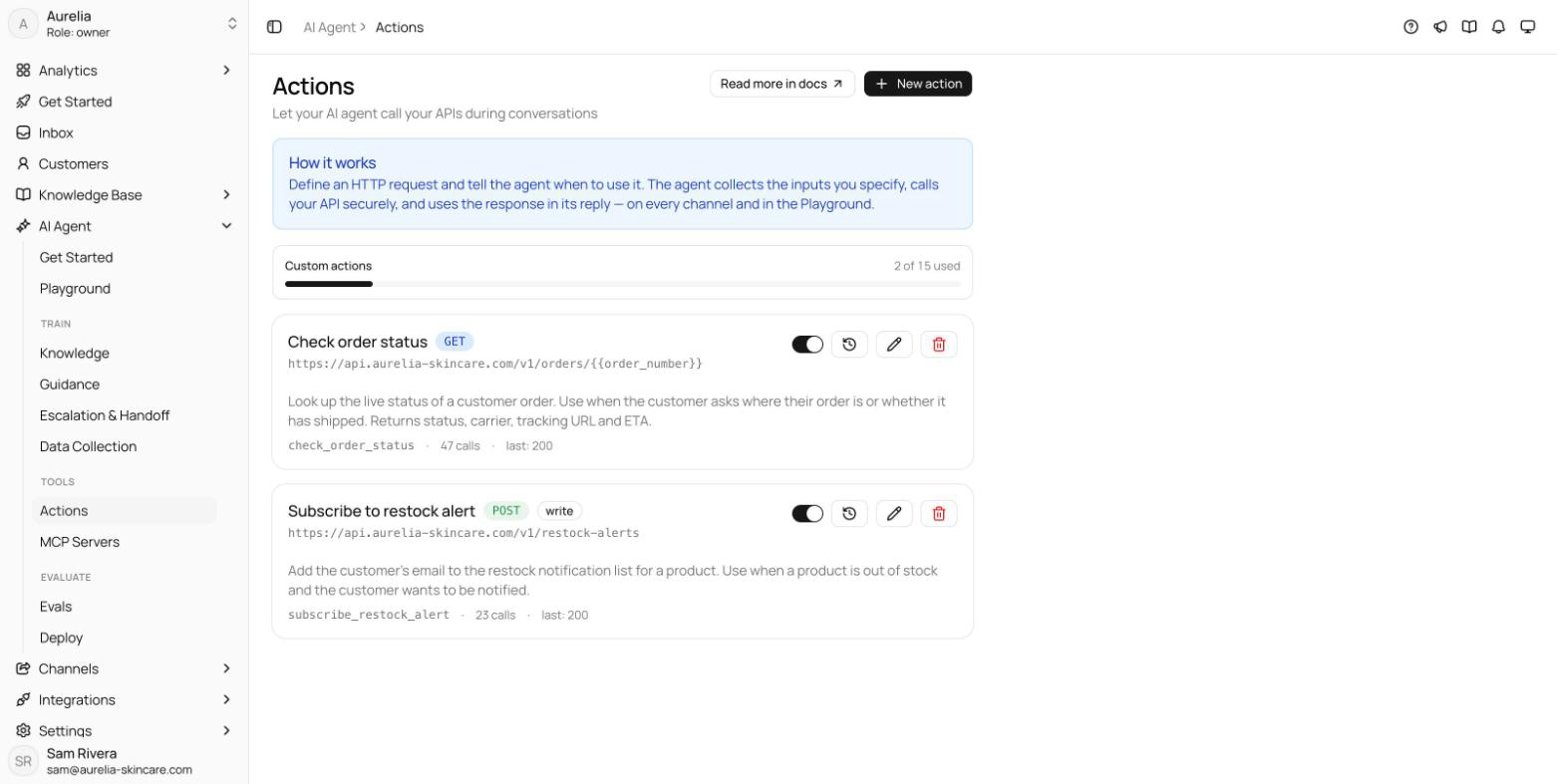
Each action card has an enable switch — pause an action without deleting it — plus a call counter and the status of the last call. Recent calls opens the last 20 invocations across all conversations with status, duration, and any error. Deleting an action deletes its stored credentials and call history with it.
See what's new in your workspace
Everything on this page is live today. Asks trains on your website and resolves customer conversations on every channel — free to try, live in minutes.