Your agent knows when you're closed
Set timezone-aware business hours and the agent adapts: instant handoffs when your team is online, honest expectations — with your next opening time — when it isn't.
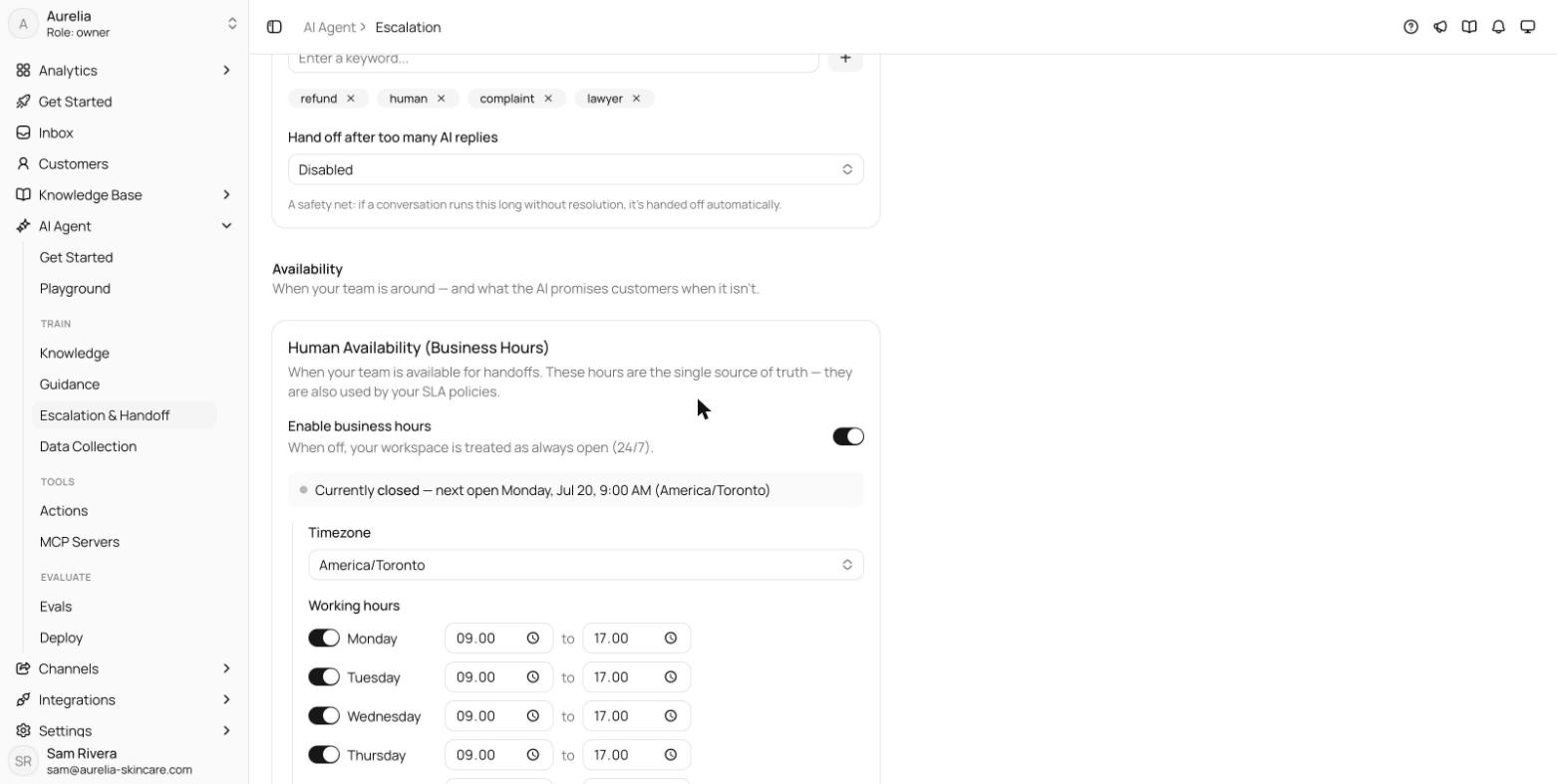
An escalation at 3 a.m. shouldn't sound like one at 3 p.m. Set your business hours — timezone-aware, per weekday — and the agent adjusts how it hands off. During hours: “looping in the team now.” After hours: an honest heads-up with your actual next opening time, so nobody sits refreshing a chat that won't answer until morning.
Everything lives in the new Escalation hub under AI Agent, alongside your escalation triggers and handoff notifications.
One schedule, everywhere
Business hours are a workspace-scoped, timezone-aware schedule: per-day open hours (overnight ranges close the next day) plus holidays, evaluated in the IANA timezone you pick, with a live line showing whether you're currently open and when you next reopen. These hours are the single source of truth for availability — your SLA policies use them too. With business hours disabled, the workspace is treated as always open.
What triggers a handoff
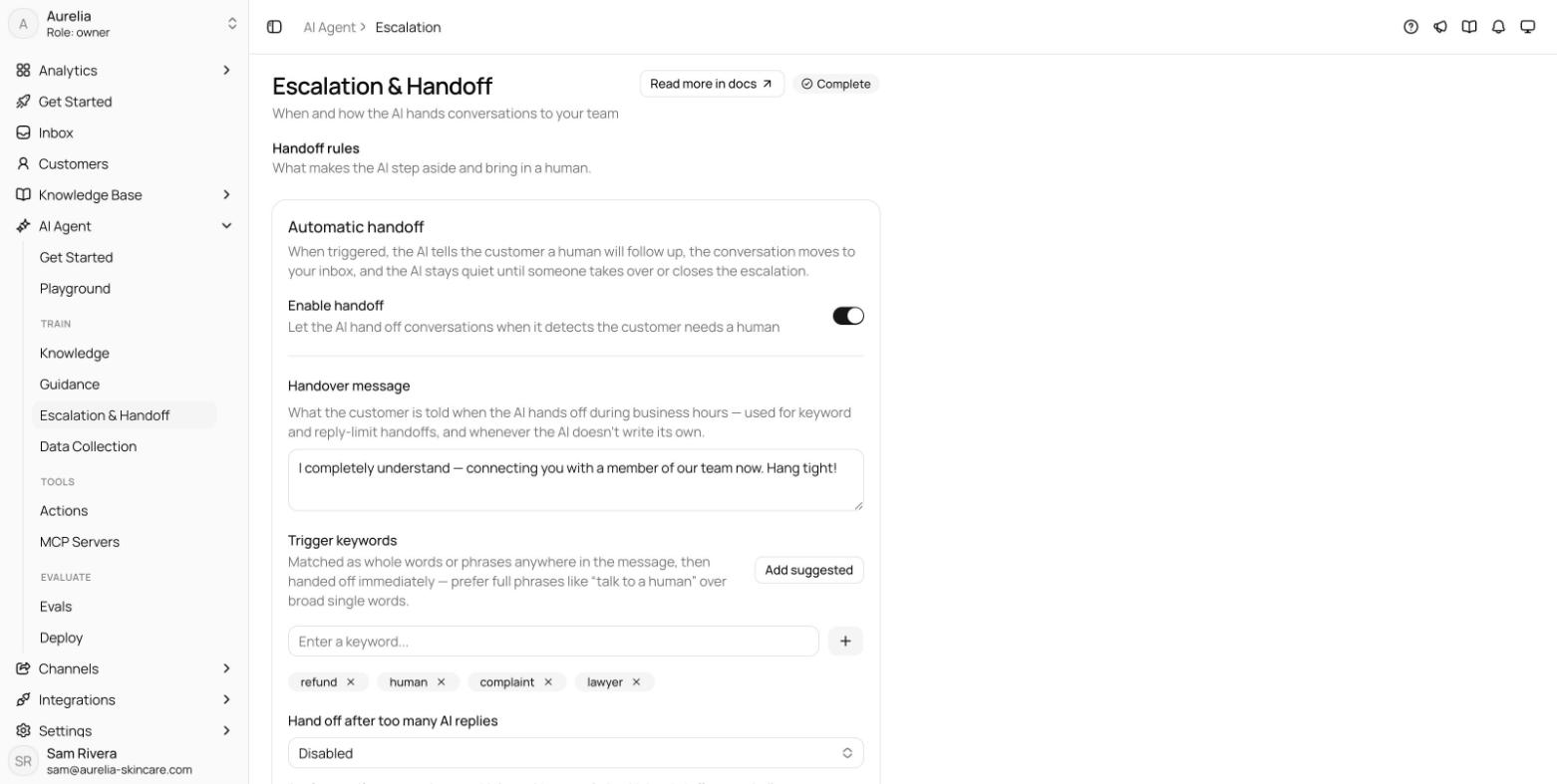
Handoff is on by default and fires three ways: on trigger keywords— matched as whole words or phrases, with one-click suggested defaults like “speak to human” — after a reply limit(3, 5, 7, or 10 AI replies without resolution), and on the agent's own judgment. The handover message the customer sees is yours to write, up to 1,000 characters.
Off-hours honesty, on-handoff speed
Outside business hours, an escalation still hands the conversation off — but instead of promising a live transfer, the agent sends your off-hours message. It supports the {{next_open}}token, replaced with your actual next opening time, and can invite the customer to leave an email if the agent doesn't already have one.
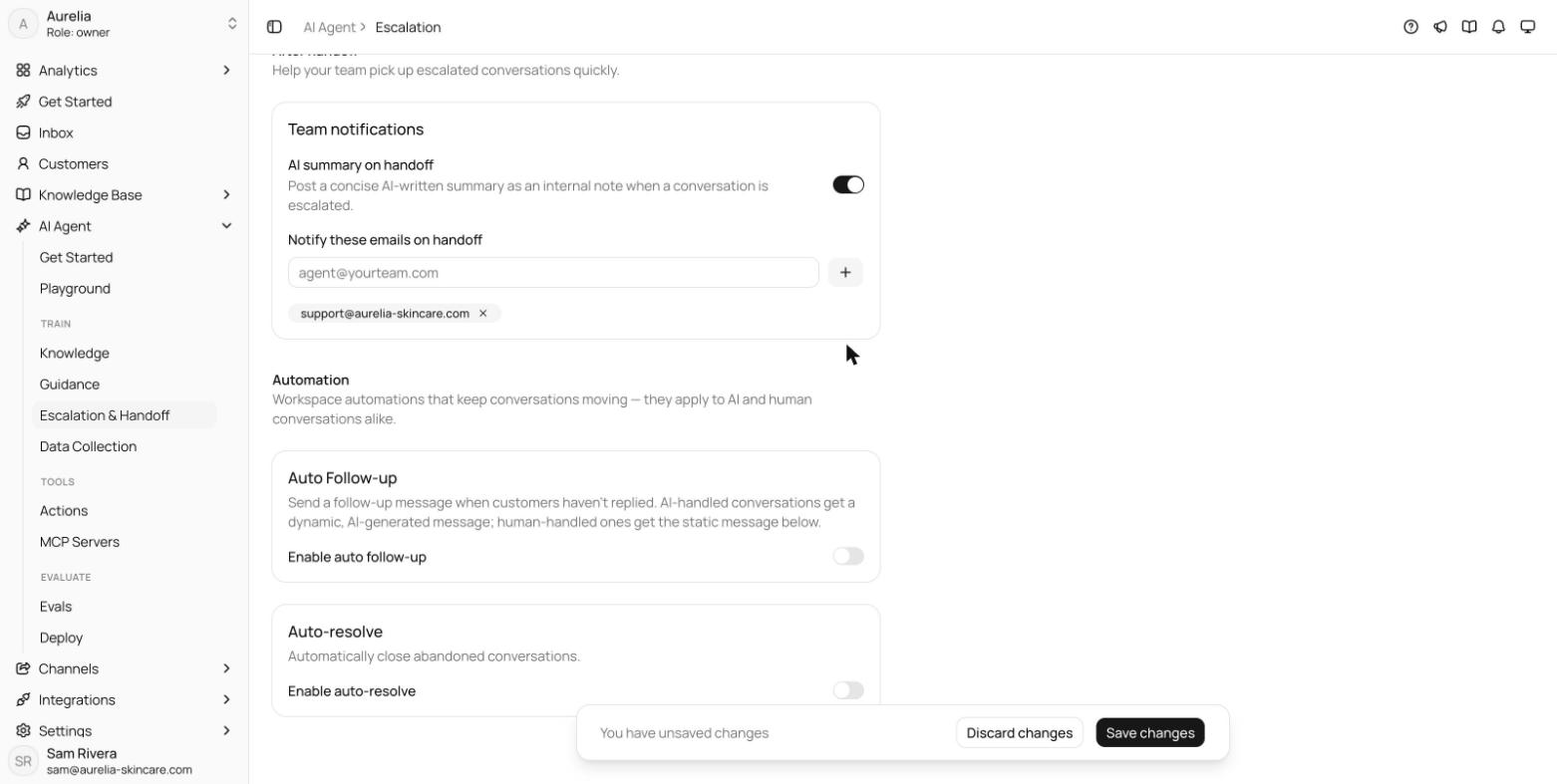
After handoff, the Team notifications card keeps your team fast: an AI-written summary posted as an internal note the moment a conversation escalates (Business and above), and a list of emails alerted on every handoff.
See what's new in your workspace
Everything on this page is live today. Asks trains on your website and resolves customer conversations on every channel — free to try, live in minutes.