Empty screens now tell you what to do
Every first-run page explains what fills it, links the setup surface that does, and points to the docs — instead of showing you a blank table.
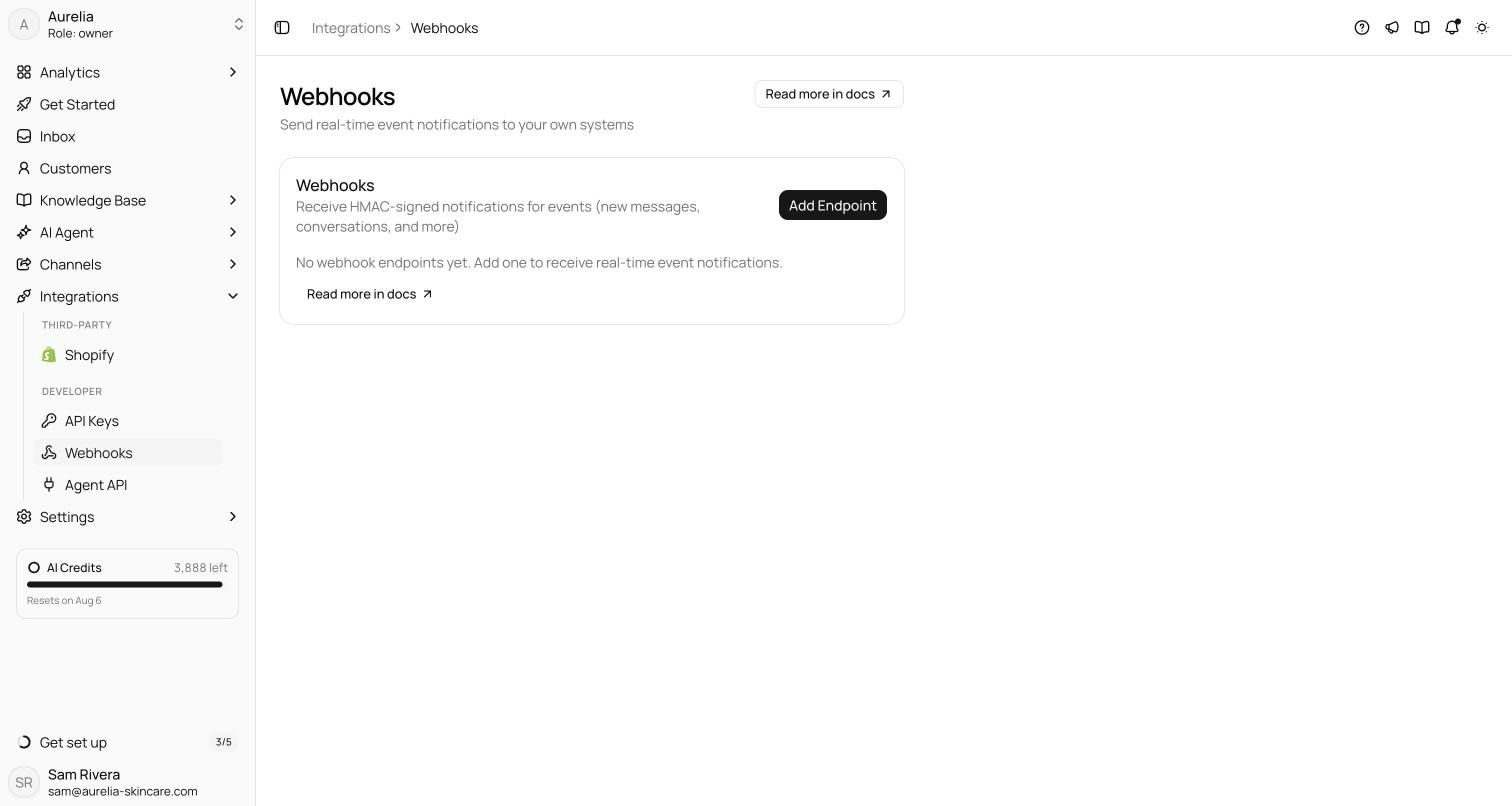
A new workspace used to be a tour of empty tables. Now every pristine surface — the inbox, customers, each knowledge base tab, the AI agent pages, analytics, channels — explains what it's for, offers one button that takes you to the thing that fills it, and links the matching docs page. Search and filter results keep neutral copy; nothing shouts “set up your widget!” at you for filtering too hard.
Every module header gained a Read more in docs ↗link while we were at it, so help is one click away from the page you're actually on.
Anatomy of a guided empty state
Every pristine surface — a page you've never used — now follows the same quiet pattern: an icon, a plain-language explanation of what the page is for, one primary call-to-action, and a Read more in docs ↗link. The call-to-action is the important part. It doesn't say “learn more” — it takes you to the setup surface that actually fills the page. An empty inbox points you at connecting a channel; an empty knowledge base tab points you at adding content; empty analytics point you at getting conversations flowing.
Where it applies — and where it deliberately doesn't
The pattern now covers every first-run surface in the app:
- the Inbox and Customers
- all three Knowledge Base tabs
- the AI Agent tabs and Analytics
- Channels, Widget, and Integrations
- Settings sub-pages
Just as deliberately, it does notapply to filtered or searched-empty results. If you filter a populated inbox down to nothing, you see neutral “no results” copy — not a prompt to set up a widget you already have. An empty state should only coach you when the page has genuinely never been used.
Alongside the empty states, every module page header gained a docs link, so help is one click away from wherever you are — and every one of those links has been verified against a live docs page, so none of them dead-ends.
See what's new in your workspace
Everything on this page is live today. Asks trains on your website and resolves customer conversations on every channel — free to try, live in minutes.