Email joins the channel lineup
Forward your support address to Asks and the agent answers email too — full threading, verified domains, and replies that come from your own address.
The oldest support channel finally gets the AI treatment. Forward your support address (say, help@yourstore.com) to your Asks inbound address, verify your domain, and your agent starts answering email — with proper threading, so replies land in the same conversation every time.
Emails flow into the same inbox as every other channel, escalate to your team the same way, and outbound replies are sent from your own domain once verified.
One forwarding rule, no DNS required
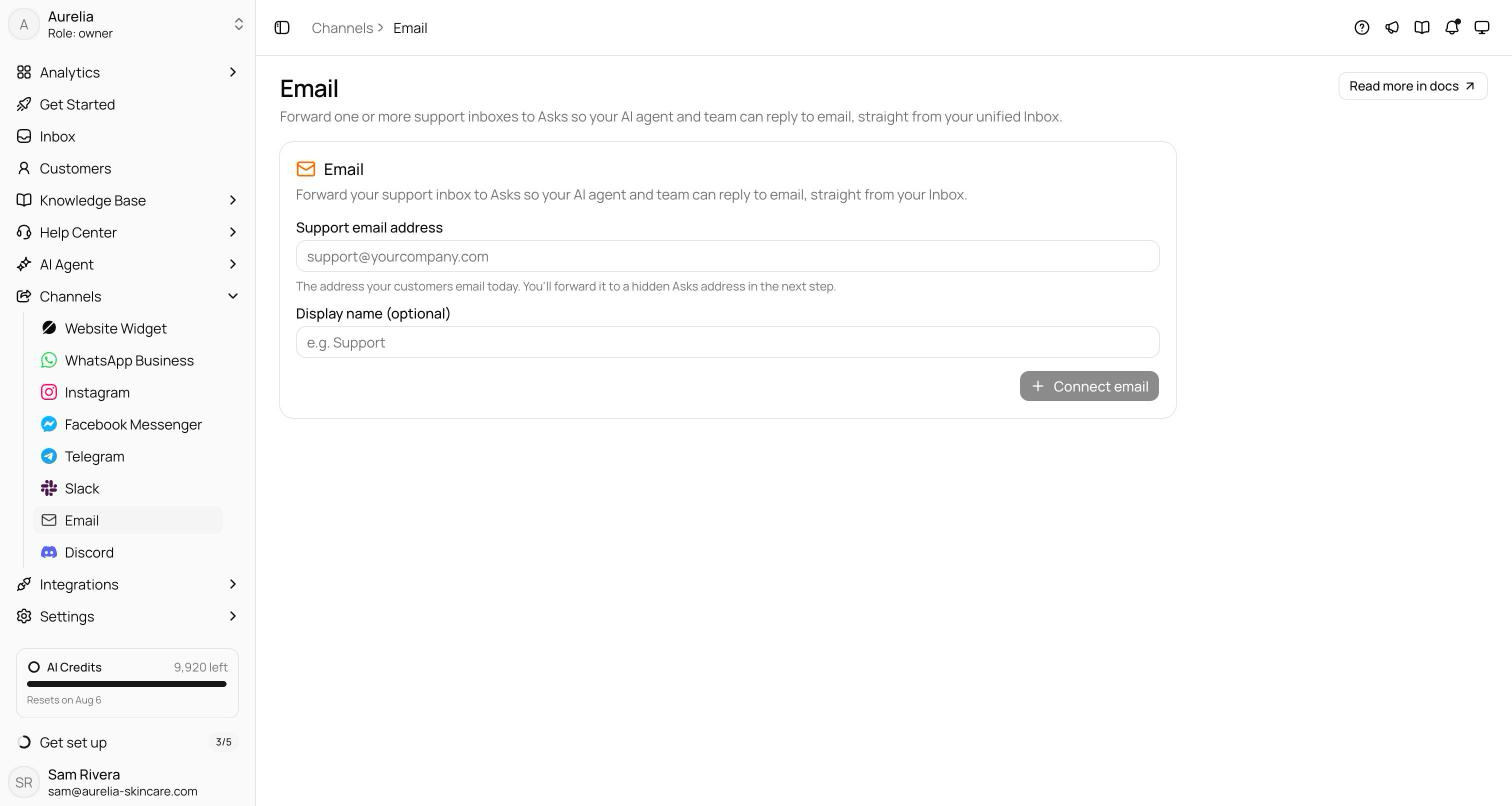
- 1Enter your support addressUnder Channels → Email, enter the address you already use (say, support@yourcompany.com) and an optional display name, then click Connect email.
- 2Copy your hidden Asks addressAsks mints a unique ingest address for the channel. Customers never see it — it's only where your provider forwards mail.
- 3Set up forwarding at your providerThe channel page shows instructions for Gmail, Google Workspace, Microsoft 365, and other providers — one auto-forward rule to the hidden address.
- 4Wait for verificationAsks sends a probe email to your address; once your rule passes it back, the channel flips to Verified.
Replies that behave like email should
Every reply carries a per-conversation reply address, so customer responses thread back into the same conversation — and land in the same thread in their mail client. Beyond threading:
- Your own address— outbound mail uses Asks's sending domain by default; verify your domain on the channel's Branded Domain tab to send from your own.
- Attachments both ways — inbound files over 20 MB are skipped while the message still arrives; large outbound files go out as download links.
- Loop protection — out-of-office replies, auto-responders, and bulk mail are dropped, and hard bounces suppress the address from further sends.
The settings tab holds the rest: a master switch, an AI agent replies toggle, an auto-reply that fires only on the first email of a new conversation, and a signature appended to every outbound reply.
See what's new in your workspace
Everything on this page is live today. Asks trains on your website and resolves customer conversations on every channel — free to try, live in minutes.