A hosted chat page, no embed required
Every workspace now gets a shareable chat page at its own link — your agent, full-screen, ready to be linked from anywhere.
Not every conversation starts on your website. Every workspace now has a hosted Chat Page — your agent on a clean, full-screen page at your own link, wearing your brand. Drop it in an Instagram bio, an email signature, a QR code on packaging — anywhere a link fits, your agent now fits.
It's the same agent, same knowledge, same inbox behind it. Find yours under Channels → Chat Page.
Turn it on
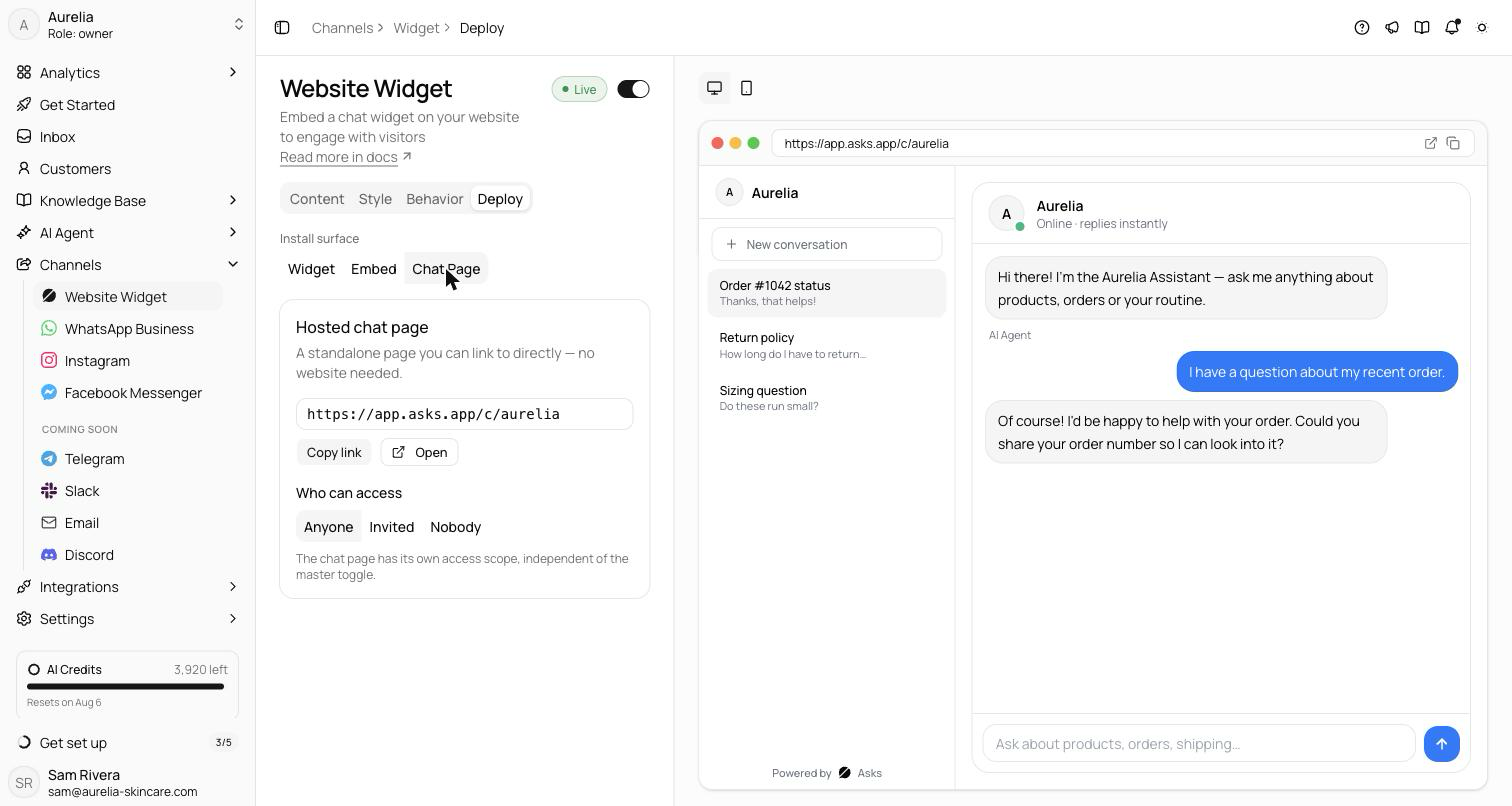
- 1Open the Deploy tabGo to Channels → Website Widget → Deploy and pick the Chat Page surface. Your hosted page URL is shown with Copy link and Open buttons.
- 2Set who can access itUnder Who can access, choose Anyone to make the page public. Nobodyis the default; until you switch, visitors see “This chat isn't available.”
- 3Share the linkPut the URL wherever customers find you — link-in-bio, QR codes on packaging or receipts, email signatures.
What visitors see
The page shares the widget's configuration — opening message, conversation starters, theme and colors, logo, languages — so it always matches the rest of your setup. The header shows your workspace name with “Online · replies instantly” when the AI agent is on, and a left rail lists the visitor's conversations with a New conversation button, so one customer can keep separate threads.
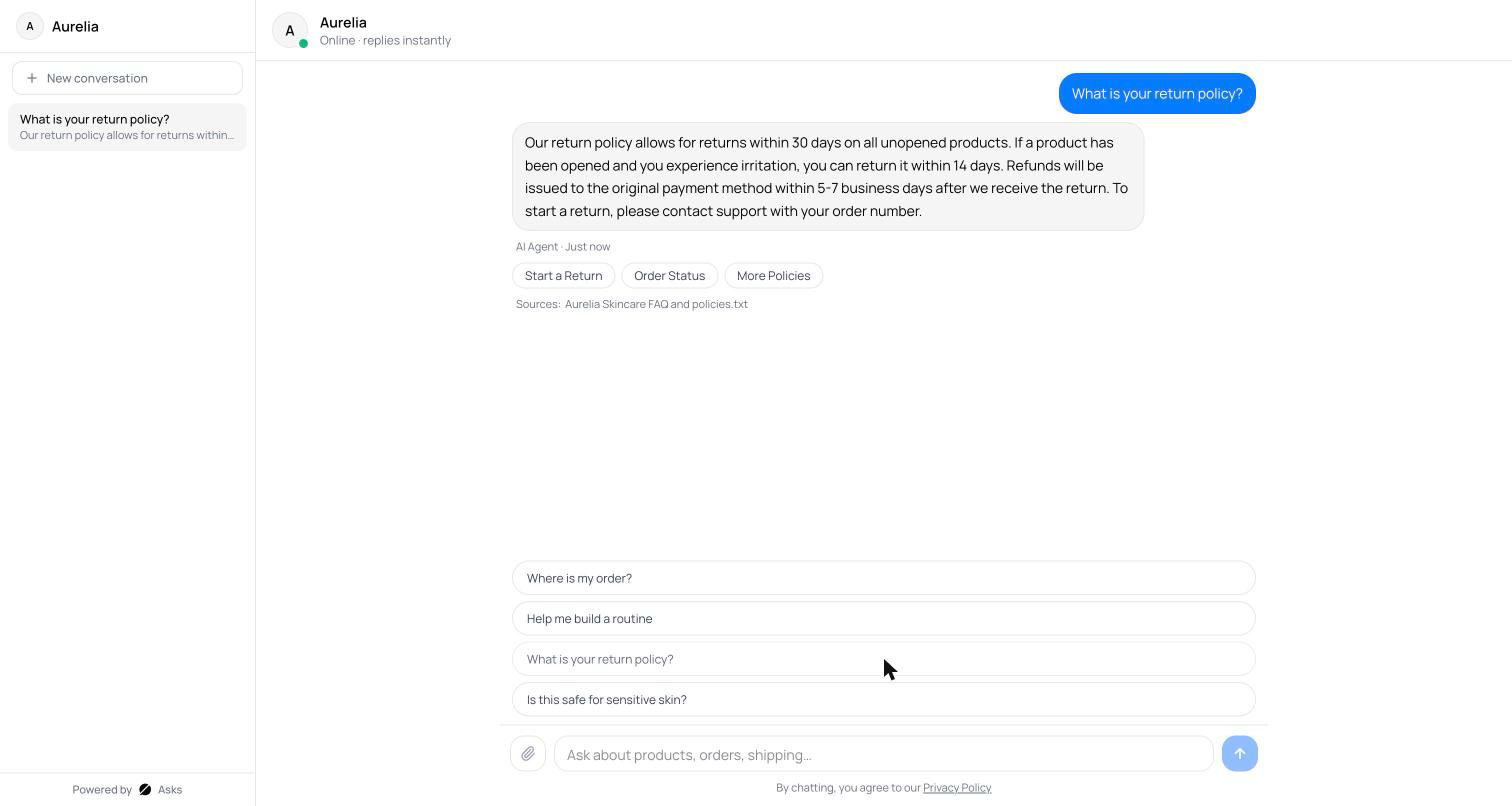
Visitors don't sign in. The page keeps an anonymous identity in the browser's local storage, so a returning visitor on the same browser and device picks up where they left off.
See what's new in your workspace
Everything on this page is live today. Asks trains on your website and resolves customer conversations on every channel — free to try, live in minutes.