Customers grew up into a real directory
The Customers section now opens with live KPIs and gives every customer a full profile: identity, channels, activity, and every past conversation in one place.
Every person who talks to your agent — on any channel — now has one clean profile. The customer page pulls together identity, the channels they've used, collected details, satisfaction history, and every conversation, with a side rail that keeps the important facts in view while you read.
The index got smarter too: live counts and trends up top, and cross-links everywhere — jump from a conversation to the customer and back without losing your place. Shopify customers are linked to their store identity automatically.
One person, every channel
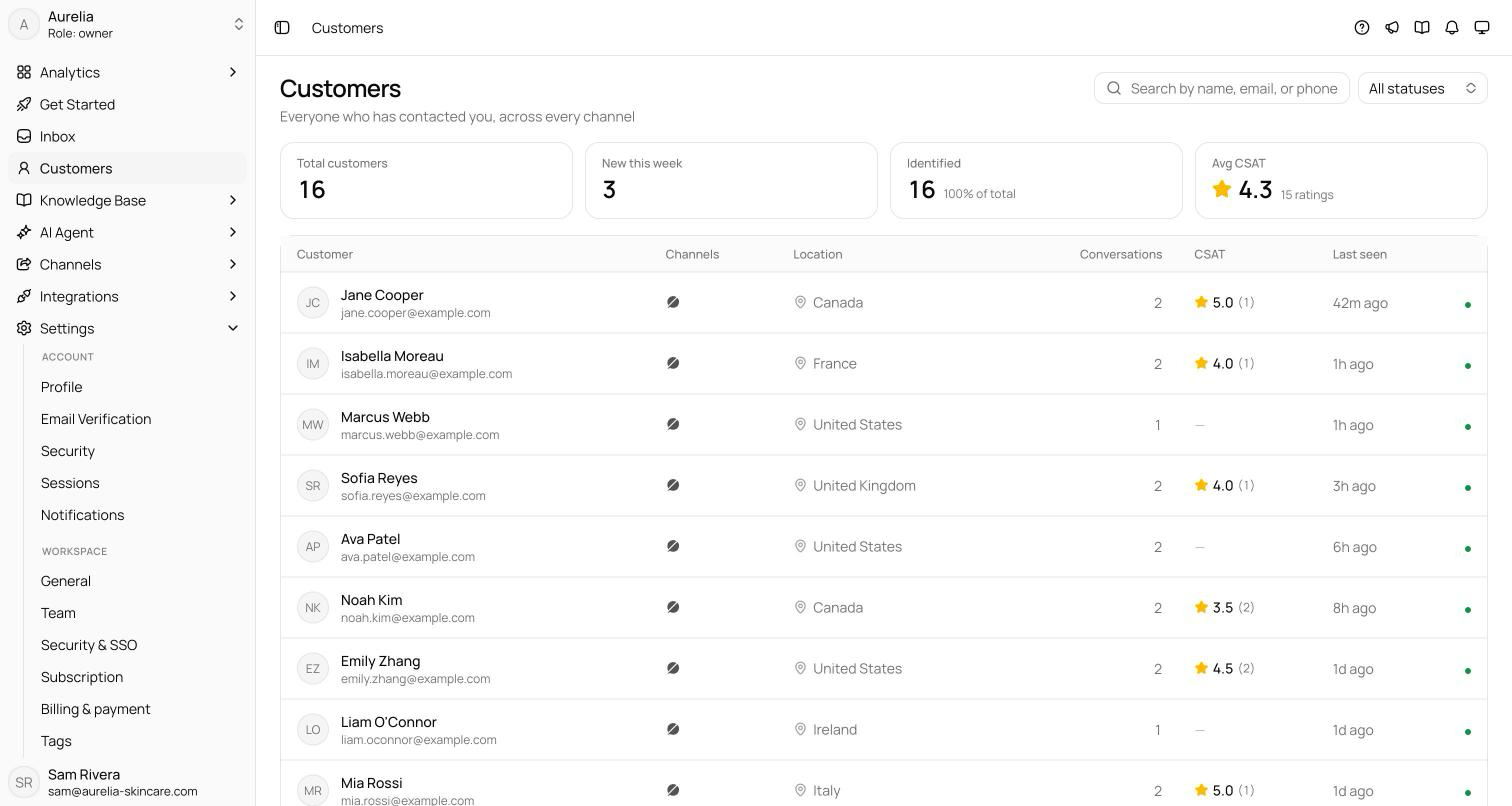
A person who messages you on WhatsApp and later emails you is one customer, not two: Asks matches identities by email, phone number, Shopify customer ID, and channel identifiers, and merges what it learns into a single record. The directory opens with four numbers — Total customers, New this week, Identified (customers with a known email or phone), and Avg CSAT— and the table below shows each customer's channels, location, conversation count, CSAT, and when they were last seen, with a status dot for Active, Inactive, or Archived. Search by name, email, or phone; click a row to open the profile.
The profile
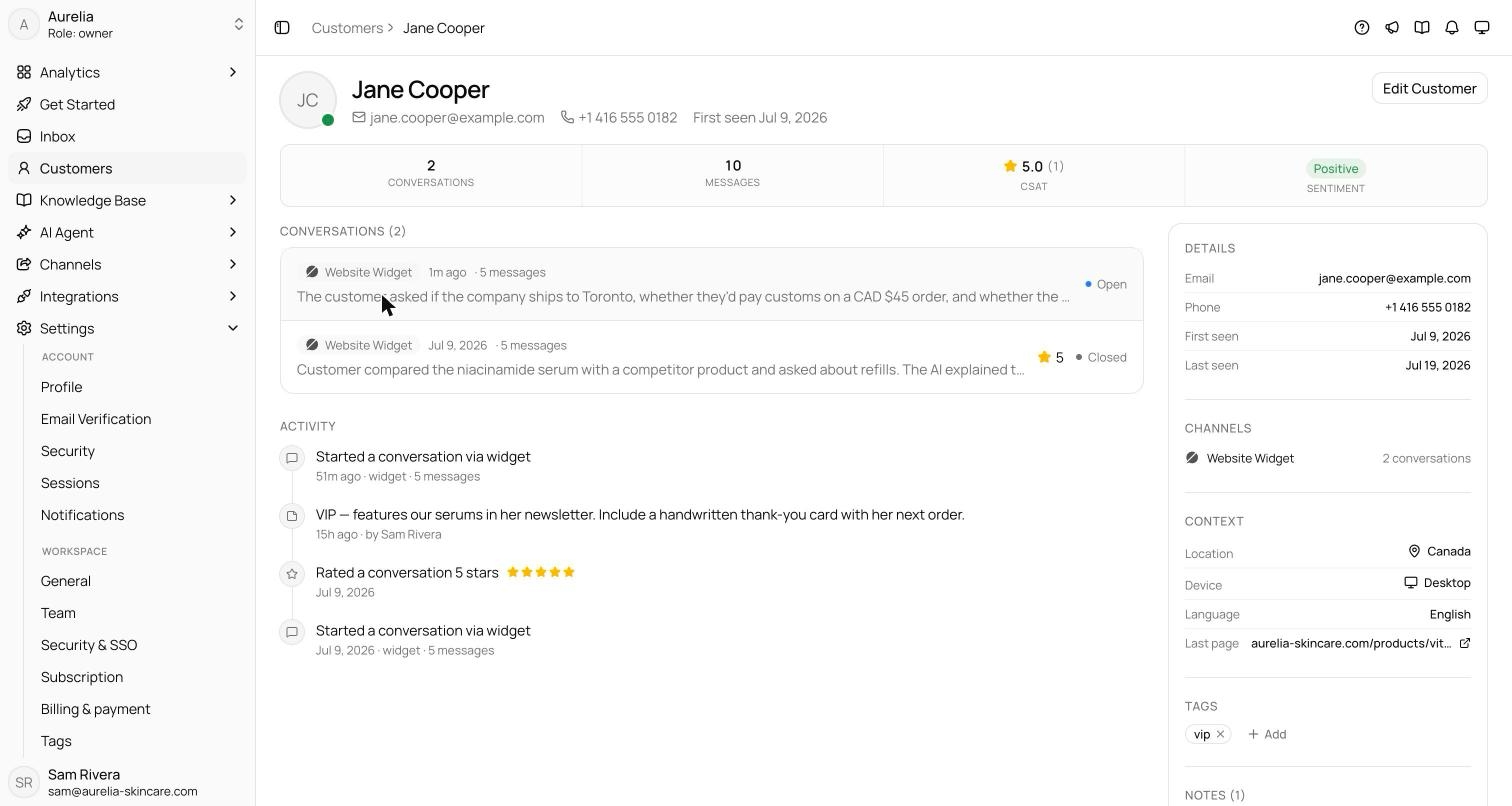
Each profile page brings together everything Asks knows about one person:
- Stats — conversations, messages, CSAT, and overall sentiment.
- Conversations and Activity — the full history, plus a timeline of contacts, profile updates, collected data, and notes.
- Details and Channels — email, phone, first and last seen, a Shopify link when their store account is connected, and per-channel conversation counts.
- Context and Store activity— location, device, language, the last page they were on in the widget, and recent Shopify browsing when your store's pixel is connected.
- Collected data, tags, and notes — answers the AI gathered during conversations, free-typed customer tags, and notes for your team.
Edits, manual and automatic
Edit Customer updates the contact fields — name, email, phone, status, tags, and an avatar. Contact details also fill in on their own: when the AI collects an email mid-conversation or a channel provides a profile, the record updates without your involvement.
See what's new in your workspace
Everything on this page is live today. Asks trains on your website and resolves customer conversations on every channel — free to try, live in minutes.