A hosted Help Center for self-service
Publish your knowledge as a public, searchable help site — collections, articles, and search — that doubles as training data for your agent.
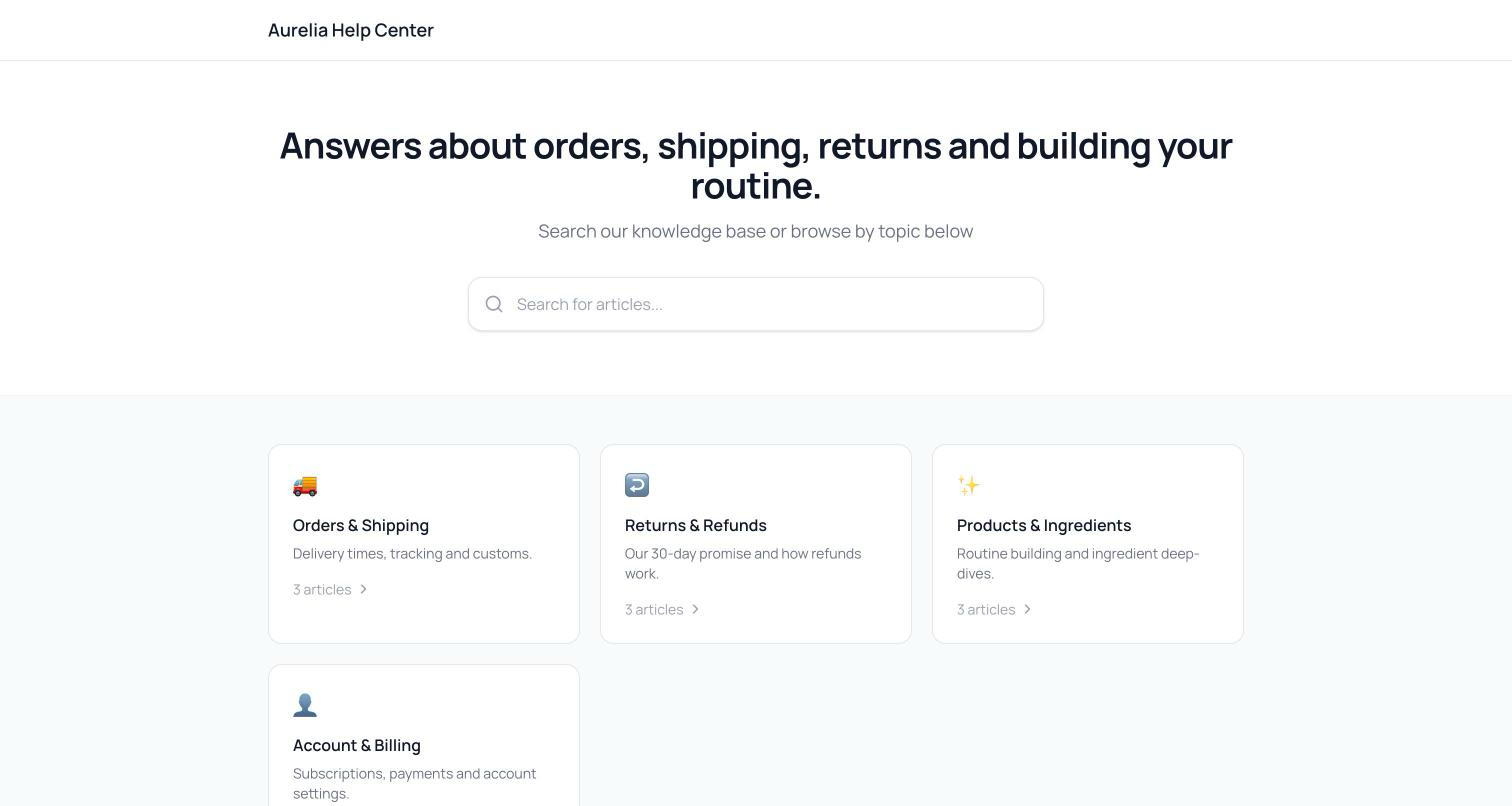
Some customers want to chat; others want to read. The new Help Center publishes your knowledge as a public, searchable site — organized into collections, styled to your brand, hosted by Asks at your own help URL.
It's one knowledge base wearing two hats: the same articles that power your agent's answers are the ones customers can browse themselves. Write once, help twice.
One knowledge base, two front doors
Help center articles are your knowledge base's public articles — any article marked Public and Published can be added to a collection. There is one source of truth: editing an article in the knowledge base updates the help center and the agent's knowledge at the same time. Collections carry a name, description, and icon, and drag to reorder; articles render with their last-updated date and a was-this-helpful prompt, and search is built in on every page.
Going live
- 1Build collectionsOn Collections, create collections and assign published public articles to them, with a live preview panel showing the public site as you work.
- 2Configure settingsOn Settings, set the name, the slug — which determines your public URL — a description, and the Livetoggle. Until Live is on, visitors get a 404 while your team sees a draft preview with a “only your team can see this” banner.
Inside the widget
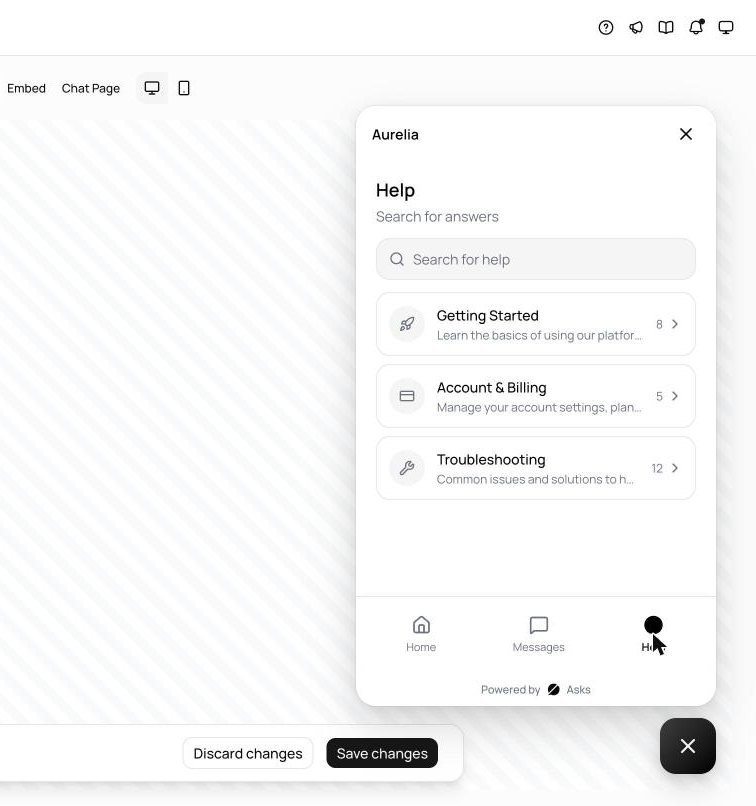
The same articles power the widget's Help space. Turn it on in your widget settings — with an optional title and subtitle — and visitors can browse and search your help center without leaving the chat, then start a conversation if they don't find what they need.
See what's new in your workspace
Everything on this page is live today. Asks trains on your website and resolves customer conversations on every channel — free to try, live in minutes.