Choose exactly which pages your agent learns
Adding a website now shows the full map of its pages so you pick what gets learned — and re-crawls only refresh what actually changed.
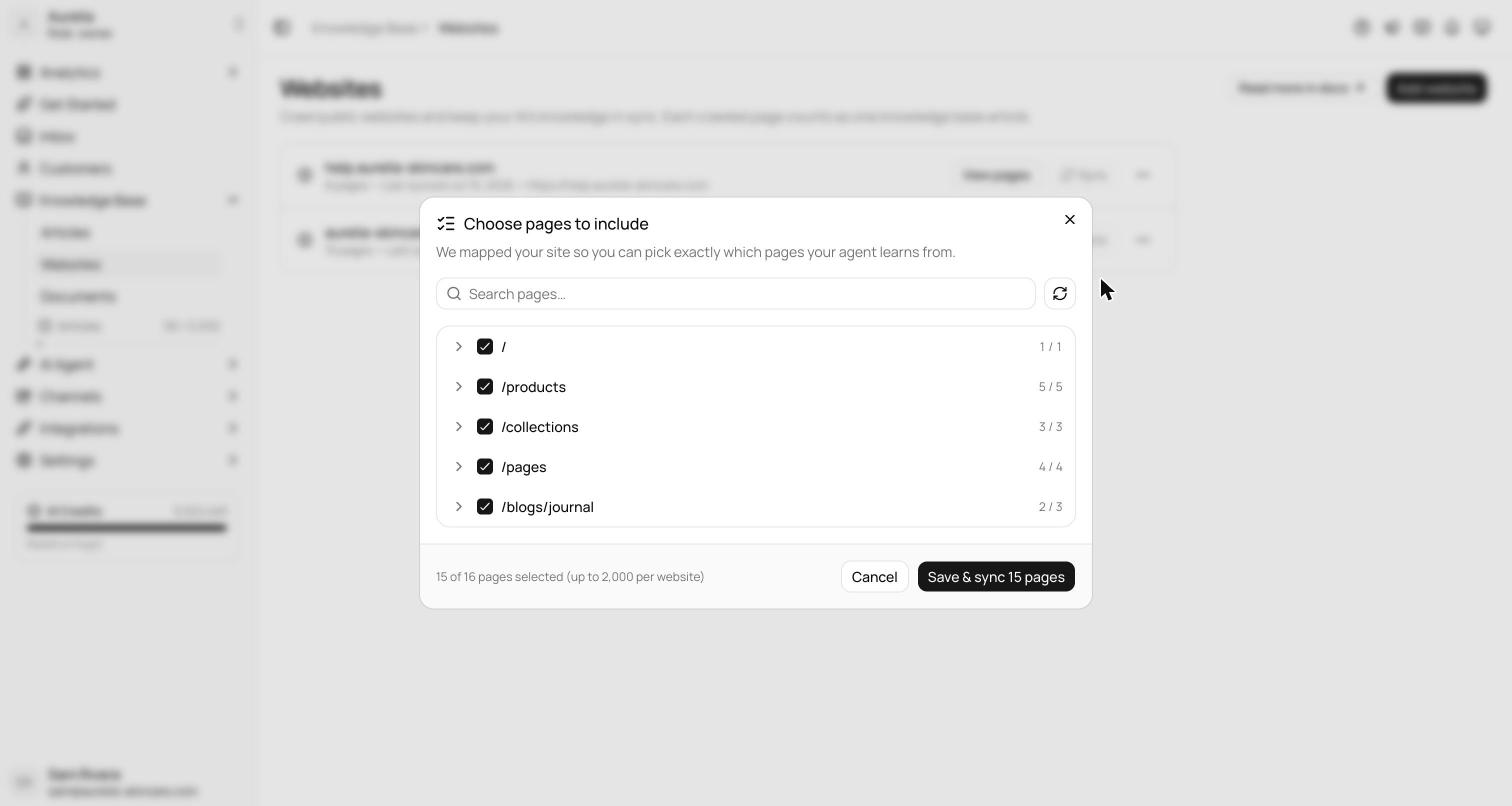
Adding a website used to be all-or-nothing. Now Asks maps the site first and shows you every page it found — you tick the ones that matter and leave out the blog archive from 2019. Locale duplicates are filtered automatically, and Shopify product catalogs are handled through the product feed instead of page-by-page crawling.
Under the hood, crawling moved to a much more capable engine, and re-syncs now compare content fingerprints — only pages that actually changed get re-learned, so refreshes are fast and your quota isn't wasted on unchanged pages.
Map first, crawl second
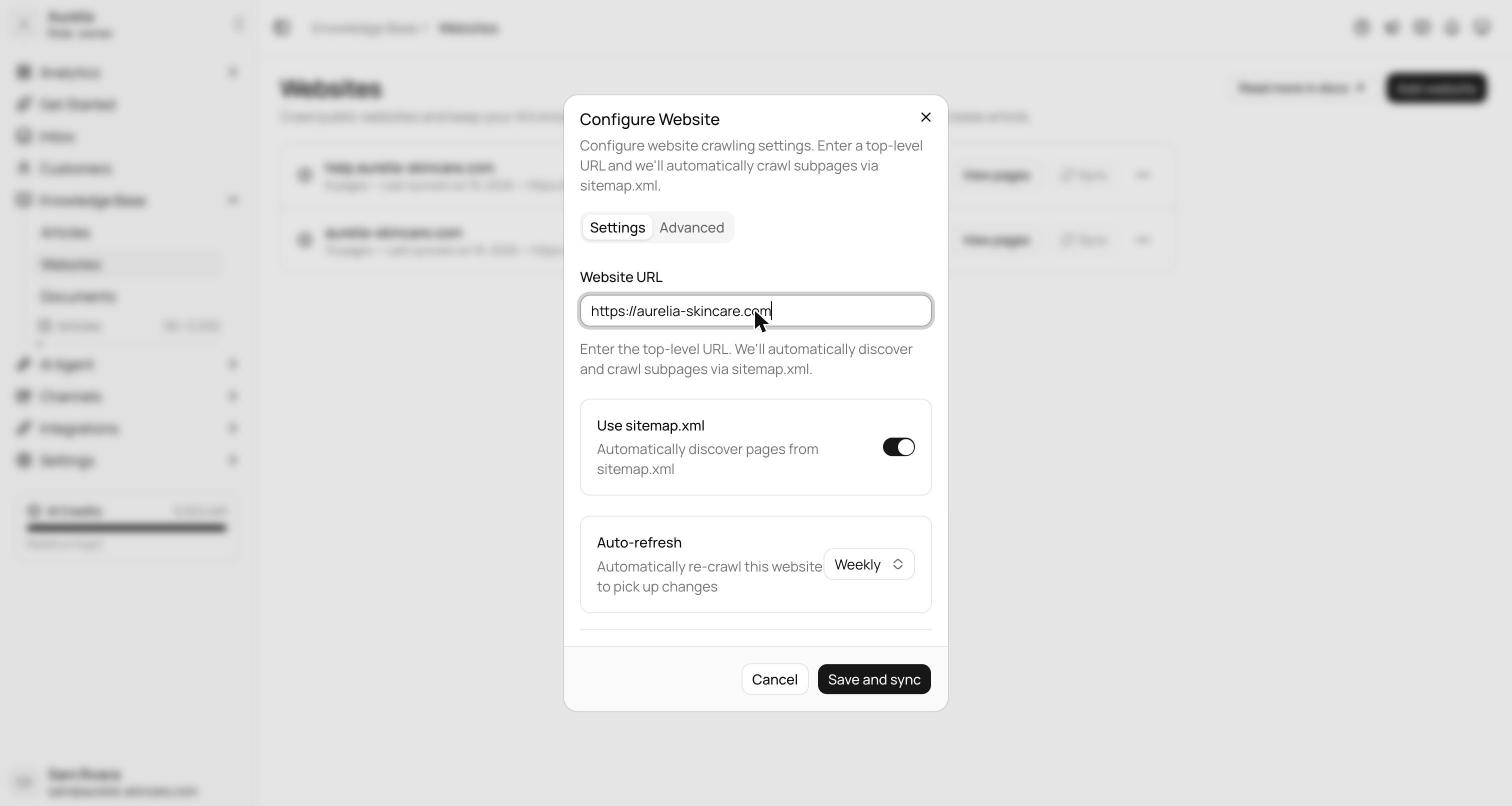
- 1Add the websiteEnter the top-level URL. The dialog covers sitemap discovery, an auto-refresh cadence (weekly or monthly on Starter; daily on Business and Premium), and an Advanced tab with crawl depth, allowed domains, and a storefront password for password-protected Shopify stores.
- 2Review pages before anything is crawledSaving opens the Choose pages to include picker. Asks maps the site's links first — up to 5,000 URLs, with a re-map button — so you decide what goes in before any crawling starts. On Shopify stores, product, collection, cart, and checkout pages are greyed out: they're answered live from Shopify and never use articles.
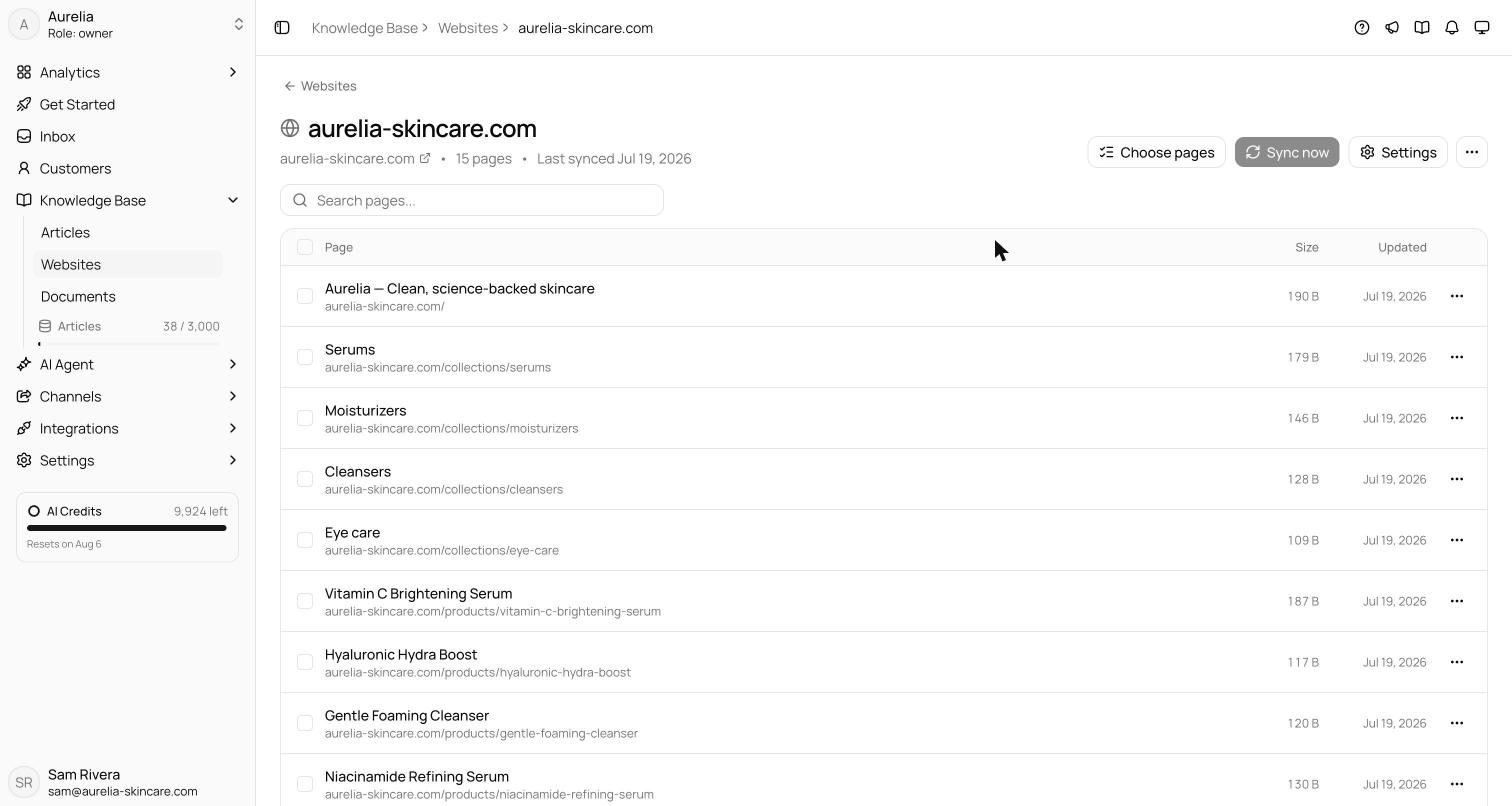
- 3Save and syncThe first sync starts immediately, the page count grows live, and the row shows pages and last-synced time when it finishes. Changed your mind? Discard website removes the source without crawling anything.
Re-syncs that only touch what changed
Every page's content is hashed, so a re-sync skips pages that haven't changed — nothing is re-indexed, and only genuinely new pages use new articles. Syncs remove pages too: pages that disappeared from the site, or that you deselected, are deleted and free their article slots immediately. A Sync history view lists the last 50 syncs with status, duration, pages crawled, and any errors, and a newly added website syncs freely for its first 24 hours while you set it up.
Every page, inspectable
View pagesopens a website's full page list: search by URL or title, re-crawl or delete pages individually or in bulk (up to 50 per action), and open any page to see exactly what was extracted — with a link to the original and a one-page re-crawl action.
See what's new in your workspace
Everything on this page is live today. Asks trains on your website and resolves customer conversations on every channel — free to try, live in minutes.