Your agent now sees what shoppers are doing in your store
For Shopify stores, Asks now understands live storefront activity — pages viewed, products browsed, carts built — and uses it to answer with context.
If you run Asks on Shopify, your agent just got situational awareness. Through our storefront pixel, it now knows what the visitor was doing before they opened the chat — the product they were looking at, what's in their cart, the pages they browsed.
Ask “does this come in a bigger size?” and the agent knows what thisis. No more “could you tell me which product you mean?” round-trips. You can review the same context in the inbox under Store activity on any conversation, and turn the whole thing off with one toggle if you prefer.
The pixel, in plain terms
Storefront tracking is one of four feature switches on the Shopify integration page, alongside Product Search, Policy Search, and Cart Management. With Pixel Trackingon, the pixel follows customer browsing on your storefront so the agent has real-time context about what they're looking at — and turning the switch off stops it. Disconnecting the store clears the tracking data entirely.
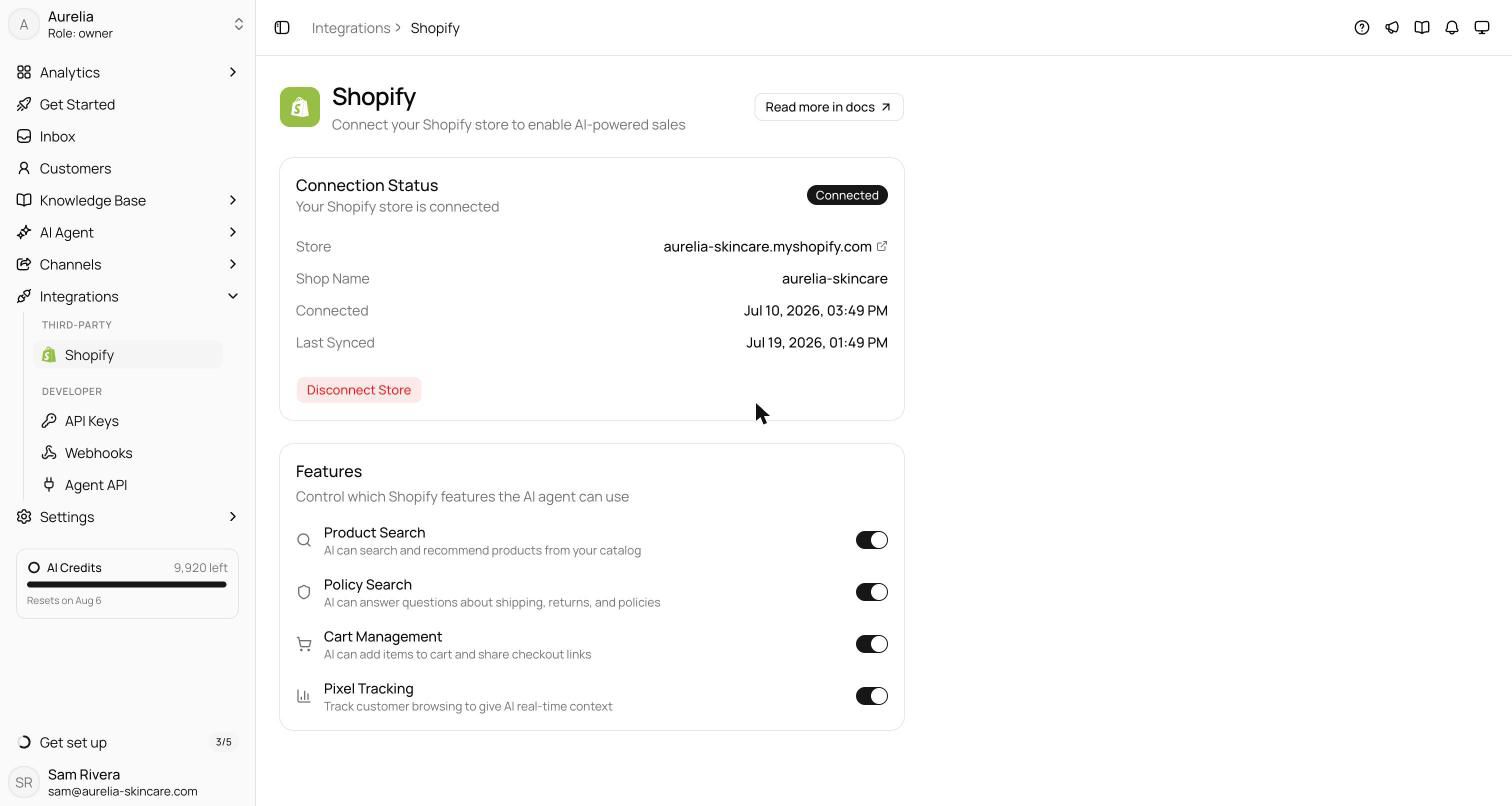
Part of a store-aware agent
Browsing context joins everything else the Shopify connection unlocks. The agent searches your live catalog and answers with names, prices, links, and per-variant availability; quotes your actual shipping and returns policies; views and edits the customer's cart and shares the checkout link; and looks up order status for “where is my order” questions. Products and policies are fetched live at answer time, so a price change shows up in the next answer with no re-crawl.
See what's new in your workspace
Everything on this page is live today. Asks trains on your website and resolves customer conversations on every channel — free to try, live in minutes.